
Hardware · 22 September, 2026
Choosing a Computer Power Supply: Wattage, Power Quality, and Easily Overlooked Details
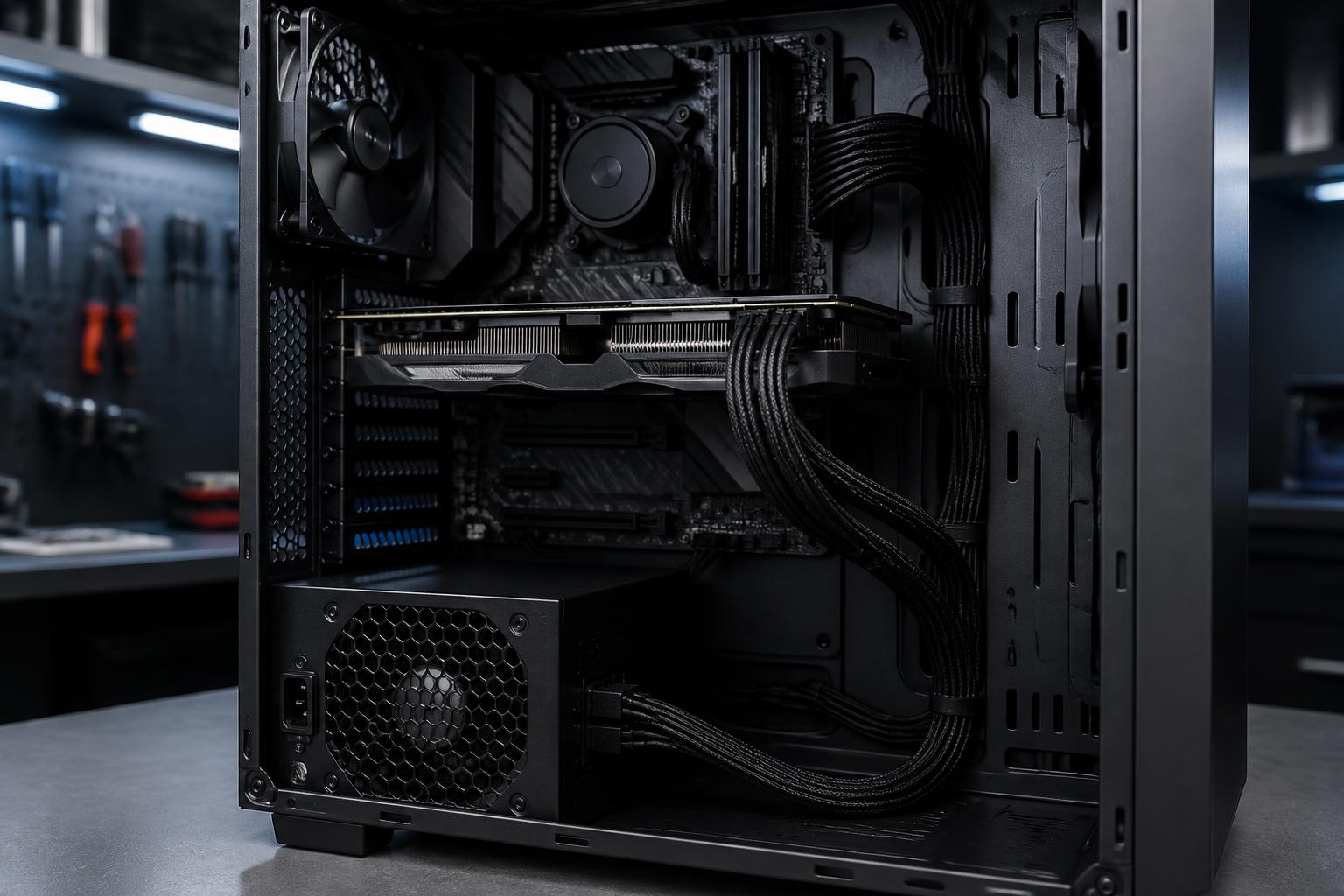
A Power Supply Is More Than Just a Component That Provides Enough Wattage In a computer configuration, the power supply often receives less attention than the CPU, graphics card, or amount of RAM. Buyers tend to focus on specifications that directly produce performance, while the power supply sits behind the case and appears to have […]
A Power Supply Is More Than Just a Component That Provides Enough Wattage
In a computer configuration, the power supply often receives less attention than the CPU, graphics card, or amount of RAM. Buyers tend to focus on specifications that directly produce performance, while the power supply sits behind the case and appears to have the simple task of bringing electricity into the system. This view can lead to an unbalanced choice. An unsuitable power supply can not only make it difficult for the computer to operate stably but also limit upgrade potential, increase noise, and make troubleshooting more difficult.
A PSU, short for Power Supply Unit, receives alternating current from the outlet and converts it into direct-current rails with voltage levels suitable for the motherboard, processor, graphics card, storage drives, and other devices. This process needs to remain stable across many different states, from starting the computer and light workloads to gaming, video rendering, and sudden changes in load. Therefore, the wattage printed on the casing is only the starting point. Component quality, voltage regulation, protection circuits, cabling, and power efficiency all deserve consideration.
How to Estimate the Appropriate Wattage
The easiest way to make a poor choice is to mechanically add up the maximum wattage of each component and then buy a power supply with just enough capacity. In reality, the system’s power consumption changes according to the task, performance settings, and limits of each component. A CPU may consume different amounts of power when handling office work, loading all cores, or boosting its clock speed. A graphics card also consumes different amounts of power in a light game compared with a professional rendering application.
A more reasonable process is to identify the main components first, especially the CPU and graphics card, and then consult the recommended power rating from the manufacturer. This figure should not be understood to mean that the computer always consumes exactly that amount; rather, it is a reference point that helps users understand the requirements of the entire system. Next, additional headroom should be added for the motherboard, RAM, fans, storage drives, USB devices, and future changes.
Headroom matters in several ways. It helps the power supply avoid operating near its limit on a regular basis, provides room for sudden increases in load, and allows some components to be upgraded without immediately replacing the PSU. However, excessive headroom does not automatically make a configuration better. A very high-wattage power supply with poor quality is still a worse choice than a power supply with sufficient wattage and a reliable design. The important thing is to balance actual load, upgrade plans, and budget.
Do Not Confuse Rated Wattage with Actual Load Capacity
The total wattage specification is usually printed prominently on the box, but users should also examine the power-distribution table for the different rails. In modern computers, the 12V rail is particularly important because the CPU and graphics card draw most of their power from it. A power supply with a relatively high total wattage but inadequate capacity on the 12V rail is not an ideal choice for a system with a powerful graphics card.
It is also necessary to distinguish continuous power from marketing claims that can be misleading about peak wattage over short periods. When comparing products, users should prioritize clearly published specifications, complete technical documentation, and transparent warranty policies. If information about the rails, load levels, or protection mechanisms is overly sparse, that is a reason for caution rather than a reason to focus only on the large number on the label.
Efficiency and Certifications: Useful but Not the Whole Story
Efficiency indicates how effectively a power supply converts electricity from the outlet into useful power for the computer. Higher efficiency generally means less electricity is lost as heat under the same load conditions. This can help reduce heat inside the case and lessen the burden on the fans, but the efficiency rating cannot replace a comprehensive assessment of quality.
Efficiency certification labels can give buyers a point of reference when comparing products, but they should not be treated as an absolute guarantee for every aspect. Certification primarily concerns efficiency under specific testing conditions. It does not directly fully describe voltage stability, noise, component lifespan, or how the manufacturer implements the protection circuits. Therefore, users should combine multiple sources of information: technical specifications, reviews with measurements, warranty duration, and the brand’s reputation in the market where the purchase is being made.
Protection Circuits That Deserve Attention
A good power supply needs mechanisms that limit risks when the system encounters abnormal conditions. Over-current protection helps control current that exceeds the threshold; over-voltage and under-voltage protection respond when the voltage falls outside the permitted range; short-circuit protection cuts off or limits power delivery when a fault is detected; and over-temperature protection helps reduce risks when the internal temperature rises too high. Names and abbreviations may differ between manufacturers, but buyers should look for documentation that clearly describes these mechanisms rather than relying only on vague advertising.
Protection circuits do not make a computer immune to every electrical problem. They are only one layer of protection inside the PSU. A properly grounded outlet, suitable power cables, and a surge protector or uninterruptible power supply when necessary still play their own roles. If an area frequently experiences power outages, unstable electricity, or many high-power devices sharing the same circuit, users should consider the entire power-delivery system instead of placing all responsibility on the power supply.
New Connection Standards and Upgrade Potential
Before buying a PSU, it is necessary to check precisely which connectors the configuration requires. The motherboard typically needs a main power connector and a CPU power connector. A graphics card may use one or more dedicated power connectors, while storage drives, fans, and other accessories may require different types of connectors. Do not assume that an included adapter is always the best solution, especially when the graphics card requires high current or has specific connection requirements.
For a new configuration, support for modern connection standards is worth considering if the user plans to use a powerful graphics card or upgrade in the future. An original cable designed to the correct standard and securely connected is generally more reliable than combining multiple adapters. During installation, the cable must be inserted fully, must not be sharply twisted at the connector, and must not be pressed tightly against the side panel of the case. These seemingly minor actions can affect connection stability.
Modular, Semi-Modular, or Fixed Cables?
With a fixed-cable power supply, all cables are permanently attached to the PSU body. This design is generally simple and may suit a configuration that does not require many changes, but unused cables must be coiled or hidden inside the case. A semi-modular power supply allows some unnecessary cables to be detached, while a modular model allows users to connect only the cables they actually need.
The major advantage of a modular design is that it makes cable management neater and upgrades more convenient. However, this convenience does not mean that modular cables from different power supplies are interchangeable. The connector on the PSU side may have a different pinout even when its external shape looks similar. Never reuse a cable removed from another power supply unless the manufacturer has confirmed compatibility. This mistake can damage components as soon as power is supplied.
Noise, Size, and Installation Conditions
A power supply’s noise level depends on load, temperature, fan design, and speed control. Some models have a fan-stop mode at low loads, but this does not mean the fan will always remain off in every environment. Users should consult real-world reviews if they are building a quiet computer for work or audio recording. In addition, the PSU’s size must be compatible with the case, mounting position, and cable-management space. An overly long power supply may obstruct a drive bay or make it difficult to install a graphics card.
Airflow also deserves consideration. A PSU fan usually draws air in from the side with the ventilation grille and exhausts it out the rear, so the computer should not be placed on a surface that blocks the intake. Dust buildup over time reduces cooling performance and may force the fan to run faster. Regular cleaning using an appropriate method, while avoiding opening the PSU casing without the necessary expertise, is a safer way to maintain it.
Common Purchasing and Installation Mistakes
A common mistake is choosing the power supply based on the lowest price when it is a component that must operate continuously and is connected to the entire system. Another mistake is buying a product of unclear origin, with inconsistent labeling information or a warranty that cannot be verified. Users also tend to overestimate a brand based solely on its name while overlooking the specific product line, since quality can vary between market segments.
During installation, do not use excessive force to push in a connector, do not pull cables by the wires, and do not allow cables to touch fan blades. After finishing, check all connectors, make sure the power switch is in the appropriate position, and confirm that the CPU and graphics card power cables are correctly connected before starting the computer. If the computer shuts down on its own, repeatedly restarts, produces a burning smell, or makes unusual sounds, disconnect the power and inspect it instead of continuing to try repeatedly.
Choose Based on the Intended Lifespan, Not Just the Current Configuration
A reasonable decision should begin with how the computer will be used over the next few years. An office or home computer may prioritize stability, low noise, and a clearly defined warranty. A gaming computer needs attention to the graphics card’s load, suitable connectors, and the ability to withstand rapid changes in load. A video-editing, rendering, or multi-drive computer needs to account for long operating periods and upgrade requirements.
Ultimately, a good power supply is not necessarily the most expensive model or the one with the highest wattage. It is a product with suitable continuous power, transparent specifications, complete protection circuits, compatible cables, a size that fits the case, and a reliable warranty policy. By placing the PSU in its proper position within the overall hardware equation, users not only reduce the risk of difficult-to-trace failures but also build a stable foundation for future upgrades.