


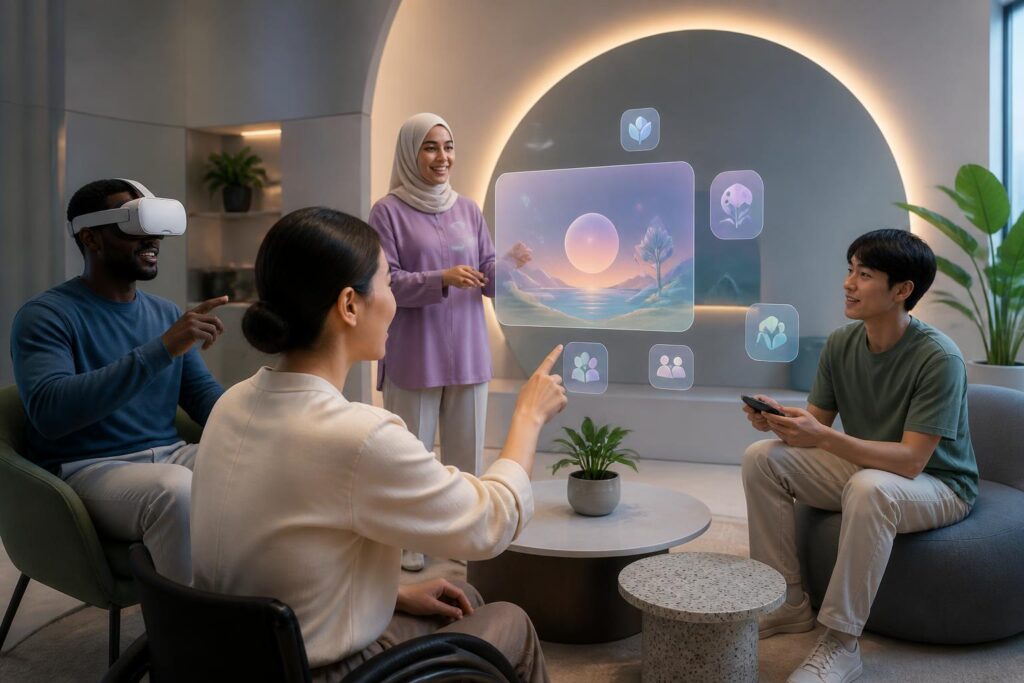
When people talk about the virtual world, they often imagine vivid spaces with three-dimensional visuals, surround sound, and the ability to interact beyond the limits of traditional screens. Users can enter a game, attend a meeting, visit a location, or work together in an environment built from data. However, behind the promise of a space unrestricted by distance lies a question that is asked less often: who can actually enter it?
A virtual space does not automatically become equal simply because it exists online. The way devices are designed, methods of control, connectivity requirements, hardware prices, and rules of communication can all determine who is able to participate with ease, who has to make greater efforts, and even who is left outside. If developers focus only on visual realism or processing power, they may overlook a foundational element of the digital experience: accessibility.
Barriers Go Beyond the Device
The first barrier that is easy to recognize is hardware. A virtual experience may require specialized glasses, controllers, a sufficiently powerful computer, or a physical space large enough for users to move around in. Not every household can meet these conditions. Even when a service offers a version that runs on a phone or an ordinary computer, the experience can still differ significantly between devices.
Cost is not the only factor. Wearing a device for a long time can cause discomfort for people who wear prescription glasses, people who are sensitive to motion, or people who have difficulty maintaining their balance. Some default interfaces assume that users can stand, turn around, move their hands in many directions, and respond quickly to visual cues. These assumptions unintentionally turn a simple action for one person into a major obstacle for another.
Barriers also appear at the software level. Text that is too small, poorly contrasting colors, information conveyed only through sound, or buttons without clear states all reduce usability. In a three-dimensional environment, the issue is even more complex because users must orient themselves in space, identify objects in multiple locations, and keep track of changes happening at the same time. An attractive interface is not necessarily an understandable one.
Accessibility Is Part of the Experience
Accessibility is often viewed as an additional feature, to be implemented after the main product has been completed. This approach makes modifications more costly and sometimes produces only patchwork solutions. If developers regard multiple ways of interacting as a basic requirement from the beginning, virtual spaces can be built with greater flexibility.
For example, an application could allow users to switch between standing and seated modes, choose a suitable method of movement, adjust the speed at which the viewpoint changes, or use alternative controllers. Actions requiring precise movement could be redesigned to be performed with buttons, voice commands, or a simpler sequence of gestures. Users should also be able to change text size, contrast, the volume of different types of signals, and how notifications are displayed.
For people who are deaf or hard of hearing, captions and visual signals not only help them follow conversations but can also convey important sounds in the environment. For people who are blind or have limited vision, audio descriptions, a clear navigation structure, and compatibility with assistive tools can make a major difference. These options do not make the experience any less modern. On the contrary, they show that the product was designed around real needs rather than serving only one idealized type of user.
Designing for Many People Also Benefits the Majority
Accessibility is often associated with people with disabilities, but its benefits do not stop with this group. Older people may need larger text and simpler interactions. People using a device in a noisy place may need captions. Phone users in low-light conditions may benefit from good contrast. Someone with an injured hand, caring for a young child, or lacking space to move around may still want to participate in an experience designed to accommodate multiple forms of use.
This shows that accessibility is not a separate branch detached from product quality. An interface with a clear structure is generally easier to learn. A system that allows flexible adjustments is generally less frustrating. An environment that offers multiple methods of communication is generally better suited to everyday situations, in which users do not always have ideal conditions in terms of devices, physical abilities, or space.
However, this argument should not become a reason to disregard specific needs. The fact that a feature is useful to many people does not mean that every problem has been solved. Accessibility must be assessed case by case, because a person with mobility difficulties may need a different solution from someone with visual or hearing limitations. A long list of options also does not automatically create a good experience if those options are difficult to find, difficult to understand, or operate inconsistently.
Users Need to Participate in the Design Process
One common mistake is trying to guess a community’s needs without listening to the people who will actually use the product. Developers may assume that a movement is natural, an icon is easy to understand, or a layout is convenient, but these assumptions need to be tested in practice. Inviting a range of user groups to participate in testing from an early stage helps identify barriers before they become a permanent part of the system.
The testing process also needs to consider the entire journey, not just a few minutes inside the virtual space. Users have to create an account, install software, pair devices, adjust settings, find friends, troubleshoot problems, and leave the session. A product with a very easy-to-use interface inside the virtual world can still become inaccessible if it requires too many steps outside it.
In addition, user feedback should be received as data for improvement rather than as an ancillary complaint. Accessibility changes do not always generate a clear promotional effect, but they can determine whether someone comes back. More importantly, they demonstrate the platform’s attitude toward people who do not fit the default design.
The Responsibility of Platforms and Communities
Accessible design addresses only part of the problem. Users also need a safe communication environment in which they are not mocked for using a different control method, speaking more slowly, or failing to respond in the way the majority expects. Platforms should provide sufficiently clear tools for reporting, blocking, and controlling interactions, while also explaining community rules in language that is easy to understand.
Communities also play an equally important role. A virtual space may have many accessibility features and still be unwelcoming if participants treat differences as something laughable. Conversely, accepting multiple ways of being present and communicating can enrich a community, because people are no longer forced to express themselves according to a single pattern.
More broadly, developers need to consider the ability to operate across different types of devices and under different connection conditions. Not everyone can upgrade their hardware regularly or maintain a stable connection. If important experiences are available only on expensive devices, the virtual world will reproduce the stratification that already exists in physical life instead of opening up more opportunities for participation.
An Open Virtual World Must Begin with Specific Choices
Virtual spaces can help people meet, learn, and create in new ways. But that potential is meaningful only when many people have the opportunity to access them and maintain their presence within them. The question that needs to be asked is not only how realistic this environment looks, but also who is having difficulty using it, who has not been heard, and which groups the current design is prioritizing.
Accessibility does not require everyone to experience the virtual world in the same way. On the contrary, it recognizes that people have different bodies, circumstances, and needs. A good platform is one that allows those differences to exist without turning them into reasons for exclusion. When the power of choice is placed in users’ hands, the virtual world has a chance to become a truly shared space, rather than merely an extension of the limitations that already exist.
