


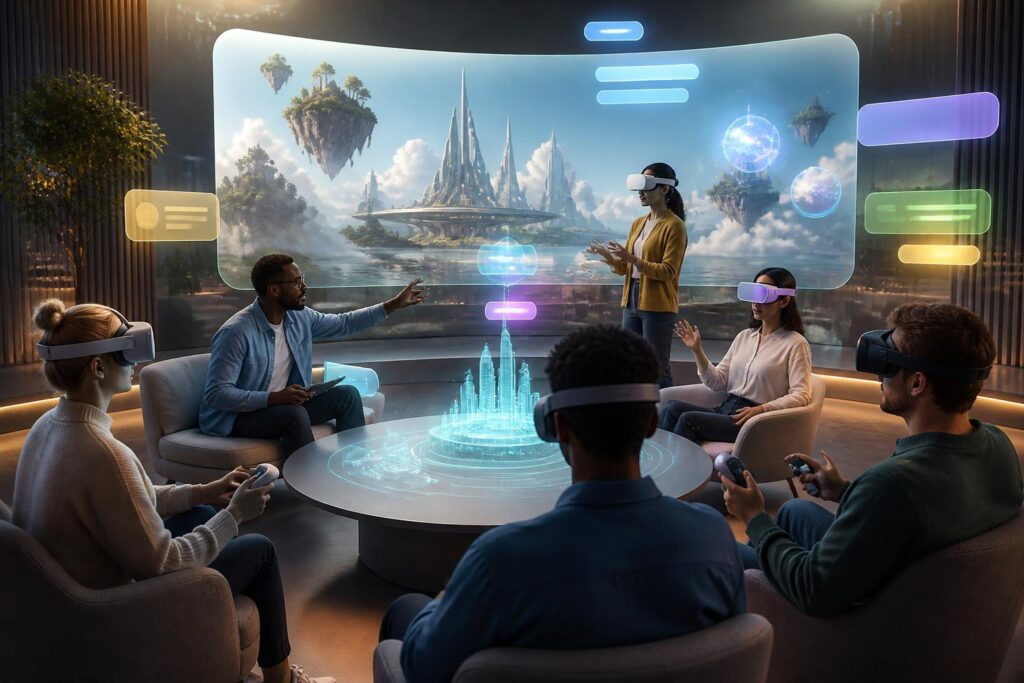
Virtual worlds are often introduced through highly immersive imagery: users enter three-dimensional spaces, communicate through avatars, attend classes, meetings, games, or community events without needing to be physically present in the same location. However, a sense of presence does not automatically mean the ability to participate. A space with beautiful visuals but text that is too small, audio without captions, controls suited only to users with strong hand mobility, or requirements for expensive equipment can still exclude many people.
For this reason, accessibility is becoming an important question in virtual-world design. The issue is not only about adding a button to turn on captions or allowing users to change text size. It is about how platforms anticipate user diversity, accept multiple forms of interaction, and ensure that core activities are not locked to a single sense, body type, or level of technological expertise.
Immersive experiences should not be reserved for just one type of user
In physical environments, people have become accustomed to adapting spaces so that many groups can use them together. Appropriately sloped walkways, easy-to-read signs, elevators, audio announcements, and other support options all arise from the recognition that user needs are not the same. Virtual worlds do not have stairs or hallways in the conventional sense, but similar barriers still exist in digital form.
People with visual impairments may struggle when an interface conveys information only through images. People with hearing impairments may miss content if conversations take place only through speech. People with limited mobility may be unable to perform multiple hand actions simultaneously or may have to maintain one position for a long time. Those who are susceptible to motion sickness may feel discomfort when the camera moves quickly, the environment changes suddenly, or the viewpoint is unstable. In addition, people who are new to virtual-reality headsets need time to become familiar with the controls, maps, and rules of communication.
These needs are not marginal cases. They point to a broader principle: good design should not force users to adapt completely to a product. Products need to be flexible enough to accommodate many reasonable ways of being used. When this is achieved, accessibility not only supports people with disabilities but also helps general users in different circumstances—for example, when the network is slow, lighting is poor, their hands are occupied, or they cannot turn on audio.
Multiple senses, multiple ways to interact
A virtual world commonly combines visuals, audio, movement, and feedback from controllers. This combination increases the sense of presence, but it also creates the risk of relying too heavily on one channel of communication. If important information appears only in audio form, users who cannot hear will have no way to follow it. If instructions are conveyed only through wordless icons, people with low vision or those unfamiliar with interface conventions may be left behind.
The solution is to provide information through multiple, interchangeable methods. Spoken content should be accompanied by clear captions, with adjustable size and contrast. Important audio signals can be supplemented with vibration, color, icons, or visual notifications. Objects that need to be distinguished should not be differentiated by color alone, because users may have difficulty identifying certain color groups or may be using different display devices.
However, providing multiple signals does not mean putting everything on the screen at once. Too many notifications, sounds, and effects can also cause cognitive overload. Design should distinguish core information from decorative signals, allow users to reduce motion effects, turn off background audio, adjust vibration intensity, and choose an appropriate display method. An accessible interface not only offers more options but also helps users clearly understand what each option changes.
Flexible controls matter just as much as graphics
Many virtual-world products are built on the assumption that users can hold controllers in both hands, move analog sticks, press buttons quickly, and turn their heads continuously. This is a narrow assumption. A flexible system should allow users to change button layouts, reduce the number of simultaneous actions, switch between hand and voice controls when appropriate, or use different input devices.
Seated and standing modes should also be treated as normal options, not reduced versions of the primary experience. Users may be unable to stand for long periods, may not have enough space to move around, or may simply want to participate using an ordinary computer and monitor. If an important activity functions fully only in a virtual-reality space, the platform should clearly communicate that limitation instead of making users discover it after they have joined.
How users move through a space also greatly affects comfort. Teleportation, short-step movement, speed adjustment, and limits on the angle of rotation can help reduce disorientation or motion sickness. These settings should be included during setup and should also be changeable at any time. Giving users control over speed, distance, and field of view also reduces the pressure to endure a default configuration.
Accessibility is connected to communication and safety
Virtual worlds are not merely collections of three-dimensional objects. They are also places where people converse, collaborate, and express their presence to others. Therefore, accessibility must include communication tools as well. Users should have ways to express themselves when they cannot or do not want to speak by voice, such as through text, icons, customized gestures, or clearly displayed status indicators.
Captions in group conversations should be designed so that users can follow who is speaking and distinguish important sounds. Text panels should avoid blocking the entire environment or causing users to lose their sense of direction. In learning and work activities, documents, instructions, and discussion outcomes should also be provided in a form that can be reviewed, rather than relying entirely on a real-time conversation.
Social safety is also part of accessibility. Some people need greater personal space, quiet zones, or a way to quickly turn off audio and interaction from others. Functions such as blocking, muting, limiting approach distance, and reporting inappropriate behavior need to be easy to find and use while an activity is in progress. If users have to leave the space before they can protect themselves, the design has placed too much burden on the individual.
Do not treat accessibility as a final check
A common mistake is to develop a product almost to completion before testing its accessibility. By then, many architectural, interface, and content decisions have already been fixed, making repairs costly or limiting them to temporary solutions. Accessibility should be considered from the stage of defining product goals: which activities must offer multiple ways to participate, which information needs to be conveyed through multiple channels, and which limitations need to be clearly stated before users enter.
Development teams also need to test with people who have different needs and usage habits. It is impossible to fully infer the experiences of people with visual impairments, wheelchair users, people sensitive to motion, or those unfamiliar with the equipment solely from the perspective of one design team. Real-world feedback can reveal barriers that technical documentation or feature lists do not show.
Testing should not ask only whether a function works. It is necessary to observe whether users can find the function, understand how to turn it on or off, retain important information while using it, and complete their goals without continuous assistance. An option that exists on the settings screen but is buried deeply, uses confusing terminology, or applies to only part of the experience does not necessarily create meaningful accessibility.
Accessibility is the foundation of a sustainable virtual world
When designed properly, accessibility does not make a virtual world less immersive. On the contrary, it enables more people to experience the space, understand what is happening, and participate in ways that suit them. Captions can support users in noisy environments. Seated mode can be useful when participants do not have room to move. Simple controls can help both newcomers and experienced technology users complete tasks more easily.
What matters is changing the way we view the people who benefit. Accessibility is not a feature intended for a small group, nor is it a decorative obligation meant to make a product appear more responsible. It is a criterion showing whether a platform is serious about its promise to create a shared space. If virtual worlds are to become places for long-term learning, work, entertainment, and communication, they must be built on the assumption that people have very different bodies, senses, devices, and circumstances.
Ultimately, a trustworthy virtual world should not be measured only by the detail of its graphics or the liveliness of its effects. Its value also lies in its ability to open the door to more people, allow them to understand what is happening, choose how to participate, and leave safely when necessary. Designing with accessibility as a principle from the beginning will create spaces that are not only more visually appealing but also fairer, easier to use, and more likely to endure over time.
