


For many years, passwords were considered the basic layer of protection for every online account. Users were advised to create long passwords, avoid reusing them across services, and change them whenever there were signs of a breach. However, these very requirements have also exposed the limitations of the traditional login model. Passwords can be guessed, stolen through phishing sites, stored insecurely, or reused by users in multiple places.
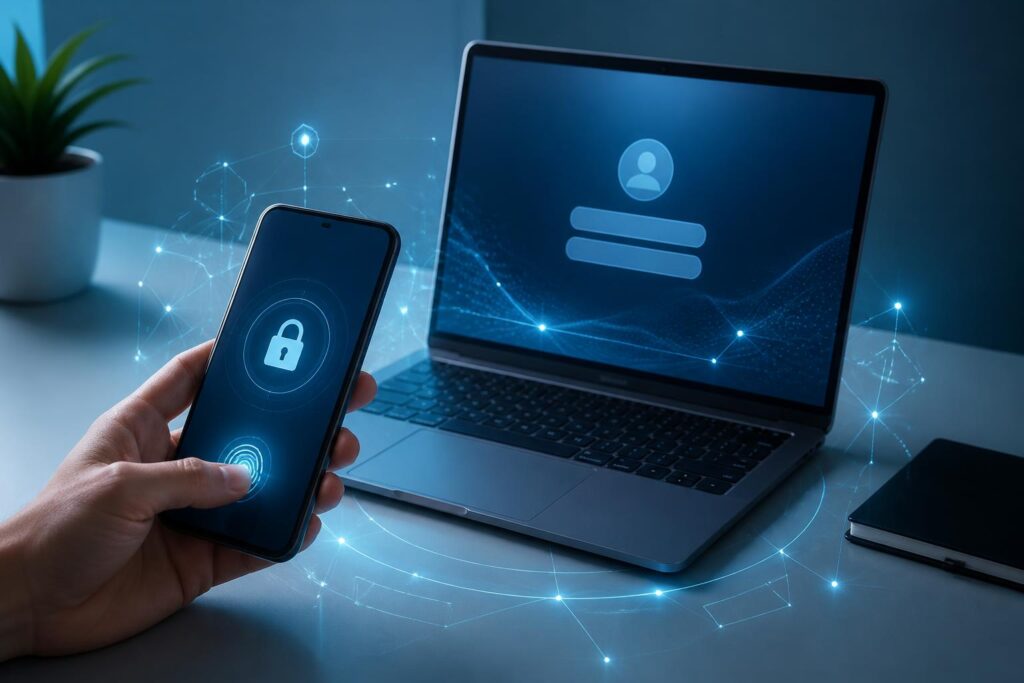
Passkeys are emerging as a different approach. Instead of requiring users to remember a string of characters, this method ties authentication to a registered device and a familiar unlocking mechanism such as a PIN, facial recognition, or a fingerprint. It is not a standalone application, but rather a way of reorganizing the login process, in which the user’s device handles most of the work of protecting authentication information.
This change is taking place quietly because users do not necessarily need to understand all the technology behind it. On a service that supports passkeys, they may see only a request to confirm their identity using biometrics or the device’s unlock code. Although the experience is simpler, the model involves multiple operational layers that need to be properly understood before it can be considered a perfect solution for account security.
How do passkeys work?
At its foundation, a passkey relies on public-key cryptography, commonly implemented through standards in the FIDO and WebAuthn ecosystems. When a user registers an account, the device generates a key pair consisting of a private key and a public key. The public key is sent to the service for subsequent verification, while the private key is kept on the device or in a compatible credential-management system.
At the next login, the service sends a random challenge. The device uses the private key to create a cryptographic response, after which the server verifies the response using the stored public key. The private key does not need to be sent to the server during this process. This is an important difference from password-based login, because a password usually has to be entered by the user into an interface and then received by the system for comparison.
Users still have to perform a confirmation action, such as touching a fingerprint sensor, looking at a camera, or entering the device’s PIN. However, in this case, biometrics or the PIN are primarily used to unlock the local authentication mechanism. Biometric data does not necessarily have to be transmitted to the website or application being accessed. This separation helps reduce the amount of sensitive information that must leave the device.
Why are passkeys considered a step forward for security?
The most obvious advantage is that passkeys reduce the role of passwords, which are a familiar target for many forms of attack. A user may enter a password into a phishing site without realizing it, whereas key-based authentication is bound to the specific service where it was registered. If the domain or application does not match, the device may not carry out the confirmation process as it would in a legitimate case.
Passkeys also reduce the pressure to remember multiple login credentials. Users no longer have to create numerous long passwords for different accounts and then find ways to store them in a manager or remember them through methods that can create additional risks. When the login experience depends less on typing characters, the likelihood that someone will reuse an old password or choose a simple password pattern may also decrease.
Another benefit is the reduced risk of authentication data being exposed on servers. A service still needs to protect the account and the public key, but the private key used to prove identity is not stored in the service’s database in the way passwords are commonly handled. This does not eliminate every risk, but it changes the consequences if a system is compromised.
Even so, passkeys should not be understood as an absolute shield. If a device is unlocked without authorization, the account may be accessed through the local confirmation mechanism itself. If a user is tricked into installing malware, loses control of a synchronized account, or exposes a recovery code, the protective layer can still be weakened. The technology is effective only when combined with software updates, device locks, and appropriate account-protection habits.
How does the user experience change?
For individual users, passkeys can make the login process shorter. On a phone, confirming with a fingerprint or face is often more natural than switching to a password manager to find a string of characters. On a computer, a passkey can be stored in the operating system’s credential manager, in security hardware, or used through a registered mobile device.
The ability to use passkeys across multiple devices is important. If a passkey exists only on one phone, users may have difficulty logging in from a new computer. Modern ecosystems generally provide synchronization mechanisms or allow a phone to be used to confirm access on another device. However, the specific method depends on the platform, service, and policies of each provider.
This is also where it becomes clear that switching from passwords to passkeys is not simply a matter of changing a button on the screen. Service providers must design consistent processes for registration, login, device changes, and account recovery. If the experience is too confusing, users may return to less secure fallback methods or create multiple unnecessary credentials.
The most difficult challenge is losing a device and recovering an account
Passwords have one characteristic that many people are familiar with: when they forget one, they can request a reset through an email address or phone number. Passkeys move authentication information out of human memory, but they make control over devices a more important issue. If a phone is lost, a device breaks, or the user can no longer access the ecosystem where the passkey was stored, a reliable recovery path is needed.
The recovery mechanism must balance convenience and security. If a service allows an account to be reset too easily using only a communication channel that could be hijacked, attackers may still exploit the process to bypass the new layer of protection. Conversely, if too many verification steps are required, legitimate users may be locked out of their accounts for a long time.
Therefore, when enabling a passkey, users should first check the devices currently linked to the account, the recovery methods, and how they can log in if they no longer have their primary device. Maintaining at least one secure backup option, keeping contact information up to date, and protecting the account of the platform used for synchronization are more practical steps than focusing only on the daily login process.
What do businesses need to prepare?
For businesses, deploying passkeys is not simply a matter of integrating a new authentication interface. Systems need to manage the lifecycle of credentials, from registration, replacement, and revocation to supporting users when they change devices. Technology teams must also identify situations requiring stronger authentication, such as logging in from an unusual environment or performing an action that has a significant impact on data.
Businesses need to consider compatibility among the operating systems, browsers, applications, and security devices their customers use. A good process should allow users to adopt the new method without being forced to do so abruptly, while also clearly explaining how the fallback option works. Guidance should avoid overly dense technical terminology as well, because a lack of understanding may cause users to mistakenly approve login requests.
For internal accounts, the transition needs to be tied to device-management and access-control policies. An employee who leaves the organization, loses a device, or changes roles must be handled promptly. Passkeys can improve security, but they do not replace the need to revoke access, monitor security events, and train employees to recognize phishing.
Will passkeys completely replace passwords?
In the short term, the answer is probably not yet. Many services still need to maintain passwords for users on older devices, to support specialized accounts, or to handle recovery situations. The coexistence of multiple methods can make systems more complex, especially if the weakest option can still be used to bypass stronger layers of protection.
The transition will therefore depend on how services design their authentication policies. If passkeys are merely added as an optional feature while passwords and reset procedures remain an easily exploitable back door, the overall benefits will be limited. Conversely, if services gradually improve account recovery, device protection, and authentication requirements in line with the level of risk, users will have clear reasons to make the switch.
For users, what matters is not chasing a new term but understanding what they are protecting. Passkeys are well suited to people who want to reduce the number of passwords they have to manage and who regularly use devices with reliable locking mechanisms. Users still need to update their operating systems, check login alerts, be cautious about unexpected confirmation requests, and protect accounts that have the ability to recover access to other services.
Passkeys represent a notable direction in the development of authentication technology: shifting the focus from something users have to remember to the device and the cryptographic evidence that a service can verify. They help address some of the long-standing weaknesses of passwords, especially the risk of being tricked into entering them or reusing them. However, the success of this model will not be determined by algorithms alone. Recovery, compatibility, interface design, and user responsibility are what will turn a theoretically secure mechanism into a trustworthy experience in everyday digital life.
