


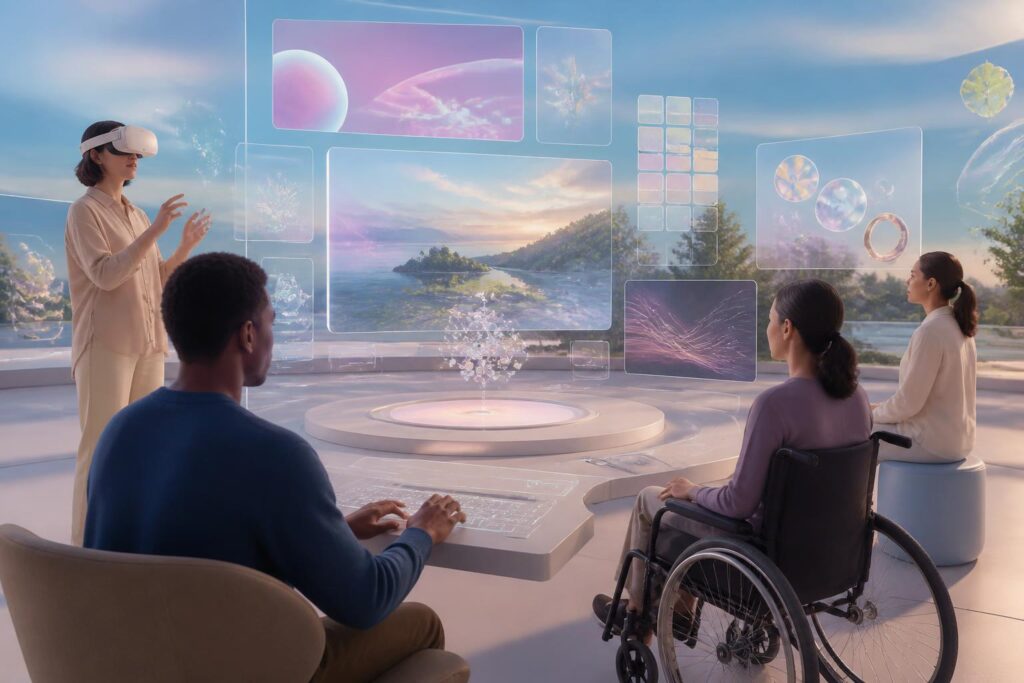
When people talk about virtual spaces, they often imagine vast landscapes, avatars that can move freely, and experiences that go beyond the limits of a flat screen. However, behind that overwhelming sensation lies a less frequently asked question: who can actually enter and participate? A virtual world may be built beautifully, quickly, and with abundant interactivity, but if it suits only one type of body, one way of perceiving, or one level of device proficiency, it is still a space with a narrow entrance.
Accessibility therefore should not be regarded as an additional layer of features added after a product has been completed. It is an issue of architecture, user experience, and also the concept of community. In physical spaces, a ramp, elevator, clear signage, or an audio-visual support system can determine whether a person can enter a building. Virtual spaces have similar “steps,” even though they do not appear in the form of concrete or metal. They may be an overly dense interface, interactions that require precise movement, audio without captions, or an environment that makes users easily overwhelmed by light and motion.
Virtual Spaces Are Not Just for One Type of User
Many digital products are still built on the default assumption that users have good vision, can hear clearly, can control their hands precisely, react quickly, and concentrate continuously for long periods. This assumption is convenient for the design process, but it does not reflect human diversity. Users may access the same world through a screen, virtual reality glasses, a computer, a mobile device, a controller, a keyboard, voice, or other assistive tools. Each method of access creates a different experience.
In a virtual space, accessibility is not only related to people with disabilities. People with unstable internet connections, users of older devices, people in noisy environments, those unfamiliar with three-dimensional controls, or those who need a break from intense effects also have their own needs. A newcomer may not understand an icon designed according to the habits of the development team. An older person may need slower instructions and clearer wording. Someone using another language may encounter obstacles if all instructions rely solely on written text or speech.
Recognizing these differences from the outset changes how the problem is framed. Instead of asking how to add a support mode to an already completed product, the design team can ask from the beginning: what will users see, what will they hear, what will they touch, and how much choice will they be allowed? These questions help make accessibility part of the structure, not an interface patch.
Multisensory Design Without Imposition
Virtual spaces are often appealing because of their ability to combine visuals, sound, motion, and haptic feedback. Yet the more sensory channels are used, the greater the risk of exclusion if a product assumes that all users can receive them in the same way. A task signaled only through sound creates a barrier for people who cannot hear. An object distinguished only by color may be difficult for people with limited color perception. A notification that appears for only a very short time increases the pressure on people who need more time to process information.
The solution is not to make every experience monotonous. More important is ensuring that no single signal becomes the mandatory path. Sound can be accompanied by captions or visual indicators. Color can be supplemented with shape, contrast, and position. Motion can include an option to reduce its intensity, while flashing effects or rapid changes in viewpoint need to be considered carefully. Users should know what is happening and have control over the level of stimulation they want to receive.
This approach also requires caution regarding the concept of “immersion.” The more an environment tries to make users forget that they are in front of a device, the more easily it can create feelings of disorientation, fatigue, or discomfort. A good experience does not necessarily have to be one that completely absorbs everyone. Sometimes, an easily recognizable exit button, a map that can be opened at any time, or a prompt indicating where the user is can instead be what helps them feel safer.
Agency Matters More Than Representational Appearance
Avatars are often seen as the gateway for users to express themselves in virtual worlds. However, accessibility does not stop at providing different types of faces, clothing, or skin tones. An avatar may need to represent different ways of moving, use assistive devices, or not conform to the familiar idea of a “normal” body. If the system only allows all characters to stand, walk, and move according to one model, surface-level diversity will not resolve limitations at a deeper level.
Users also need to decide what others can see and to what extent. Some people want to express personal experiences through their avatars, while others want to maintain a distance between their digital image and private lives. Options for pronouns, forms of address, voice, information display areas, and the ability to hide certain characteristics should be designed as choices, not mandatory requirements. The less information users are forced to disclose, the more room they have to participate in ways that suit them.
This is especially important in community spaces. Accessibility loses its meaning if a person can enter a room but cannot speak, cannot report harmful behavior, or cannot leave an unwanted interaction. Blocking, muting, narrowing the scope of interactions, and reporting incidents must be easy to find, easy to use, and reliably functional. An environment is not called open merely because many people are allowed to enter, but also because they can control how others approach them.
Invisible Barriers in Three-Dimensional Experiences
Some barriers do not appear in feature descriptions but directly affect participation. A space that requires users to move constantly may be difficult for someone who cannot stand for long or does not have suitable space. A task requiring simultaneous actions with both hands may exclude someone using an assistive device. A conversation that moves too quickly, has no history, and cannot be reviewed may cause many people to fall behind, even though they are fully capable of understanding the content.
Designers therefore need to pay attention to pacing, space, and the ability to pause. An activity should allow users to complete it through multiple methods rather than forcing everyone to perform the same sequence of movements. Instructions should remain visible long enough, be reviewable, and not depend entirely on memory. If the experience includes an orientation component, maps or location indicators need to be presented in a way that is easy to understand both on flat screens and wearable devices.
Performance is also part of accessibility. Not everyone has a powerful device capable of processing complex virtual scenes. When an application runs slowly, responds late, or frequently stutters, users may be seen as “not knowing how to use it,” while the cause actually lies in how the product allocates resources. Flexible graphics modes, the ability to reduce unnecessary effects, and designs compatible with a range of configurations can broaden the community without sacrificing the core experience.
Do Not Test Only at the Final Stage
A common mistake is to bring accessibility into the final testing stage, after the main structure has already been decided. At that point, every change is costly and usually addresses only the surface. A better approach is to invite people with different needs to participate from the idea-formation stage. They not only help identify interface errors, but also raise questions the development team may never have considered.
This participation needs to be taken seriously. Users should not be treated as free testing tools or invited merely to create the impression that the product is diverse. Feedback must be recorded, categorized, and accompanied by a clear explanation of when it can be addressed. If a suggestion cannot yet be implemented, the development team should state the reason directly rather than making vague promises. Such transparency builds trust and helps make the discussion of accessibility part of a process of continuous improvement.
Development teams also need to test less-than-ideal situations: users joining for a short time, experiencing an unstable connection, being interrupted midway, or returning after a break. A truly inclusive experience does not serve only the perfect demonstration moment. It must withstand the instability inherent in everyday life, where users may leave, switch devices, change their control method, or need to start over without being penalized for things beyond their control.
A Cultural Standard, Not Just a Technical Standard
Accessibility is often described through a list of technical requirements, but at its core it is also a story about the right to be present. When a person has to ask someone else to read a notification, explain an icon, or operate something instead of making the choice themselves, they are not merely experiencing inconvenience. They lose part of their autonomy in a space that should have been designed to expand their ability to act.
This does not mean that all virtual spaces must be alike or that every experience must be adjusted according to the same template. The diversity of virtual worlds is something worth encouraging. But each space needs to be honest about whom it is serving and who may be left behind. If an experience intentionally creates a sense of danger, chaos, or isolation, users still need to be informed in advance and given reasonable tools to protect themselves.
In the future, the value of virtual spaces will not be measured only by the realism of their visuals or the number of activities they can simulate. A more important measure is how many kinds of people can participate without constantly having to ask the system for permission to exist in their own way. When design begins with human differences, the virtual world is no longer a stage built for an imagined majority. It becomes an adaptable environment where choice, safety, and a sense of belonging are regarded as core components.
