


Login Is Moving Away from Easy-to-Forget Strings of Characters
For many years, passwords have been the most familiar layer of protection for online accounts. Users create a string of characters, remember or save it, and then enter it whenever they need to access a service. This approach is simple, but it brings many inconveniences: passwords can be forgotten, guessed, exposed in a data breach, or stolen through a fake website. When each service requires a separate password, managing one’s digital identity becomes even more difficult.
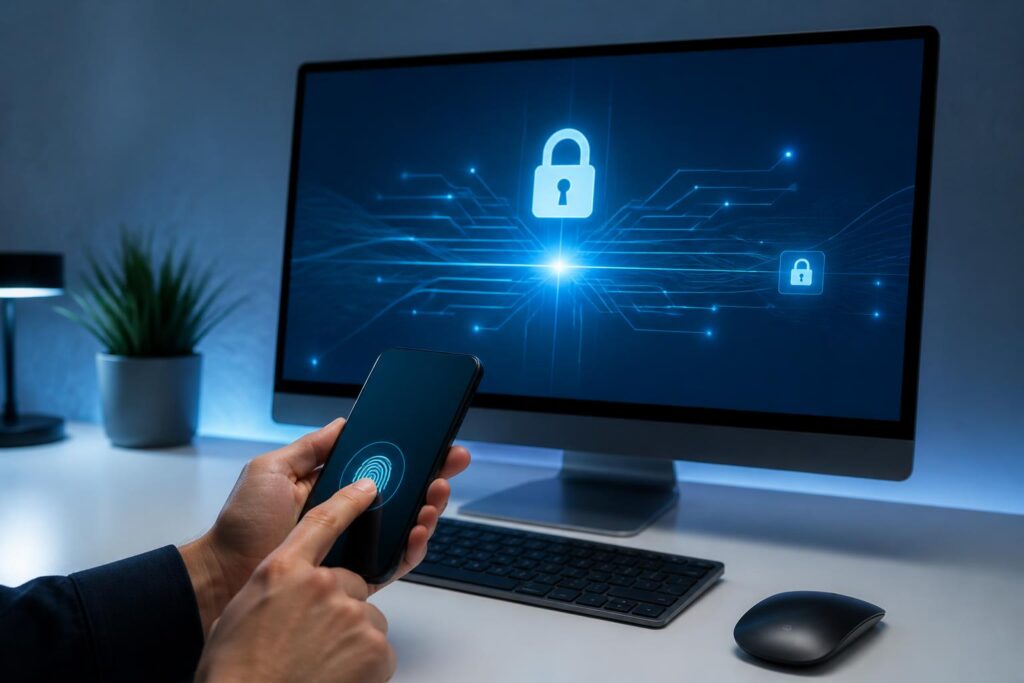
Passkeys have emerged as a different approach. Instead of requiring users to prove their identity with a secret they must remember themselves, passkeys use a cryptographic key pair created for each service. The private key is kept on the device or in a compatible credential-management mechanism, while the public key is stored by the online service to verify subsequent logins. Users typically only need to unlock their device with a fingerprint, face scan, PIN, or another local security method.
What is noteworthy is that a passkey is not simply a more convenient way to store a password. It changes the nature of the authentication process. A password no longer needs to be transmitted or entered into a login form, and the private key is not sent to the website either. As a result, certain types of attacks based on stealing passwords or tricking users into entering them can be mitigated.
How Do Passkeys Work?
When a user registers a passkey for an account, the device creates a key pair consisting of a private key and a public key. The private key is protected on the user’s device or in the user’s key-management system. The online service receives only the public key and the information necessary to link the passkey to the account. The two parts are mathematically related, but the public key cannot practically be used to derive the private key.
During a subsequent login, the service sends a random challenge to the device. The device uses the private key to create a digital signature for that challenge after the user confirms authorization through a local unlocking method. The service verifies the signature using the stored public key. If the signature is valid and associated with the correct service, the login session can proceed.
This process has two important characteristics. First, the private key does not leave the device’s protected area during ordinary authentication. Second, biometric information such as a fingerprint or face scan is generally used only locally to unlock the ability to create an authentication signature. The online service does not necessarily receive the user’s biometric data. This distinction needs to be clearly understood, because many people still equate using a fingerprint to log in with sending fingerprint data to a server.
Why Can Passkeys Reduce the Risk of Phishing?
In a common phishing attack, a criminal creates a website with an interface resembling that of a legitimate service and then lures users into entering their account names and passwords. If users fail to recognize the fake address, their information can be collected immediately. The password can then be used to access the real service or tried on other platforms.
Passkeys are designed to bind authentication information to the specific service where they were registered. When a user opens a fake website with a different address, the authentication mechanism generally does not provide a signature intended for the real website. Users do not have to read and enter a copyable secret themselves, making it more difficult for criminals to collect a string of information and reuse it in the traditional way.
However, this does not mean that passkeys make every form of fraud impossible. Criminals can still direct users to a fake page to steal account-recovery information, trick them into installing malware, or manipulate support processes. Passkeys reduce a category of risks related to stealing login credentials, but they do not completely replace vigilance, software updates, and other protective measures.
User Experience and the Challenge of Multiple Devices
The most noticeable advantage of passkeys is that users do not have to remember another string of characters. On a supported phone or computer, logging in can be almost like unlocking the device. This is especially useful for people who often forget passwords, use weak passwords, or tend to reuse one password across multiple services.
But the real-world experience also depends on how passkeys are synchronized and how users move to a new device. A passkey that exists on only one device can cause difficulties if the device is lost, damaged, or no longer accessible. Current ecosystems may provide protected synchronization between compatible devices, while some situations allow a phone to be used to authenticate to another computer. Users need to understand where their passkey is stored, how it is backed up, and what the alternative option is before deleting an old device.
Account recovery is also an aspect that cannot be taken lightly. If a service still maintains login by password, recovery links sent by email, or backup codes, these channels become targets that require equivalent protection. A strong passkey cannot compensate for a recovery email account that uses an easy-to-guess password or lacks an additional layer of protection.
Things to Check Before Switching to Passkeys
First, users should determine whether the service supports passkeys and whether passkeys are managed by the device, the browser, or a synchronization system. They should not create numerous authentication methods without knowing how to delete, rename, or revoke them. If the account has a device-management page, regularly check the list of devices and active login sessions.
Next, users should maintain at least one reliable recovery option. This could be a backup device, a recovery code stored securely, or an identity-verification process provided by the service. Recovery codes should not be stored in publicly accessible screenshots, sent through unnecessary chats, or placed somewhere other people can easily see them. If a password manager is used to protect related information, the manager itself must also be protected with a strong master password and an appropriate additional authentication layer.
Finally, users should update their operating system, browser, and security software. Passkeys rely on coordination between the device, browser, and online service. A device that is too old or has been compromised can weaken the entire process, even if the underlying cryptographic model is well designed.
Will Passkeys Completely Replace Passwords?
In the short term, the answer depends on the individual service and user group. Many platforms still need passwords for older accounts, recovery processes, or environments that do not support passkeys. Organizations must also consider shared devices, centralized management requirements, employee-support capabilities, and procedures for handling lost devices.
Therefore, the transition may take place in stages. Services may first add passkeys alongside passwords, encourage users to register them on familiar devices, and monitor recovery situations. Once the system is sufficiently stable, they may reduce the role of passwords or require stronger authentication methods for sensitive actions.
For individual users, the practical choice is to prioritize passkeys for important accounts when services support them, while also reviewing recovery channels and linked devices. Passwords still need to be managed carefully wherever they cannot yet be replaced. The important thing is not to eliminate one tool as quickly as possible, but to avoid creating a new weakness during the transition.
A Step Forward in Security and Convenience
Passkeys show that digital authentication is shifting from the model of “the user remembers a secret” to the model of “the device proves ownership of a key.” This change can reduce dependence on passwords, limit the effectiveness of many fake login pages, and make everyday actions simpler. Even so, the technology only delivers its benefits when deployed alongside clear recovery mechanisms, careful device management, and sensible account-protection habits.
In the time ahead, users may encounter passkeys more frequently in financial services, workplace platforms, social networks, and personal-management systems. The appropriate approach is to learn where the key is stored, prepare a backup option, and not overlook less visible recovery channels. Passwordless login is not merely a change to the interface; it is a fundamental adjustment in how people prove their identity on the Internet.
