


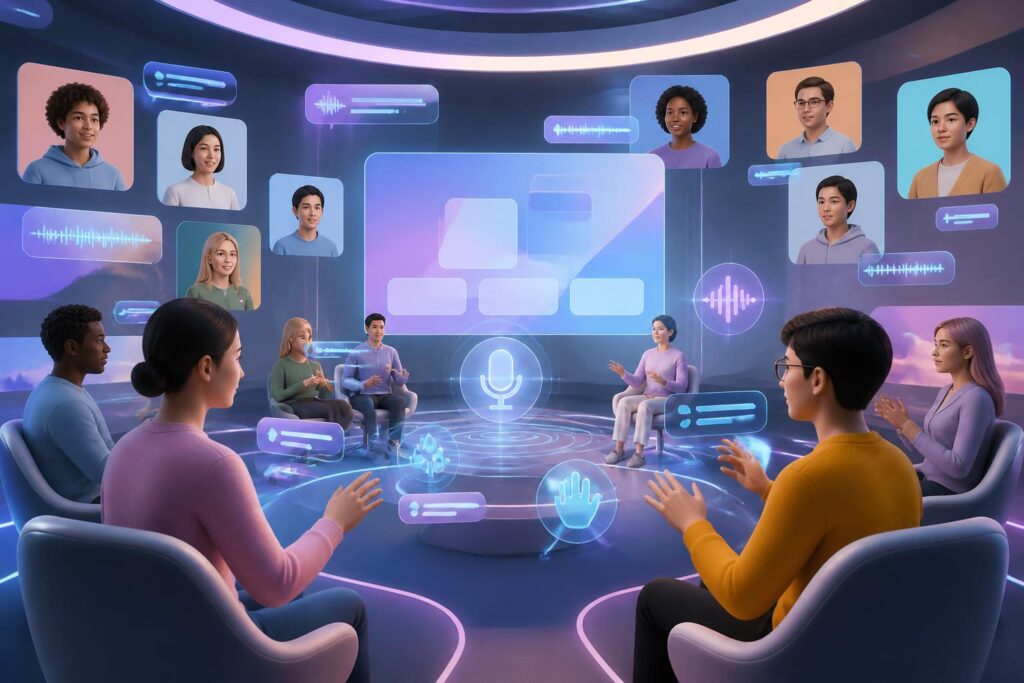
Virtual worlds are often described through highly promising images: users enter a digital space, meet one another through avatars, attend events, or work in an environment unconstrained by geographical distance. However, a space built with new technology is not automatically suitable for everyone. If an interface is designed only for people with good vision, flexible mobility, full hearing, modern devices, and stable internet connections, virtual worlds can still reproduce familiar barriers from real life.
Therefore, the important question is not only what virtual worlds can do, but also who can use them independently, safely, and equally. Accessibility should not be treated as an additional feature to be implemented at the end. It is a design principle directly related to the right to participate, the quality of the experience, and the sustainability of the platform as a whole.
Barriers can begin with very small details
In a virtual environment, users often have to perform many actions simultaneously. They may need to wear a device, control a character, observe instructions, hear spatial audio, read chat content, and respond to others. For people without sensory or mobility difficulties, this chain of actions may happen almost naturally. But for users with different needs, a single unsuitable link can be enough to disrupt the experience.
For example, an instruction conveyed only through audio will be difficult for deaf users to access. Conversely, a meeting that presents information only through speech may disadvantage people who are hard of hearing or who need more time to process language. Objects, buttons, and menus placed too close together can create difficulties for people using a limited controller. Continuous camera movement, intense lighting effects, or an unstable simulated environment can also make it impossible for some people to use the platform for extended periods.
Barriers also arise at the device and infrastructure levels. Not every user has a virtual reality headset, a powerful computer, a newer phone, or a fast internet connection. If a service works well only on high-end hardware, it creates stratification right at the entrance. People with access to technology will receive the full experience, while others can use only a limited version or be excluded from the activity altogether.
Accessibility is not merely a technical issue
Viewing accessibility as a checklist of technical functions is not enough. A platform may provide captions but still be difficult to use if the captions obscure content, appear slowly, or cannot be resized. An application may support screen readers but have an unclear menu structure, forcing users to go through too many steps to find a basic action. These examples show that inclusive design needs to be evaluated through actual experience, rather than by simply checking whether a feature exists.
More importantly, accessibility is connected to the feeling of being respected. Users do not want to be treated as exceptions who must ask permission to use basic functions. They need the ability to adjust how they see, hear, interact, and enter information according to their needs. When these options are built in for everyone, the platform not only serves a particular group but also becomes more flexible for many different circumstances.
For example, captions are not useful only to deaf users. People in noisy places, people learning a new language, or people who do not want to turn on sound may also need captions. Voice control can assist people with limited mobility, but it is also convenient for anyone who cannot use their hands at a given moment. A reduced-motion mode can make the platform more comfortable for one group of users while also benefiting anyone who feels tired when images change continuously.
Design layers that need to be considered
The first is the interface layer. Controls need to have sufficient size, placement, and contrast for users to recognize them clearly. Important information should not be distinguished by color alone. Text size, spacing between elements, menu organization, and the ability to zoom all affect whether users can operate the system independently. A good interface should also allow users to undo actions, save settings, and return to a previous state when they make a mistake.
The second layer is the means of entering and presenting information. Platforms should allow users to choose between a keyboard, controller, touchscreen, voice, or other assistive devices when technical conditions permit. It should not be assumed that everyone can perform an action in the same way. Similarly, output should be available in multiple forms: audio accompanied by visual instructions, text accompanying spoken dialogue, and visual signals with clear, understandable descriptions.
The third layer is movement and space. Users need the ability to adjust movement speed, viewing angle, vibration, blur effects, and the extent to which the environment changes. Some platforms may offer stationary movement options instead of requiring users to perform continuous motions. Allowing users to sit, stand, or use a smaller space also makes the experience less dependent on room conditions.
The fourth layer is social communication. In virtual worlds, the presence of others may be expressed through voice, gestures, eye contact, body position, or signals from avatars. If only one method of communication is treated as the norm, many people will be disadvantaged. A meeting may need text chat, an indication of whose turn it is to speak, a display showing who is speaking, and a mechanism for reducing unwanted audio. These functions do not make interaction less natural; on the contrary, they help participants understand one another more clearly.
Inclusive design must begin with testing
No design team can fully anticipate the experiences of every user. Therefore, testing with people who have different accessibility needs should take place from an early stage, rather than only before the product is released. Test users can identify obstacles that the development team does not notice, such as a notification disappearing too quickly, an action requiring a button to be held for too long, or a space that makes orientation difficult.
Testing also needs to consider real-world contexts of use. A feature that works well in a quiet room may become less effective in a crowded place. A process that is simple on a large screen may be difficult to perform on a phone. Users may access virtual worlds through many different types of networks, devices, and accessories. Therefore, accessibility assessments should include less-than-ideal conditions, rather than testing only the best configuration.
User feedback needs to be incorporated into a continuous improvement cycle. Virtual worlds often change through updates, events, and new features. A seemingly minor interface change can eliminate familiar settings or create new barriers. Platforms should clearly announce changes related to operation, provide easy-to-understand instructions, and maintain previous options for a reasonable period when possible.
Accessibility also involves cost and privacy
Some assistive solutions require additional devices, software, or services. If the entire cost is passed on to users, accessibility in theory may still fail to become usability in practice. Developers need to consider which basic functions should be built in, which hardware requirements are genuinely necessary, and whether a lighter version can be provided for commonly used devices.
Privacy is also an issue that cannot be overlooked. To support personalization, a platform may collect data about voice, movement, eye gaze, how users interact, or the assistive settings they choose. This may be sensitive data because it reflects an individual’s physical characteristics and behavior. Users need to know what data is collected, what it is used for, how long it is stored, and whether it can be turned off or deleted.
Inclusive design should not turn the need for assistance into a mandatory identity label. A person may need captions in one situation but not another. Someone may want to use voice control but not want the platform to retain all of their audio data. Flexible settings, transparent explanations, and clear control will help balance convenience and privacy.
From the promise of a limitless space to concrete responsibility
Virtual worlds are often expected to overcome the limitations of physical space. That expectation has meaning only when the new limitations created by design are identified and addressed seriously. A space may allow users to meet anywhere, but it is still not inclusive if some users cannot read instructions, hear conversations, or control their avatars. Technology expands choice only when it does not force everyone to adapt to a single standard.
This responsibility belongs to many parties. Developers determine the structure of the product and how data is handled. Event organizers need to provide advance information about device requirements, participation methods, and support options. Virtual-space designers need to consider orientation, rest, and communication, rather than focusing only on eye-catching visuals. Users, meanwhile, need a meaningful channel for feedback so that their difficulties are not dismissed as isolated cases.
Ultimately, the measure of an advanced virtual world lies not only in the realism of its visuals or the complexity of its technology. A trustworthy platform must also allow many people to participate in different ways, without forcing them to hide their needs or continually struggle with the interface to complete a simple task. When accessibility is placed at the center from the outset, virtual worlds have a chance to become spaces that expand human participation, rather than merely new versions of old barriers.
