


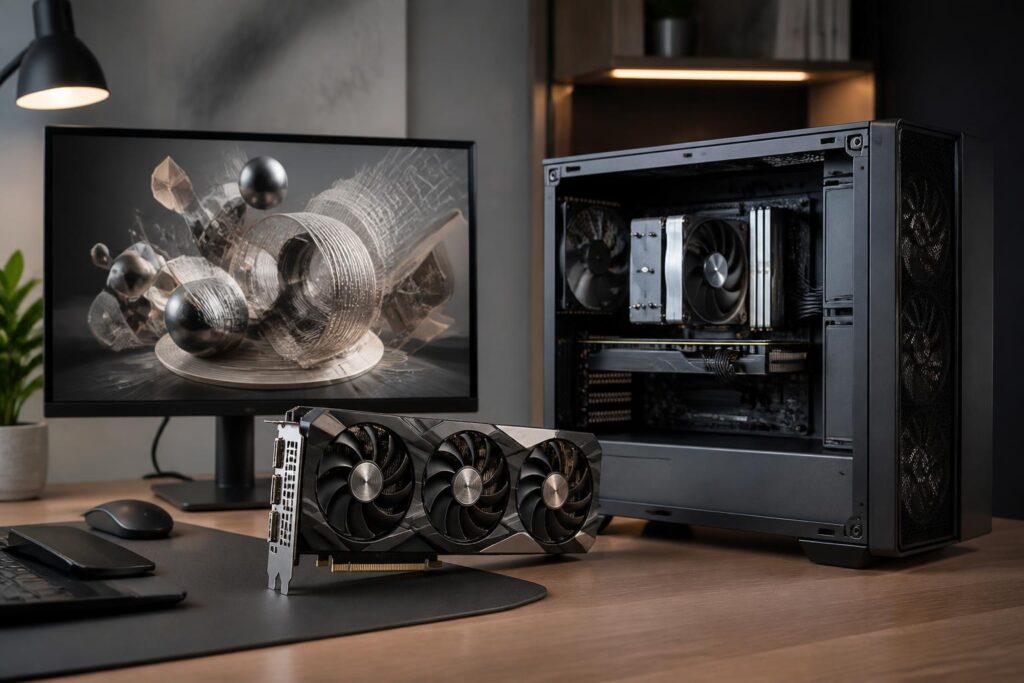
A graphics card is often the component that attracts the most attention in a computer built for gaming, rendering, or digital content processing. Numbers related to memory, clock speed, and processing capability can create the impression that choosing one only requires comparing which model is more powerful. However, a high-performance graphics card is not necessarily the right choice for everyone. Price, the monitor currently in use, the power supply, the space inside the case, and the types of software used regularly all directly affect the value of the investment.
Therefore, a reasonable approach is not to begin by asking “which card is the most powerful,” but to determine what the computer will be used for, at what resolution, and under what hardware conditions. When these factors are considered together, users can avoid buying excess performance, encountering compatibility problems, or failing to make full use of the component’s capabilities.
Determine Your Needs Before Comparing Specifications
For office computers, study, and everyday tasks, a dedicated graphics card may not be a priority. Many processors today already have integrated graphics cores that are sufficient for displaying interfaces, playing videos, working with documents, and using basic applications. If those are the only requirements, the budget could instead be allocated to a monitor, storage, or peripherals that have a more noticeable impact on the daily experience.
Gaming requires a more detailed assessment. The hardware requirements for the same game can change considerably depending on the resolution, graphics settings, monitor refresh rate, and whether advanced effects are enabled. Someone using a monitor with a common resolution and moderate refresh rate will have different needs from someone who wants to play at a high resolution with maximum detail settings while maintaining a stable frame rate. Therefore, choosing a card based on the product name or its position in a general ranking can lead to an unsuitable decision.
People who work with video editing, 3D design, simulation, or image processing should also look beyond gaming results. Each software application makes use of a graphics card in its own way. Some applications rely heavily on graphics memory, others benefit from parallel computing capabilities, while certain workflows are limited by the central processor, system memory, or storage speed. Checking the requirements of the software actually being used is often more valuable than chasing the highest specifications.
Graphics Memory Matters, but It Is Not the Only Measure
Graphics memory capacity, commonly called VRAM, is used to store image data, textures, frames, and the resources needed for processing. When playing games at high resolutions or working with projects that contain complex scenes, memory requirements can increase. If the capacity is insufficient, the system may have to exchange data with system memory, causing stuttering or reduced stability.
However, a card with more VRAM is not automatically faster than every card with a lower capacity. Performance also depends on the processing architecture, memory bandwidth, number of compute units, drivers, and the application’s level of optimization. VRAM should be viewed as one of the necessary conditions, not the sole criterion for determining overall performance.
Buyers also need to distinguish between current needs and expectations for long-term use. If they only run lightweight games or work on small projects, paying significantly more for a very large memory capacity may not provide proportional benefits. Conversely, projects that regularly use high-quality textures, large 3D scenes, or multiple monitors require more serious consideration of memory headroom.
Monitor Resolution Determines How the Budget Should Be Allocated
The monitor is part of the graphics-card equation but is often overlooked. The higher the resolution, the more pixels the card must process in each frame. As a result, the same graphics settings create a heavier workload than they would on a lower-resolution monitor. Refresh rate also affects performance targets: a monitor with a high refresh rate requires the card to produce more frames in order to take full advantage of its capabilities.
This does not mean users must always buy the most powerful card to keep up with their monitor. Texture quality, shadows, reflections, and anti-aliasing can be adjusted to balance image quality and frame rate. Some upscaling or frame-generation technologies can also help in compatible games and software. Even so, these features do not completely replace the card’s native processing power, and they can sometimes produce visual instability or varying levels of latency depending on how they are implemented.
Check Compatibility Before Buying
A graphics card may fit into the slot on the motherboard yet still be unsuitable for the system as a whole. Physical dimensions are the first factor to check. Models with large coolers often occupy several expansion slots and may interfere with fans, drive bays, or the side panel of the case. Users should compare the card’s length, height, and thickness with the actual available space inside the case rather than relying solely on product images.
Power connectors also need to be examined carefully. Cards may use different connectors and have different power requirements, so the cables must be compatible and connected correctly. Avoid using unclear or questionable adapters, or sharply bending cables right next to the connector. When upgrading an older computer, checking the power supply, power cables, and ventilation as well will help prevent problems after installation.
The central processor can also become a limiting factor. When the card is very powerful but the processor cannot provide enough data, frame rates in some games may not increase as expected, especially at low resolutions or in titles that depend heavily on central processing capability. This is why a balanced system often provides a better experience than a configuration that directs too much of the budget toward a single component.
Cooling, Noise, and the Available Space
The performance of a graphics card is not reflected only in the first few minutes of testing. During continuous operation, temperature and fan speed can affect clock speeds, noise, and the overall user experience. A case with proper airflow will help the card dissipate heat more effectively. By contrast, a cramped case with few fans or obstructed air intakes can cause the components to run hotter even when the card itself is well designed.
Different versions using the same chip may vary in cooler size, number of fans, heatsink design, and power limits. Users working in quiet environments should pay attention to noise under heavy loads, while those with small cases need to prioritize dimensions and heat dissipation. A card should not be judged solely by its exterior design; what matters is whether that design suits the installation environment.
Buy New or Upgrade: Evaluate the Entire System
Upgrading the graphics card is often a quick way to improve gaming or image-processing capabilities, but it is not always the first choice. If the computer has an overly old processor, an inadequate power supply, insufficient system memory, or a case with restricted airflow, the actual cost may increase because several other components will also need to be replaced. In that situation, making a list of all existing hardware will help users identify the main bottleneck.
The used graphics-card market also requires careful consideration. Buyers should check operating condition, temperatures under load, noise, connection ports, and the remaining warranty period, if any. Overly general advertisements or a lack of information about usage history should not be considered sufficient grounds for making a decision. A low price accompanied by the risk of repairs may no longer be economical after a short time.
Conclusion
Choosing a graphics card is a process of balancing needs, the monitor, software, budget, and the compatibility of the entire computer. VRAM capacity, processing performance, and supporting features all deserve attention, but they only have meaning when considered in the context of actual use. Before buying, users should determine the target resolution, check application requirements, measure the space inside the case, review the power supply, and evaluate the existing processor.
A reasonable choice is not necessarily the most expensive card. It is the component that provides sufficient performance for real-world tasks, operates reliably in the current system, and remains suitable for the user’s plans over the next few years. When the decision is based on the entire configuration rather than a few prominent numbers, the upgrade will be more practical and involve fewer risks.
