


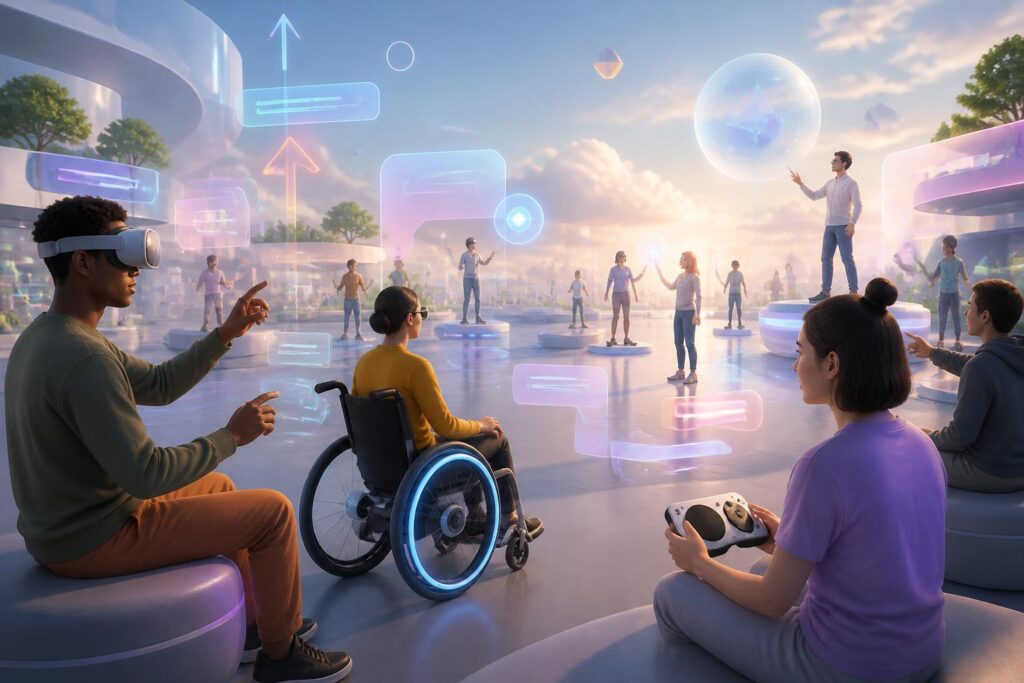
Virtual worlds are often imagined as spaces rich in visuals, sound, and interaction. Users can enter an exhibition hall, attend a class, meet friends, or explore a game using connected devices. However, that experience is not automatically suitable for everyone. A space designed primarily for people who see clearly, hear well, use their hands flexibly, and can tolerate substantial movement can quickly become difficult to access for other groups.
Therefore, accessibility should not be viewed as an additional feature implemented only at the final stage. It is a design principle that determines who can participate, how they can participate, and how long they can maintain a presence in a virtual world. When it is valued from the outset, accessibility not only helps people with disabilities use a product more easily but also makes the experience clearer, more flexible, and easier to control for the majority.
Barriers Begin with Details That Seem Small
In a digital environment, barriers do not always appear in the form of a serious error. They may be a control button positioned out of reach, instructions conveyed only through sound, captions obscuring an important part of the scene, or an action that requires users to turn their heads continuously. Each detail may seem insignificant on its own, but together they make it difficult for users to understand what is happening and remain independent throughout the interaction.
Three-dimensional spaces also create their own challenges. An object may be directly in front of a user but difficult to locate without directional cues. A virtual door may look obvious to one person but be nearly impossible for another to identify if it relies solely on color or imagery. A conversation involving several participants can also become chaotic if users do not know who is speaking, where the voice is coming from, or how to ask for something to be repeated.
These issues show that accessibility is not limited to the interface. It includes how information is communicated, how the body interacts with the device, how users orient themselves in space, and how they process the amount of stimulation occurring at once.
Multiple Channels of Expression Make the Experience More Sustainable
An important principle of inclusive design is not forcing users to receive information through a single channel. If an instruction is only read aloud, deaf or hard-of-hearing users may encounter difficulties. If content appears only as text or imagery, blind or visually impaired users are restricted. The solution is not to eliminate one method and replace it with another, but to provide multiple layers of expression that can support one another.
In a virtual world, an instruction can be presented simultaneously through speech, captions, visual icons, and vibration signals. A character who is speaking can be accompanied by sufficiently clear captions, allowing users to adjust their size, position, and display speed. Important sounds should have alternative forms of signaling, such as visual cues or haptic feedback. Conversely, a visual warning should not be the only way for users to recognize danger or changes in the environment.
This does not mean that every piece of information must appear densely on the screen. Too many layers of notifications can make users lose focus. Good design needs to distinguish core content from supplementary content, allow users to choose an appropriate level of information, and avoid turning accessibility into an overlapping interface.
Control Matters No Less Than Beautiful Visuals
A visually compelling virtual world can still cause fatigue if users cannot control movement. Shaking effects, abrupt changes in perspective, objects moving rapidly toward them, or actions that require them to turn around continuously can make some people uncomfortable. For this reason, products should allow adjustments to factors such as movement speed, perspective sensitivity, effect intensity, and the way scenes transition.
Control should also be reflected in input methods. Users may have different needs concerning controllers, keyboards, voice commands, motion tracking, or assistive devices. An action should not have only one way of being performed if the task is essential. Allowing users to remap keys, use buttons as hold or toggle controls, perform simpler actions, and pause the experience without losing progress are all practically valuable options.
For people without access to specialized devices, compatibility is another issue that must be considered. An experience that works well only on an expensive configuration will unintentionally narrow the group of people who can participate. Flexible design needs to distinguish what truly requires high processing capacity from what can be simplified without losing the space’s primary purpose.
Navigation Must Be Clear Before Users Get Lost
In virtual worlds, a sense of freedom is often created by allowing users to move in many directions. But the freedom to explore does not mean leaving users to manage on their own in a space without guidance. A good navigation system should help them know where they are, where they can go, and how to return to a familiar location.
Maps, markers, compasses, visual paths, or voice guidance can support different needs. More importantly, these signals must be consistent. If the same icon sometimes indicates an exit and at other times indicates a task, users will have difficulty forming habits. Areas with important functions should also be identifiable through multiple cues rather than relying solely on color, size, or position.
Navigation design also concerns pacing. Users need time to read instructions, observe the space, and make choices. A system that continually pushes them to the next step can create unnecessary pressure, especially in learning, work, or touring environments. Allowing users to skip the introduction, review instructions, and practice actions in a safe area will help familiarization occur more naturally.
Social Interaction Also Needs to Be Designed Inclusively
Many virtual worlds are built around community activities. Users meet, exchange ideas, collaborate, or take part in events. However, not everyone can communicate by voice, react quickly, or process multiple conversations at once. If an activity evaluates participation only by response speed or the ability to speak directly, it will exclude many other forms of contribution.
Options such as text chat, reaction icons, simple gestures, shared information panels, and private notification mechanisms can broaden the ways users participate. Someone who does not turn on their microphone should still have an opportunity to express an opinion. People who have difficulty following fast-paced conversations should be able to review the content or receive a notification when their name is mentioned. These features do not reduce the authenticity of interaction; instead, they make encounters less dependent on a single communication standard.
Social accessibility is also connected to the right to rest and withdraw. Users should be able to mute sound, hide certain effects, limit invitations, or leave a space without being pressured. Reporting, blocking, and privacy-control tools need to be easy to find, because an environment that is convenient but lacks a sense of safety cannot be considered inclusive.
Measure Accessibility Through Real Experiences, Not Just a Feature Checklist
A long list of options does not necessarily create good accessibility. What matters is whether users can actually complete tasks, understand information, and retain control. To determine this, the design process needs to involve many user groups during testing, including people with limitations related to vision, hearing, mobility, cognition, or tolerance for stimulation.
Testing should not take place only after the product has been completed. If feedback is collected early, the development team can change the navigation structure, communication methods, and interaction logic before technical decisions become difficult to reverse. Test participants should also be regarded as contributors of knowledge, not merely bug testers. Their experiences can reveal barriers that ordinary assumptions fail to recognize.
Alongside user testing, teams also need to maintain evaluation criteria throughout the product life cycle. A user-interface update, the addition of an effect, or a change to the control system can all create new barriers. Accessibility is therefore not a completion milestone, but work that must be protected with every improvement.
From Secondary Utility to a Foundational Principle
Designing virtual worlds for everyone does not mean creating a simpler version for a separate group. The goal is to build an environment with multiple ways to access it, multiple ways to interact, and multiple levels of control, allowing users to choose according to their needs. Clear captions may support deaf or hard-of-hearing users, but they are also useful in noisy spaces. Motion-reduction options may be essential for some people while also helping others use a device for longer with less fatigue.
When accessibility is placed at the center, virtual worlds become more realistic in their social meaning. Such spaces are no longer judged only by the detail of their visuals or the novelty of their technology, but also by the questions of who can enter, who can stay, and who can participate in a way that suits them.
This represents a change in perspective. Rather than requiring everyone to adapt to the same design, developers need to create designs flexible enough to respect differences. At that point, accessibility no longer stands at the margins of virtual worlds but becomes part of the quality, fairness, and long-term vitality of those spaces themselves.
