


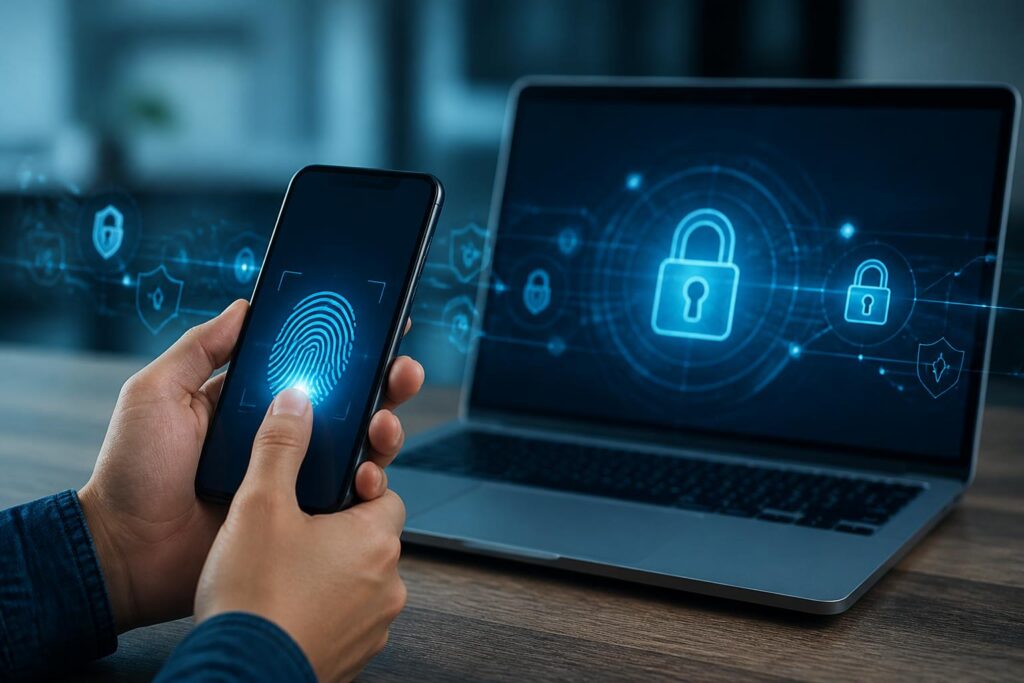
For many years, passwords have been considered the basic layer of protection for every online account. Users are encouraged to set long passwords, avoid reusing them across services, and change them when there is a risk that their information has been exposed. However, these requirements also create a paradox: the more complex a password is, the harder it is to remember, and when people have to manage too many accounts, they may turn to convenient but less secure practices such as reusing a password or storing information in an inappropriate place.
Passkeys emerged in this context, with the goal of changing how people authenticate their identities on the Internet. Instead of requiring users to enter a string of characters, passkeys rely on a cryptographic key pair created and stored on a device or in a credential management system. When logging in, users can confirm their identity with a fingerprint, face, screen lock code, or a similar protective method. This approach does not completely eliminate the need to protect the device, but it significantly reduces dependence on remembering and entering passwords.
How do passkeys work?
In essence, passkeys use a pair of keys consisting of a public key and a private key. When a user registers a passkey for a service, the public key is sent to the service to serve as the basis for verification. The private key remains on the device or in a protected storage system and is not sent directly to the website or application. The two keys are cryptographically linked, but knowing the public key does not allow an outside party to recreate the private key.
During a subsequent login, the service sends an authentication request to the device. The device uses the private key to create a response to that request after the user completes a local confirmation step, such as touching a fingerprint sensor, using facial recognition, or entering a passcode. The service uses the stored public key to verify the response. If the verification is valid, the login session is accepted.
An important point is that biometric data is generally processed directly on the device rather than being sent in its original form to the website. The website needs to know that the user has successfully confirmed their identity, but it does not necessarily need to receive a fingerprint or facial image. This helps separate the process of proving control of the device from the sharing of sensitive data with each individual service.
Why are passkeys considered a step forward in security?
The major risk of passwords does not lie only in users choosing strings of characters that are too simple. Even a sufficiently long password can be exposed if a user enters it on a phishing website, reuses it in multiple places, or stores it in a compromised system. When attackers obtain a password, they can try using that information on other services, especially if the user tends to register multiple accounts with the same email address.
Passkeys are designed to reduce the effectiveness of these scenarios. Important authentication information is not entered as an ordinary text string, and the private key is not sent to the website during login. In addition, authentication is generally tied to the specific website or application where the passkey was registered. If a user visits a phishing site with a different address, the authentication mechanism may not work in the same way, thereby reducing the risk of being tricked into entering information.
However, passkeys should not be understood as an absolute layer of protection. If a device is unlocked without authorization, a synchronized account is taken over, or a user is tricked into granting access, risks still remain. Passkeys change the main weakness in the login process, but they do not replace every other protective measure. Users still need to update their devices, protect their ecosystem-management accounts, and exercise caution when approving login requests.
How might the user experience change?
With the traditional model, logging in often involves several steps: opening a password manager or trying to remember the information, entering an account name, entering a password, and possibly entering an additional authentication code sent by text message or an application. Passkeys streamline the process by using an unlocking method that users are already familiar with on their devices. In many situations, logging in consists only of selecting an account and confirming with a local action.
This convenience is especially meaningful on phones, where entering a long password with a touch keyboard can easily lead to mistakes. It is also useful for people who use many services and do not want to remember dozens of different character strings. When a system supports synchronizing passkeys across trusted devices, moving from a phone to a computer or vice versa can become more seamless.
Even so, the actual experience still depends on how each service implements the technology. Some platforms may continue to require passwords during the transition period, offer passkeys alongside the old method, or establish a separate recovery process. An unclear interface may also leave users unsure where a passkey was created, which device it is stored on, and what to do when access is lost.
The challenge of recovery and switching devices
Account recovery is an issue that needs attention from the moment a user begins using passkeys. Passwords can be reset through email, a phone number, or a support process, although each method carries its own risks. With passkeys, users need to understand whether the authentication key is stored locally on a device, synchronized through an ecosystem account, or protected by a credential manager.
If a phone is lost, the ability to log in again depends on whether the user still has a backup device, still has access to the synchronization account, or has already registered another recovery method. Therefore, creating only one passkey on a single device can cause difficulties if that device breaks or goes missing. Users should review the recovery options provided by the service, register additional trusted devices when appropriate, and keep recovery information in a secure place.
For organizations, the issue is even more complicated. Information technology departments need to establish processes for granting and revoking access, helping employees change devices, handling departures, and distinguishing personal devices from devices managed by the company. A solution that is convenient for users but lacks administrative procedures can create gaps in account control.
Passkeys are not just about devices
For passkeys to be adopted widely, many components must work together. Operating systems need to support the secure storage and use of keys. Browsers must be able to connect to the authentication mechanism. Websites and applications must integrate the standard correctly, design easy-to-understand interfaces, and provide reasonable recovery processes. Users also need to be clearly informed that a passkey is not a new password they must remember, but an authentication method based on their device and their control over it.
Differences between ecosystems can also affect the transition. Users may own phones, tablets, and computers from different platforms. If passkeys work conveniently only within a closed environment, the experience will be disrupted when users switch devices or access a service from a public computer. Cross-device authentication mechanisms can support this process, but users still need to carefully check which device is displaying the connection request and avoid accepting unusual prompts.
Where should users start?
The first step is to check whether important services support passkeys, prioritizing email, data-storage accounts, financial services, and accounts that could provide access to a wide range of other information. After creating a passkey, users should try logging out and logging back in to understand how the mechanism works, while also checking how the service handles the loss of a device.
Users should not rush to delete all their passwords immediately after creating a passkey. During the transition period, a password may still be a necessary backup method. However, users should reduce the risks associated with passwords by using a unique string for each service, enabling multifactor authentication whenever possible, and never providing verification codes to anyone. Once they are sure that the passkey and recovery method work reliably, users can reassess their old login methods in a more secure way.
The most important thing is to understand who controls access. Passkeys do not turn security into a completely automatic process, nor do they guarantee that every account will be safe from every type of attack. They provide a different authentication foundation, in which the private key is protected behind the device’s unlocking mechanism and the need to send secrets directly over the Internet is reduced.
Big changes begin with small habits
Passkeys could become an important part of the future of login because they address two problems that have traditionally been at odds: stronger security and simpler operation. Users no longer have to choose between a password that is easy to remember but weak and one that is strong but difficult to manage. Services also have an opportunity to reduce their reliance on password-reset procedures that are time-consuming and vulnerable to abuse.
However, technology is effective only when it is implemented transparently and accompanied by appropriate guidance. Users need to know where their passkeys are stored, how to add a backup device, and whom to contact when access is lost. Organizations need to design clear management policies rather than simply enabling a new feature and leaving users to figure things out on their own.
Moving to passkeys is therefore not simply a matter of replacing a password-entry field with a fingerprint scan. It is a change in how digital identity is established: from proving that one knows a secret to proving that one controls a device or a protected key store. When users understand the principles, prepare a recovery plan, and maintain good device-protection habits, passkeys can make the login process safer, clearer, and less troublesome.
