


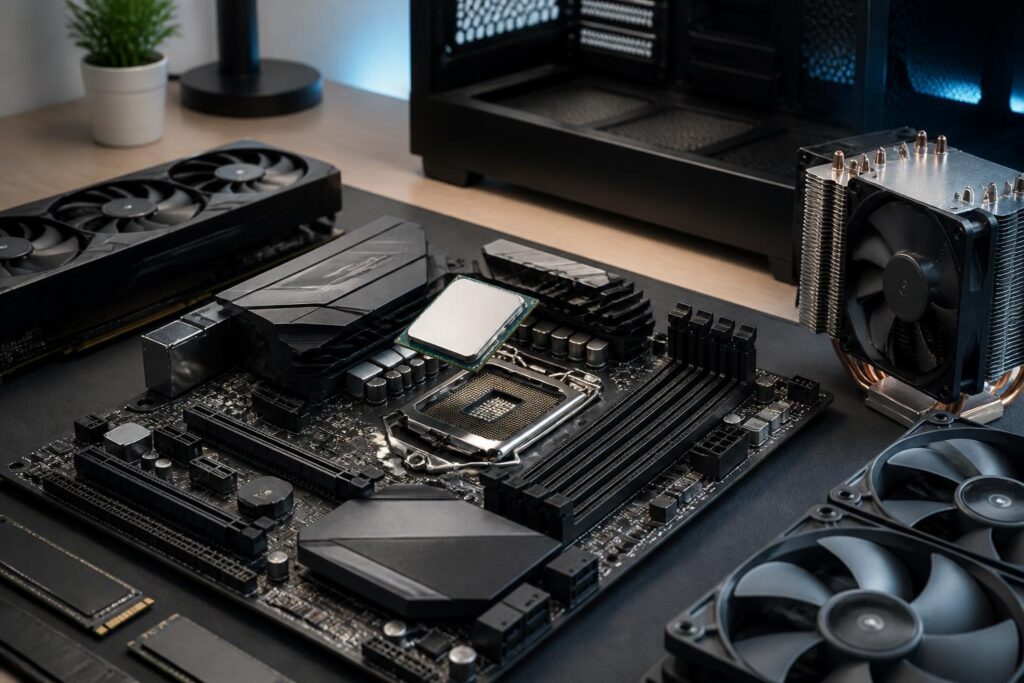
In a computer system, the CPU is often described as the processing center of the entire system. It receives instructions from the operating system and software, performs calculations, coordinates multiple tasks, and sends the results to the relevant components. However, the CPU’s role does not mean that the most expensive processor will always deliver the best experience. Actual performance also depends on the intended use, motherboard, cooling system, memory, graphics card, and how well the software is optimized.
When upgrading a computer, many people look only at the product name, core count, or advertised clock speed. This approach can easily lead to buying more performance than needed for ordinary tasks while overlooking factors that directly affect stability and expandability. Understanding CPUs correctly helps users build a more balanced configuration and avoid paying for specifications that are rarely put to use.
What Tasks Does a CPU Perform?
A CPU processes instructions issued by programs. When a user opens a browser, edits a document, decompresses a file, or runs a game, the CPU participates in analyzing instructions, performing calculations, and coordinating data between memory, storage, and other devices. Some tasks depend heavily on the responsiveness of individual processing cores, while other workloads can be divided so that multiple cores work on them simultaneously.
The important point is that the CPU is not the only component that determines computer speed. A powerful processor paired with slow storage, insufficient memory, or inadequate cooling can still feel sluggish. Conversely, a mid-range CPU can perform well when placed in a system suited to the workload. Therefore, a processor should be evaluated as part of the entire configuration rather than treated as an isolated number.
What Do Core Count, Thread Count, and Clock Speed Indicate?
The core count indicates how many physical processing units a CPU has. More cores are generally beneficial when running multiple applications simultaneously or performing tasks that can be divided, such as video editing, software compilation, data processing, and rendering. The thread count reflects the ability to organize multiple streams of work at the same time, but a higher thread count should not be understood to always produce a corresponding increase in performance.
Clock speed represents the operating speed of a processing core under certain conditions. A higher clock speed can help some tasks respond more quickly, but comparing this figure alone between CPUs on different platforms is not sufficient. Architecture, cache memory, power limits, and automatic boost mechanisms all affect the final result. A processor with a lower clock speed on paper may still be faster if it has a more efficient design.
For ordinary users, the key consideration is responsiveness in commonly used applications. If the main activities are writing documents, online learning, web browsing, and watching videos, pursuing a very high core count often does not provide a proportional difference. Meanwhile, people who regularly run multiple virtual machines, process high-resolution video, or work with large projects have clearer reasons to invest in a multi-core CPU.
Choose a CPU Based on Your Needs Rather Than Advertising
Office and Study Computers
For computers used for office work, studying, and online activities, the top priorities are stable responsiveness, reasonable power consumption, and compatibility with the motherboard. A mid-range CPU can handle browsers, office applications, online meetings, and common educational software well. If the user does not play games or perform demanding graphics work, they can consider a CPU with integrated graphics to reduce the cost of purchasing a dedicated graphics card.
Integrated graphics are also useful for reducing the system’s size and complexity. However, the capabilities of each CPU model vary, so buyers should check their display requirements, the number of screens, and the types of applications they will use. For basic tasks, balance among the CPU, memory, and storage is usually more important than choosing a processor from the high-end segment.
Gaming Computers
In gaming, the CPU is responsible for processing game logic, character behavior, physics, and many background tasks. Some games make good use of multiple cores, while others depend heavily on the performance of individual cores and the CPU’s responsiveness. Therefore, the appropriate choice should be based on the type of games, resolution, display refresh rate, and accompanying graphics card.
If the graphics card is powerful enough but the CPU cannot keep up, the system may experience a processor bottleneck, causing unstable frame rates or preventing the graphics card from being fully utilized. Conversely, buying an excessively powerful CPU while using only a basic display and graphics card can also create an unbalanced budget. A good configuration is one that allocates resources according to the experience the user actually wants, rather than focusing entirely on a single component.
Creative and Professional Work
Video editing, image rendering, compiling large codebases, simulations, and running multiple virtual machines often benefit from CPUs with many cores and threads. However, the degree of utilization still depends on the software. Some applications scale performance quite well when more cores are added, while others remain dependent on a few primary threads. Buyers should examine the hardware requirements and specific workflow of the software rather than relying only on labels such as “professional” or “high-end.”
For work that continues for many hours, the ability to maintain stable performance is just as important as achieving maximum speed for short periods. A CPU may automatically reduce its operating level when temperature or power exceeds limits. Therefore, choosing suitable cooling and a case with proper airflow is part of the CPU purchasing decision, not an accessory that can be taken lightly.
Compatibility Must Be Checked Before Buying
The CPU must be compatible with the motherboard’s socket and chipset. Even within the same brand, different processor generations may require different platforms. Some motherboards also need a BIOS update to recognize a new CPU. Checking the motherboard manufacturer’s support list before placing an order is a simple step that can prevent a situation in which the computer fails to boot after assembly.
Users should also pay attention to the type of memory supported by the platform, the number of expansion slots, storage connectivity, and the necessary ports. When upgrading later, a platform with good expandability can help save money, but users should not pay too much for features they do not plan to use. Weighing current needs against realistic upgrade potential will lead to a more reasonable decision.
Cooling, Power Consumption, and Stability
A CPU generates heat during operation. The cooler must be capable of removing that heat from the chip, while the case needs to support suitable airflow. If the cooling system is inadequate or installed incorrectly, the CPU may reduce its clock speed to control temperature, while the fans have to spin faster and become noisier. A good cooling system does not necessarily have to be the most expensive, but it must match the power level and usage pattern.
Power consumption also affects the power supply, the temperature inside the case, and operating costs. High-performance CPUs generally require a correspondingly capable power and cooling platform. For an office computer that runs many hours a day, an energy-efficient choice may provide a more comfortable experience than a more powerful model that produces more heat. This is why peak performance specifications should not be the only criterion.
Common Mistakes When Choosing a CPU
The first mistake is looking only at core count or clock speed while ignoring the generation and architecture. The second is buying a high-end CPU but pairing it with an inadequate motherboard, cooling system, or power supply. Another mistake is failing to check whether the CPU has integrated graphics, which can result in the computer producing no display output when a dedicated graphics card has not yet been installed.
Many people also underestimate the need for a BIOS update and socket compatibility. A choice that looks affordable on paper may not actually be economical if it requires replacing the motherboard as well or purchasing an additional cooling system. In addition, choosing a CPU based on general rankings without considering the software being used can lead to real-world results that fall short of expectations.
How to Make a Sound Purchasing Decision
First, list the main applications and tasks, then determine which activities consume the most time. Next, set a budget for the entire system rather than for the CPU alone. After selecting a few suitable models, check whether the motherboard, cooling system, power supply, memory, and graphics card are properly balanced. Finally, consider upgrade potential and usage conditions, such as continuous operating time, acceptable noise levels, and case size.
A good CPU is not the one with the highest specifications, but the processor that handles the workload reliably with appropriate cost, temperature, and power consumption. When evaluated in the context of the entire system, it becomes easier for users to avoid overinvesting in a single component. This approach also helps the computer deliver a more consistent experience and retain its usefulness over the long term.
