


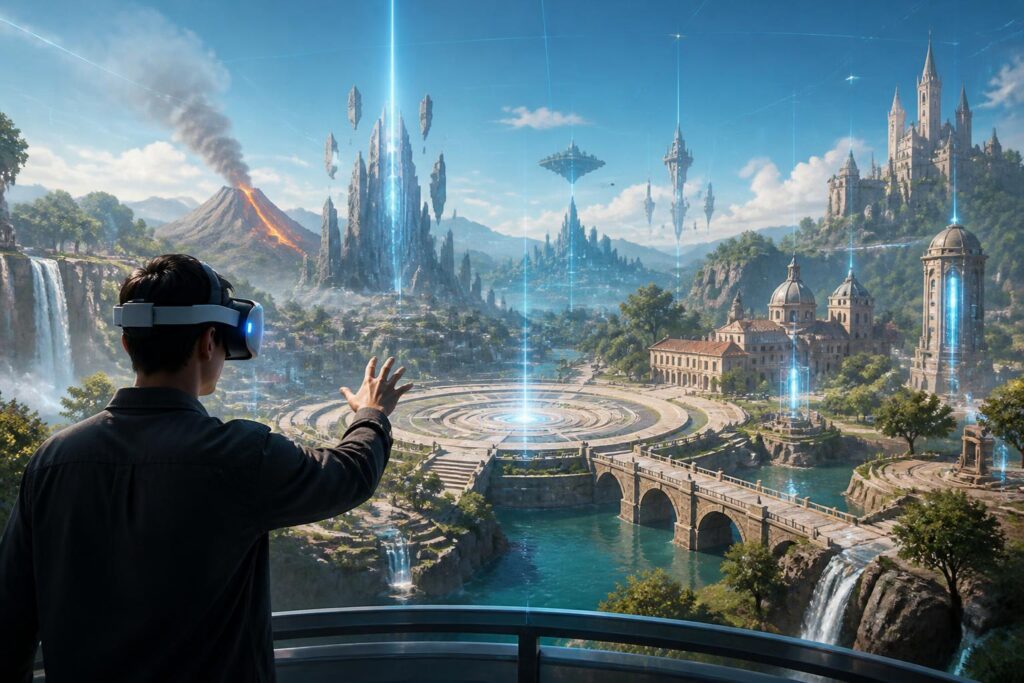
A virtual world can be built with impressive graphics, lively characters, and many interactive activities, but all of these elements will quickly lose their value if users do not know where they are. The feeling of being lost, walking around an area without finding the place they need to reach, or being unable to return to somewhere they have just visited can make the experience exhausting. In the physical environment, people often rely on signs, roads, buildings, sounds, and memories of spaces to find their way. In the virtual world, these signals must be deliberately redesigned.
Orientation in the virtual world is not merely a matter of maps or directional arrows. It is the way a space helps users form an understanding of location, distance, scale, and the relationships between places. When they can understand the structure of the environment, users feel that they are in control of the experience. Conversely, a beautiful but difficult-to-read space creates a feeling of being directed, confused, or completely dependent on the guidance system.
Why Do People Get Lost So Easily in Digital Spaces?
In everyday life, the ability to find one’s way is supported by many cues at once. A street may be identified by the shapes of its buildings, the direction of the light, its slope, traffic sounds, or its relative position to familiar places. Virtual worlds can simulate some of these cues, but they also often break the rules people are accustomed to using. A room may be larger than it appears, a corridor may lead to several different places, and the distance between two locations may be shortened by a teleportation portal.
This difference creates a cognitive challenge. Users must not only remember the locations of places but also understand how the world operates. If a door opens only at a certain time, a path appears only after a quest is completed, or an area changes according to the community’s actions, the user’s mental map must be constantly updated. When changes occur without clear signals, the feeling of being lost becomes even stronger.
Perspective is also an important factor. People using virtual reality headsets often observe the environment through a limited field of view, while players on flat screens have to control the camera with a mouse, controller, or touch gestures. The same location can create different impressions depending on the device. A landmark that is easy to recognize on a large screen may not be as clear in a virtual reality headset, where users can turn their heads in many directions and quickly lose their connection to their original position.
Maps Are Not Always the Answer
Maps are the most common visual tool for solving orientation problems, but an overly detailed map can have the opposite effect. New users often do not yet have enough knowledge of the world to understand the symbols, areas, and routes shown on a map. If every location is displayed with the same level of prominence, users will have difficulty knowing which information is important at the moment.
An effective map needs to reflect how people actually make decisions. When looking for a location, users are usually concerned with three questions: Where am I? In which direction is the destination? And which landmarks do I need to pass? A map can answer these three questions by highlighting the current position, distinguishing the destination from secondary locations, and providing several easily recognizable landmarks. Displaying the entire world is not always useful. In many cases, an area-by-area map reduces information overload and helps users focus on the choice immediately before them.
Direct guidance should also be used carefully. A glowing line extending from the user to the destination can help complete a task quickly, but it also reduces opportunities for exploration. If users always look at an arrow, they may never develop an understanding of the surrounding space. A balanced design should allow users to choose the level of assistance they receive, from hints provided by environmental cues to step-by-step directions when they truly need them.
Landmarks and the Language of Space
Landmarks are elements that help users recognize where they are without opening the interface. They may be a structure with a distinctive shape, an area with different lighting, a square, a bridge, or a sound associated with a location. Good landmarks need to be distinguishable from multiple directions and remain consistent throughout the experience. If an object stands out only when the user is very close to it, it will be difficult for it to serve as an orientation aid.
Virtual worlds have the advantage of not being limited by ordinary physical laws. Designers can create a tower visible from a great distance, an area whose colors change with distance, or architectural lines that help distinguish one area from another. However, creative freedom does not mean that every place needs to become special. If every area uses an excessively strong style, users may remember each individual image but have difficulty understanding the relationships between them.
A consistent spatial language is often more effective than constant spectacle. Areas with similar functions can share certain characteristics, while important locations can be given a distinctive sign. This organization helps users predict what lies ahead. They do not remember routes only through rote memory; they can also infer them from the way the space is constructed.
Freedom to Explore and the Risk of Being Led
Virtual worlds are often promoted as open environments where users can move around and explore freely. But freedom has meaning only when users understand their choices. An overly large space without structure does not create a sense of freedom; it can make users feel as though they are wandering through an empty expanse. Conversely, a space that allows movement along only a single route is easy to use but lacks a sense of discovery.
Orientation design must therefore balance guidance and empowerment. Users should be given enough cues to understand the objective, but they do not necessarily need to be shown every step. A central square, multiple paths with different characteristics, and resting points help users build their own routes. When they return later, they can rely on memories of their own choices rather than simply following a predetermined path.
The ability to return is just as important as the ability to reach a destination. A virtual world may encourage users to move forward, but if it does not preserve location history, personal markers, or ways to get back, the experience can easily become one-dimensional. Users need to know where they have been, what they have missed, and how they can return. These tools do more than provide convenience; they also give the world a sense of continuity.
Orientation for Different Types of Users
Not all users have the same ability to observe, remember, and process spatial information. Some people prefer to find their way through environmental cues, while others need a clear map or spoken directions. New users, children, older adults, and people with visual or cognitive difficulties may require different levels of support.
For this reason, an orientation system should have multiple layers. The first layer is an understandable spatial structure, with logical paths and areas that have distinctive characteristics. The next layer consists of visual landmarks, sounds, or suitable notifications. Only then come maps, specific directions, and personalized support options. When these layers complement one another, users can choose the method of orientation that suits them instead of being forced to use a single interface.
Accessibility also requires consistency. If directions rely only on color, users with limited color recognition may miss the information. If only sound is used, users who cannot hear will encounter obstacles. An important signal should be conveyed through multiple channels, such as a combination of shape, position, contrast, and optional sound. This is not about making the virtual world less beautiful; it is a way to expand the number of people who can participate independently.
Orientation Affects Emotions and Community
The way a person moves through a virtual world can change how they feel. A winding route with rest areas and open views can create a sense of relaxation. A cramped area with few reference points and constant changes in direction can easily create tension. When designing orientation, developers are essentially designing the pace of the experience, the level of curiosity, and the user’s sense of safety.
In environments where many people participate together, orientation is also connected to communication. A group of friends needs ways to arrange meetings, share locations, and describe places without constantly sending screenshots. Statements such as “stand beside the bridge facing the square” are effective only when those landmarks are easy to recognize and understood in the same way by everyone. A well-structured space makes conversation more natural because users can talk about places instead of merely exchanging technical coordinates.
Conversely, excessive dependence on coordinates or automated directions can reduce the social quality of a space. Users may still arrive at the correct location, but they do not necessarily understand where it lies within the whole environment. A memorable virtual world often allows people to create memories of their journeys, not merely record that they have completed a destination.
Designing Orientation as Part of the Experience
To evaluate orientation ability, one should not check only whether users can find the target. The entire process needs to be observed: Do they understand where they are? Do they recognize the landmarks? Can they return? And after leaving for some time, how much of the area’s structure do they still remember? Test participants should also be allowed to explore without receiving constant assistance, because dependence on guidance can conceal problems in the space.
Several practical questions can help evaluate a design. Do new users know which areas can be reached from the starting point? Can they distinguish places intended for communication, rest, and primary activities? When interrupted, can they continue their journey without having to start over? If the answer is frequently no, the problem may not lie in the users’ abilities but in the way the space communicates information.
The larger and more layered a virtual world becomes, the more important orientation is. Graphics may attract users during the first few minutes, but the ability to understand and remember the space is what influences whether they want to return. An easy-to-navigate environment does not necessarily have to be simple. It can be vast, surprising, and rich in detail, as long as users always have the opportunity to build a connection with the place where they are standing.
In the future, mapping, guidance, and marking tools may become increasingly flexible, but the core principle will remain unchanged: technology should support cognition rather than completely replace it. A good virtual world does not make users forget that they are moving through a designed structure. It helps them understand that structure clearly enough to explore with confidence, decide their own routes, and create personal memories of the places they have visited.
