


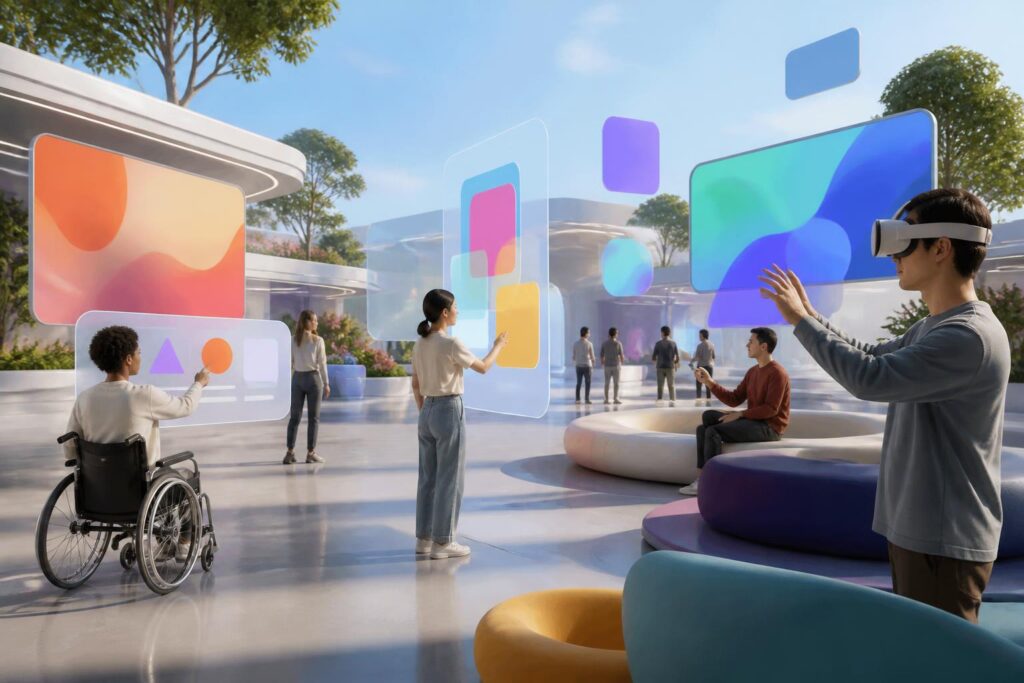
Virtual worlds are often imagined through richly detailed scenery, characters that can move freely, and encounters taking place in three-dimensional spaces. However, a digital environment should not be judged solely by how vivid its visuals are or how powerful its hardware is. The more important question is who can enter, use, and maintain a presence in that environment. If a person cannot read information, hear instructions, control a character, or communicate in a way that suits them, then no matter how advanced the virtual world may be, it remains a closed space.
Accessibility in virtual worlds should therefore not be viewed as a secondary feature intended for a separate group of users. It is a design principle that concerns everyone, because each person’s ability to see, hear, move, concentrate, and process information is different and can also change depending on circumstances. Someone may have no difficulty in a quiet environment but struggle to follow dialogue when there are many sounds around them. Someone else may use their hands normally but be unable to control a device for long periods. Good design needs to anticipate these differences from the outset.
Accessibility begins with how users see information
In many virtual worlds, the interface is layered over the scenery in the form of control panels, icons, status bars, or notifications. This presentation can be convenient for people accustomed to playing video games, but not everyone can easily distinguish the elements on the screen. Colors may be difficult to tell apart, text that is too small may be hard to read, and icons without descriptions may leave users unsure of what they are for.
An accessible interface should use multiple cues at the same time rather than relying only on color. The status of an object can be conveyed through color combined with shape, contrast, descriptive labels, or changes in position. The size of the text, the spacing between buttons, and the clarity of information panels also need to be considered when users are wearing virtual reality headsets or viewing through a small screen. This does not mean making the space simplistic or less attractive. On the contrary, information arranged in an orderly way often helps all users orient themselves and make decisions more quickly.
The ability to zoom in and out, adjust contrast, and change the position of the interface can make a major difference. Users also need to know when an action has been registered. An audio signal, vibration feedback, visual change, or brief notification can confirm that a button has been selected or a command has been carried out. When multiple feedback channels are combined appropriately, users do not have to depend on a single sense.
Sound, dialogue, and information cannot exist through only one channel
Sound plays an important role in creating a sense of presence. Footsteps, character speech, warnings, and environmental sounds help users understand what is happening outside their direct field of vision. But if important information is conveyed only through sound, people who cannot hear clearly or who are in noisy environments are placed at a disadvantage.
Dialogue should have clear subtitles whose size can be adjusted easily and that do not become mixed up with other information. Good subtitles do more than transcribe speech; they also indicate who is speaking when several characters are present. For environmental sounds that are meaningful to the experience, the system can provide brief descriptions or corresponding visual cues. Users should also be able to adjust the volume of different sound groups, such as separating voices from background music and effects.
Conversely, not all users can take in large amounts of sound for extended periods. A space with too many sudden noises, sharply changing volume levels, or overlapping speech can be exhausting, especially during lengthy activities. A reduced-stimulation mode, volume adjustment, and the ability to turn off unnecessary effects do not strip away the essence of a virtual world. They allow users to choose an intensity of experience that suits them.
Flexible controls matter more than simulating things in only one way
Virtual reality devices are often designed around handheld controllers, hand gestures, or body movements. These are useful methods, but they should not be the only way to perform every action. Users may have difficulty holding a device for long periods while also operating multiple buttons or performing precise movements. Some people have limited ranges of motion, while others may be able to use only one hand.
Systems should allow remapping, meaning that users can reassign button functions, adjust sensitivity, switch between hold and press actions, and choose movement methods that cause less fatigue. Actions that require holding a button for a long time can be replaced with a single press or a confirmation on the interface. Users should also be able to pause without losing their progress or being removed from an activity simply because they need to take a break.
Movement in virtual worlds is a clear example. Some people prefer natural walking, some want to use a joystick, while others need to teleport between points or remain seated throughout the experience. No single method is suitable for everyone. Providing multiple options not only serves people with disabilities but is also useful for newcomers, people who are prone to motion sickness, and those without much space to move around.
Communication needs multiple options and clear boundaries
Virtual worlds are often promoted as places where people can meet without being limited by distance. But digital communication can also create pressure if users are always expected to speak, appear, or respond in the same way. Some people do not want to use voice communication, cannot use their voice consistently, or need more time to process a conversation. For this reason, text communication, icons, preset gestures, and quick-choice menus should be regarded as core components, not temporary substitutes.
Speech-to-text and text-to-speech functions can support many situations, but they need to be accompanied by the ability to edit, confirm, and control privacy. A person’s content should not automatically be broadcast throughout the entire space if they only want to communicate with a small group. Signals indicating who can hear, who can see, or who can send invitations also help reduce confusion.
Accessibility is also connected to protecting users from unwanted interactions. Features for muting, blocking, hiding characters, limiting communication distance, and reporting behavior need to be easy to find and use while an incident is taking place. If someone has to leave the space before they can deal with a harasser, the affected person has already been subjected to too much inconvenience. A welcoming environment not only opens its doors to more people but also allows them to decide the extent of their own presence.
Inclusive design must be tested in practice
One common mistake is to treat accessibility as a list of features that can be added before launch day. This approach can easily result in the main interface being fixed, support options being buried deep in the settings, and many functions working inconsistently. In such cases, a product may claim to offer subtitles or alternative controls, while the actual experience remains full of obstacles.
Accessibility testing needs to take place from the concept stage onward. The design team should observe how users carry out specific tasks: entering a space, finding an object, reading instructions, joining a conversation, leaving an unwanted situation, and returning after pausing. Testing should not only measure whether users can complete a task, but also how much effort it takes, whether they become overloaded, and whether they understand what they are doing.
Feedback from people with different needs is especially important, because people who do not encounter obstacles often have difficulty recognizing the points that hinder others. However, inviting users to participate in testing must also be done seriously, with clear objectives and suitable conditions. Their opinions should not be used merely for promotion; they must be turned into concrete changes in the design.
Accessibility is also a matter of product culture
Digital spaces can expand or narrow opportunities for participation depending on how developers define the standard experience. If a product assumes that everyone can see clearly, hear well, react quickly, use both hands, and always wants to communicate publicly, many people will be excluded from the design process from the very beginning. This issue cannot be solved with a single subtitle toggle. It requires a change in how questions are asked: instead of asking which features are for special users, we need to ask how many ways a person can achieve the same goal.
This approach also brings benefits in very ordinary circumstances. Subtitles are useful when users are in noisy places. One-handed controls are convenient when the other hand is occupied. An interface with good contrast is easier to use when lighting changes. A reduced-motion mode can help people who are new to the device. Options initially developed to meet specific needs often become valuable improvements for the majority.
Of course, accessibility does not mean that every virtual world must have the same interface or eliminate every challenge. An experience can still retain its complexity, competitiveness, and distinctive aesthetic character, as long as users have reasonable paths to reach their goals. What must be avoided is turning device limitations or design assumptions into non-negotiable barriers.
Virtual worlds will become increasingly diverse in purpose, ranging from entertainment and education to work and community interaction. As the amount of time people spend in these spaces grows, the question of who is allowed to be present and how they can be present will become more important. A trustworthy product does not merely create beautiful landscapes; it also respects differences in how people perceive and act.
Accessible design does not make virtual worlds smaller. It expands the number of people who can enter, understand what is happening, decide how to communicate, and leave when necessary. That is the foundation for digital presence to become a genuine choice rather than a privilege reserved for those who fit a single mold.
