


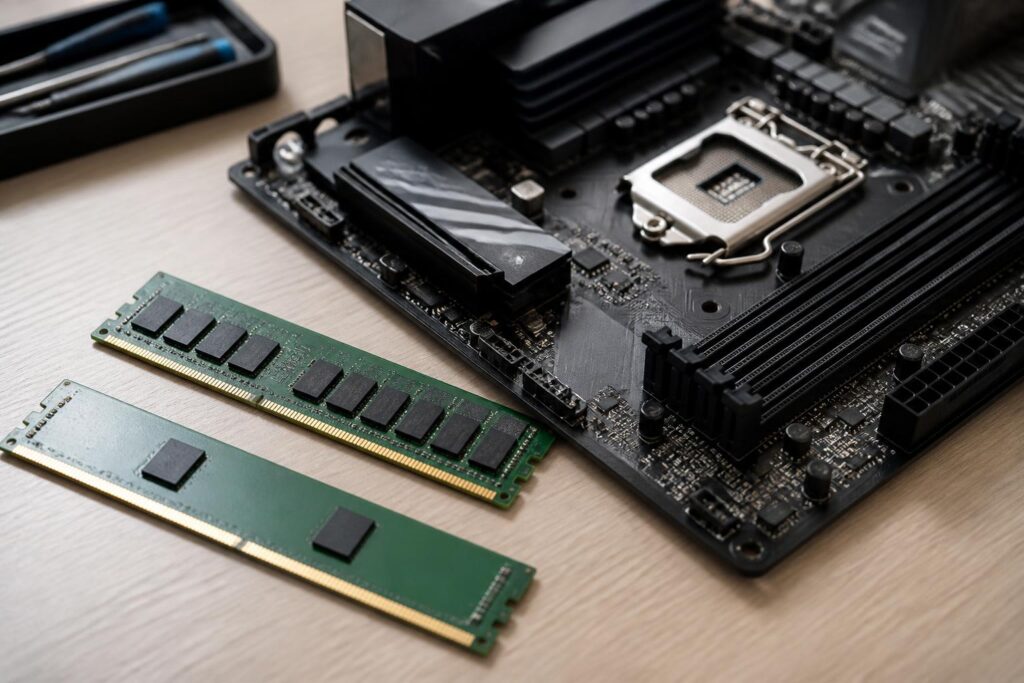
In a computer, RAM often receives less attention than the processor or graphics card. However, it is where the operating system and programs temporarily store the data currently being used. When the RAM capacity is appropriate, the computer can switch between multiple applications more smoothly, keep more browser tabs open, and reduce the need to use storage as temporary memory. Conversely, too little RAM can make the computer noticeably slower even when the other components are powerful enough.
Choosing RAM is therefore not simply a matter of looking for the largest capacity or highest speed listed on the product box. Users also need to consider the memory standard supported by the motherboard, the number of modules, memory-channel arrangement, latency, voltage, upgrade potential, and consistency between modules. A balanced choice often provides a more stable experience than a configuration with impressive specifications but poor compatibility.
RAM capacity should be understood according to usage needs
RAM capacity determines how much data the computer can keep readily available for fast access at a given time. For basic tasks such as writing documents, reading news, watching videos, and using office applications, a moderate capacity may be sufficient if the user does not open too many programs at once. As the number of browser tabs, communication applications, work tools, and background processes increases, memory requirements rise accordingly.
Computers used for studying and office work should generally be evaluated based on actual usage habits rather than a single capacity level applied to everyone. People who frequently open multiple documents, large spreadsheets, or online meeting tools will need more memory headroom than those who perform only one task at a time. If the computer will be used for a long period and the motherboard still has available slots, choosing a configuration with room for expansion is also worth prioritizing.
For photo editing, video production, programming, running virtual machines, or working with large projects, RAM capacity plays a more noticeable role. These applications may keep large amounts of data in memory for faster operation, especially when users simultaneously open source files, browsers, project management software, and support tools. In such cases, increasing RAM capacity can reduce the need for the system to constantly move data to storage.
Gamers should also avoid relying solely on the requirements of an individual game. Modern games often run alongside launchers, chat software, browsers, or recording tools. A configuration that is just sufficient for a game can quickly become cramped when additional background programs are running. The important thing is to assess the overall usage environment rather than looking at just one application in isolation.
Two RAM modules are often more important than one module with the same total capacity
RAM can operate through different memory channels depending on the platform’s design. When two compatible modules are used and installed in the positions specified by the motherboard, the system can generally use dual-channel mode. Under comparable conditions, this arrangement improves the ability to exchange data between the processor and memory compared with using a single module.
This does not mean that every task will become faster to the same extent. The improvement depends on the application, processor, platform, and system configuration. Nevertheless, a kit consisting of two modules with the same capacity and specifications is often a sensible choice when building a new computer. Buyers should read the motherboard manual to identify the slots that need to be used, because installing the modules in the wrong positions may prevent the system from achieving the desired memory mode.
When upgrading, adding another RAM module with specifications similar to those of the existing module is generally more convenient than mixing multiple different types. However, two products with the same commercial name may still use different memory components or secondary configurations. Therefore, compatibility should not be regarded as guaranteed solely on the basis of the capacity and speed printed on the label.
Memory standards and compatibility with the motherboard
RAM is manufactured according to different generations of standards, such as DDR4 or DDR5. These generations are not simply interchangeable versions. Motherboard slots are designed for specific standards, so a RAM module that is not mechanically or electrically suitable cannot be used arbitrarily on another platform.
Before buying, check the motherboard documentation or the manufacturer’s technical specifications to confirm the RAM standard, maximum capacity, number of slots, and supported module type. In laptops, RAM may use a smaller module format than desktop computers or may be soldered directly onto the motherboard. Therefore, users should not order desktop RAM merely because its specifications appear similar to those of a laptop.
Information about supported speeds should also be read carefully. The motherboard and processor may each have their own limitations, while the advertised RAM speed may sometimes be attainable only after enabling a performance profile in the firmware settings. If the system is unstable at the higher setting, the user may need to lower the speed or return to the default configuration. A RAM module with a high advertised speed does not automatically guarantee that the entire system will operate at that speed.
Speed, latency, and the balance between specifications
RAM speed is often discussed in terms of data transfer rates, but this is not the only factor that determines the user experience. Latency also affects how long the memory takes to respond to a request. Two RAM kits with different data transfer rates and different latencies need to be evaluated as a whole, rather than assuming that a larger number in one category always means better performance.
In everyday use, the difference between RAM kits with the same capacity may be less noticeable than the effect of insufficient capacity or operating in the wrong channel mode. A system with enough memory, good compatibility, and stable operation generally provides more practical benefits than a configuration that is optimized on paper but develops errors under heavy loads. This is why users should prioritize balance instead of chasing the highest specifications.
Performance profiles preset by the manufacturer can allow RAM to operate according to its advertised specifications after the user activates them in the firmware. This should be done carefully and in accordance with the motherboard’s instructions. If the computer fails to boot, restarts by itself, or shows errors during use, return to the default settings to investigate the cause before making further adjustments.
Common risks when upgrading RAM
One common mistake is buying additional RAM without checking how many slots remain available. If all slots are already occupied, the user may have to replace the existing modules with higher-capacity ones instead of simply adding more. Some motherboards also have certain limitations when all slots are populated; for example, the operating speed or ability to achieve a performance profile may change.
Mixing RAM modules from different brands does not necessarily always cause errors, but the more differences there are in capacity, speed, latency, and voltage, the more likely it is that the system will have to operate according to lower specifications or experience instability. Symptoms such as random system freezes, applications closing on their own, blue screens, or boot failures may be related to memory, although the ultimate cause needs to be investigated through a separate diagnostic process.
When installing RAM, shut down the computer completely, disconnect the power, and work carefully to avoid damaging the slots or modules. The RAM module must be aligned correctly with the notch and pressed evenly until the retaining clips lock into place. After installation, check the capacity recognized by the operating system, monitor stability during everyday tasks, and use a memory-testing tool if any unusual symptoms appear.
Choosing RAM for a computer intended for long-term use
People building a new computer should start with the platform: the motherboard, processor, and intended usage. Then choose a consistent RAM kit with a number of modules suited to the memory-channel design and enough capacity for the programs expected to be used over the next few years. If the budget is limited, choosing a moderate capacity that is easy to upgrade may be more sensible than buying a very high-speed kit and having to replace the entire set when requirements increase.
Those upgrading an older computer should first identify the type of RAM currently in use, the number of available slots, and the platform’s limitations. Taking a picture of information shown in system software or directly checking the module label can help prevent confusion about the standard. However, software information is only a reference; the motherboard documentation remains an important basis for confirming support.
RAM is not the only component that determines computer speed, but it directly affects multitasking capability and stability. A good choice should follow the right order of priorities: sufficient capacity, the correct standard, compatibility with the platform, proper arrangement, and room for upgrades. Once these fundamental factors are ensured, speed and latency should be used to fine-tune the purchasing decision.
Rather than chasing the largest number on the packaging, users should compare their actual needs with the system’s limitations. This approach helps avoid waste, reduces the risk of compatibility problems, and creates a configuration that is easy to use over the long term. With RAM, stability and the ability to serve the intended tasks are often more valuable than an impressive specification that cannot be fully utilized.
