


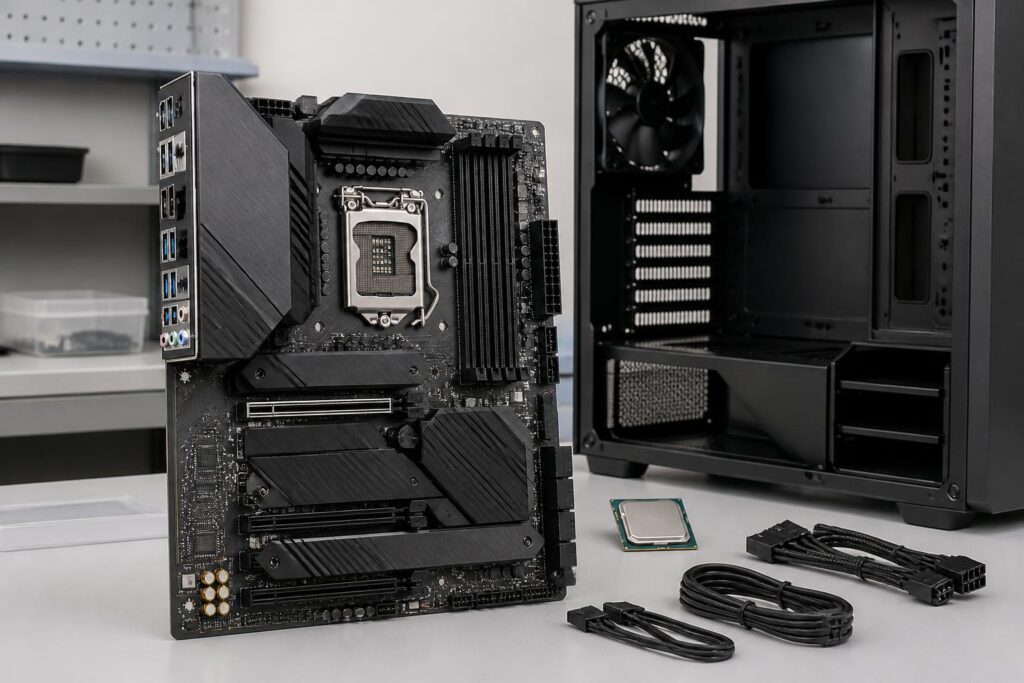
In a computer system, the motherboard is usually not the component mentioned most often. The processor provides computing power, the graphics card handles visuals, and the storage drive determines how quickly applications open. However, the motherboard is the platform that connects all of these components. The right choice allows the components to perform as intended, provides the system with a clear upgrade path, and minimizes complications during assembly. Conversely, an unsuitable motherboard can limit the amount of memory available, leave the system short of connectivity ports, or force users to replace multiple components when they want to upgrade.
Choosing a motherboard should therefore not be based solely on price, the number of heatsinks, or appearance. More important is determining what the computer will be used for, how far it needs to be expanded, and which connections will actually be valuable over several years of use. When users view the motherboard as a development plan for the entire system, they can balance their budget more easily and avoid paying for features they will not use.
Start with the Processor and Compatible Platform
The first criterion to check is compatibility between the motherboard and the processor. Each CPU family uses its own socket type and platform, so it is not enough to look only at the socket size and conclude that two components will work together. Buyers need to compare the list of supported processors, the system firmware version, and limitations related to the chipset.
Even when they use the same socket type, different motherboards may support different CPU generations. An earlier model may require a BIOS update to recognize a newer processor. If the computer cannot boot yet, this update may require another compatible CPU or a CPU-less update feature, if the motherboard is equipped with one. This is an easily overlooked detail when components are purchased in stages.
Users should also consider whether they need overclocking capability. If the computer will only be used with default settings, choosing an expensive platform solely because it offers additional overclocking features often does not provide proportionate benefits. Conversely, people who work with heavy loads for long periods may prioritize a motherboard with a well-designed power delivery system and stable adjustment capabilities. The goal is not to choose the model with the most features, but to choose a platform that suits the CPU and the actual usage pattern.
Motherboard Size Affects the Entire System
Common sizes such as ATX, Micro-ATX, and Mini-ITX create clear differences in the number of expansion slots, installation space, and upgrade potential. Larger motherboards generally have more PCI Express slots, memory slots, and connectors. Smaller models, meanwhile, make it possible to build a more compact system but usually require users to plan more carefully around cooling, power, and cable placement.
The size must be checked against the case before purchase. Not every case supports every form factor, and installing a motherboard that fits is not determined solely by its area; it also involves the position of the mounting holes, clearance for the CPU cooler, and cable-management options. A small system may look neat, but if it uses a long graphics card or a tall CPU cooler, the internal space can quickly become a limitation.
If users only need one graphics card, one or two storage drives, and a moderate number of ports, Micro-ATX can be a balanced choice. ATX is more suitable for systems that need many expansion slots or are planned to accommodate dedicated add-in cards. Mini-ITX is aimed at compact designs, but upgrades are often limited by the number of slots and the available physical space. Choosing the size from the outset helps avoid having to replace the entire case when requirements change.
Evaluate Expansion Slots and the Upgrade Path
The number of slots on a motherboard is not the only factor to consider. Buyers should examine the position of each slot, the bandwidth it supports, and whether the slots can be used simultaneously. An expansion slot may be blocked by a large graphics card, while ports or slots located close together can be difficult to access after all the components have been installed.
Users should make a list of devices that might be added in the future, such as a wireless network card, an audio capture card, a storage expansion device, or a specialized controller. If the computer is used only for office work and ordinary entertainment, there is no need to pursue an excessive number of slots. However, for content-creation computers, personal workstations, or systems that require many peripheral devices, a motherboard with too few slots will significantly reduce flexibility.
M.2 slots also require careful consideration. Some motherboards have multiple locations for this type of storage drive, but when they are used simultaneously, certain SATA ports or other expansion slots may be disabled depending on the design. This is not a fault, but rather a result of how the connection lanes are allocated within the platform. Reading the diagram in the product documentation before installation helps users understand which drive should be installed in which location and avoid surprises when a port does not work as expected.
Do Not Overlook Power Delivery and Cooling
The motherboard’s power delivery circuitry is responsible for supplying the appropriate voltage to the processor and related components. When the CPU operates under a high load for an extended period, the power delivery design and the cooling capacity around this area affect system stability. Buyers do not necessarily need to analyze every complex technical specification, but they should pay attention to real-world reviews, the cooling layout, and the level of CPU the manufacturer intends the board to support.
A basic motherboard can adequately support a mainstream processor, especially when the computer is mainly used for light tasks or ordinary gaming. For multi-core CPUs, rendering, compiling, or prolonged data processing, it is advisable to prioritize a model with a properly cooled power-delivery area and sufficient CPU power connectors. Choosing a motherboard that is too basic for the processor can cause the system to adjust its clock speed as temperatures rise, preventing real-world performance from reaching the desired level.
Cooling capability does not depend only on the large metal heatsinks on the motherboard. Airflow inside the case, fan placement, and the type of CPU cooler also play important roles. Even a good motherboard can operate at unfavorable temperatures if it is installed in a cramped case with inadequate intake and exhaust paths. Therefore, the motherboard should be selected together with the case and cooling solution rather than treated as an isolated component.
Choose Connectivity Ports According to Usage Habits
The rear of a motherboard usually has many connectivity ports, but a higher quantity does not necessarily mean a better experience. Users should inventory the devices they use regularly, such as monitors, keyboards, mice, headphones, printers, external storage drives, or controllers. If data is copied frequently, high-speed ports on the rear panel or connectors routed to the front of the case will be more useful than a collection of ports that are rarely used.
Network connectivity also deserves consideration. Some motherboards offer high-speed wired networking, built-in Wi-Fi, or Bluetooth, while others require the purchase of an additional expansion card. If the computer is placed somewhere that is difficult to reach with a network cable, built-in wireless connectivity can make installation neater. Conversely, users who need high stability for transferring large amounts of data, or who work in environments with many wireless devices, may prefer wired networking and regard Wi-Fi only as a supplementary option.
Integrated audio is generally sufficient for listening to music, watching movies, and ordinary gaming. People who work professionally with audio or need to connect recording equipment may have to use a separate audio interface. Similarly, the display outputs on a motherboard are useful only when the processor has integrated graphics; they do not produce an image on their own if the CPU does not support them. Checking this detail helps prevent the wrong purchase and allows users to make proper use of the system’s capabilities.
BIOS, Documentation, and the Assembly Experience Are Also Part of the Value
The motherboard’s system software affects how hardware is detected, settings are adjusted, and startup situations are handled. A clear interface, complete documentation, and a safe update process can save considerable time, especially for people who build their own computers. Features such as error-code displays, diagnostic indicator lights, or a BIOS update button can be useful when the system encounters problems, even though not everyone needs to use them frequently.
Buyers should download the instruction manual in advance if possible to check the locations of connectors, how bandwidth is shared, and the installation sequence. This is a simple step, but it helps identify important limitations early. A motherboard with many impressive specifications may still be unsuitable if it lacks enough fan connectors, places the M.2 slot where replacement is difficult, or does not provide sufficient clearance around the CPU socket.
Balance the Budget Instead of Buying from a Feature List
The budget allocated to the motherboard should be considered in relation to the entire system. Users should not cut spending excessively on the connectivity platform, but they also do not need to pay extra for features that do not serve their needs. An office user may prioritize stability, a suitable number of ports, and the ability to upgrade the memory. A gamer may care about CPU compatibility, the graphics-card slot, networking, and audio. A professional user may instead need multiple expansion slots, storage connectivity, or the ability to handle sustained workloads.
Before buying, write down three groups of requirements: must-have, useful to have, and unnecessary. This classification helps prevent users from being persuaded by attractive designs or specifications that make no difference in actual use. In addition to the component’s price, they should also account for the cost of Wi-Fi, expansion cards, fan hubs, or a case upgrade if the motherboard does not already meet their needs.
The motherboard is a long-term choice because it determines many of the upgrade paths available later. A good decision does not necessarily mean choosing the most premium model, but rather one with a compatible platform, an appropriate size, sufficient power delivery, the right connectivity, and clear documentation. When these criteria are checked in order, assembly becomes more predictable and the computer has a better chance of serving reliably for a long time.
