


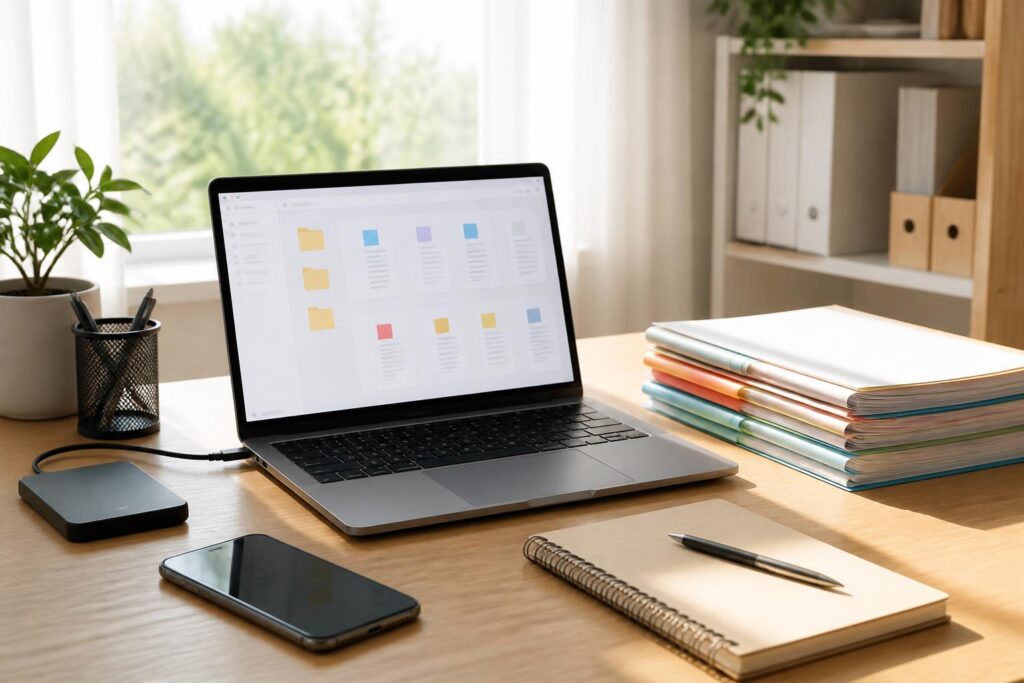
In modern life, many people have a large amount of digital documentation but no consistent way to organize it. Invoices sit in the Downloads folder, contracts are sent through multiple messaging apps, photos of documents are mixed in with family photos, and important files sometimes exist only on a single phone or personal computer. When they need to find something again, searching through individual folders, mailboxes, and conversations can take more time than processing the document itself.
Storing digital documents is not merely a matter of creating more folders. It means establishing a system that is clear enough for users to know where documents are, flexible enough to be used in different situations, and simple enough to maintain over the long term. A good system does not need to be overly elaborate, nor does it depend on a particular application. What matters is applying the principles consistently, from the moment a new file is received through periodic checks and backups.
Start by Identifying Which Documents Really Need to Be Kept
Before organizing, it is worth taking time to look at the document collection as a whole. You can start with places that commonly contain files, such as the Downloads folder, the computer desktop, phone storage, email inboxes, and online storage services. The goal at this stage is not to open every file immediately, but to identify the groups of documents that exist and the places where they are scattered.
Each document should be considered through three questions: Is this document still necessary? Can it be retrieved from another source? And if it were lost, would the consequences be significant? Files that no longer have practical value can be deleted after being checked. Files that need to be kept but are rarely used should be moved to an archive. Documents related to identity, finances, work, education, or important transactions should be prioritized for organization and backup.
You should not try to keep everything simply out of fear that you might need it someday. A document collection overloaded with duplicate copies, blurry photos, or files of unclear origin will reduce the ability to find the right information. However, deletion should also be approached carefully. If you are unsure whether a file can be discarded, you can move it to a temporary folder with a specific review deadline instead of deleting it immediately.
Design a Folder Structure Based on How You Use It
The folder structure should reflect how users usually look for documents, not how a piece of software classifies data by default. For personal documents, a high-level structure might include categories such as Personal, Family, Finance, Work, Education, Home, and Archive. Depending on their circumstances, individuals may add or remove categories, but they should not create too many folders from the outset.
Within each category, documents can be further organized by year, project, type of record, or a specific event. For example, the Work folder could be divided into Current Work, Old Records, and Reference Materials. The Finance folder could include Invoices, Contracts, Taxes, and Transactions. If only a small number of documents are generated, it may not be necessary to divide them further by month or by individual provider.
One useful principle is to try to give each important file just one primary location. When it needs to be used elsewhere, you can create an intentional copy or use a link instead of scattering multiple identical copies across different folders. Having numerous poorly named copies can easily lead to uncertainty about which one is the latest.
You should also distinguish between working folders and archive folders. Documents that are still being processed should be placed somewhere easily accessible, while completed documents can be moved to an archive organized by year or topic. This approach keeps the work area tidy and reduces the likelihood of confusing active records with completed ones.
Name Files So They Can Be Found at a Glance
File names are an important part of a storage system, but they are often overlooked. A name such as “IMG_4832,” “new scan,” or “final document” does not indicate the file’s content, date, or status. After some time, names like these make searching dependent on opening each file for inspection.
An understandable file name usually contains just enough information, such as the subject, relevant party, date, and status. It could follow a format such as “House-rental-contract-2026-signed” or “Electricity-bill-September-2026.” It is not necessary to include every detail in the file name; only include information that helps distinguish one file from another.
You should standardize the way dates are written throughout the document collection. The year-month-day format is often convenient when sorting chronologically, but users may choose another format as long as they use it consistently. For files with multiple versions, clearly mark them as “draft,” “reviewed,” “signed,” or “version-2” instead of using vague names such as “latest” and “final version.” These terms quickly lose their meaning when a new version is added.
For documents scanned from paper, rename them immediately after scanning or after moving the files into the main folder. This is when the contents are easiest to remember. If renaming is postponed until the end of the month or year, users may have to reopen many documents just to determine which category they belong to.
Process New Documents Through a Short Workflow
The system is effective only when new documents are put in the right place. Therefore, it is useful to have a temporary folder, such as “To Be Processed,” for files that have just been downloaded, received by email, or scanned from paper. This folder is not a long-term archive but an intake point that prevents users from having to make an immediate decision while they are busy.
At a fixed time each day or week, you can open the temporary folder and process each file. For every file, rename it if necessary, delete duplicates, move it to the appropriate folder, and determine whether it needs to be backed up. If a document is related to an ongoing task, you can add its status to the name or place it in the corresponding project folder.
The important thing is to keep this process short enough. If each document has to pass through too many steps or requires complicated notes, users are likely to abandon the process and return to the habit of leaving files anywhere. A simple system that is followed regularly is usually more reliable than a highly detailed system that is difficult to maintain.
Back Up Data to Reduce the Risk of Loss
Good organization does not mean absolute safety. Devices can fail, be lost, or become inaccessible because of software errors. Therefore, important documents should have at least one copy stored somewhere different from the location of the original. The copy may be kept on a separate storage device or in an appropriate online service, depending on each person’s needs, the level of sensitivity, and their ability to manage it.
Backup should be treated as a process rather than a one-time action. Users should determine which documents need frequent backups, which only need to be saved once they are complete, and when the copies should be checked. A copy that has never been opened or tested for recoverability cannot yet be considered a reliable solution. Regular checks help detect corrupted files, missing folders, or incorrect access permissions.
For sensitive documents, the storage location and the devices with access permissions should be considered carefully. Files containing personal information, identity documents, or financial data should not be shared publicly. When sending documents to others, you can double-check the recipient, sharing scope, and access expiration date if the platform supports these features. Once the task is complete, access that is no longer necessary should be revoked.
Maintain the System with Short Reviews
A digital document collection will gradually become disorderly if it is not reviewed. However, a review does not need to become a major project. Each month, users can set aside a short period to process the temporary folder, delete duplicates, and move completed documents to their proper locations. Every few months, they can check important folders, review backups, and update naming conventions if they have become inconvenient.
As the system is used, its initial principles may need to be adjusted. A new folder should be created only when there is a recurring need, rather than in advance for every possibility. If you frequently forget where a document is located, that is a sign that the current structure does not fit your search habits. If it takes too long to decide which folder a file belongs in, the system may be divided into too many categories.
The ultimate goal is not to create a perfect document collection, but to build a method that helps users quickly find what they need and know how to handle new documents. When folders are organized according to actual needs, file names contain clear information, important data is backed up, and the system is reviewed regularly, digital document management becomes less dependent on memory.
A good storage system creates greater control over very ordinary tasks: finding an invoice, sending the correct contract, preparing records, or checking the history of a transaction. Starting with a small group of documents, applying a moderate structure, and maintaining it regularly is more practical than trying to organize all data at once. The tidiness of a digital document collection does not come from the number of folders, but from its ability to be used consistently over time.
