


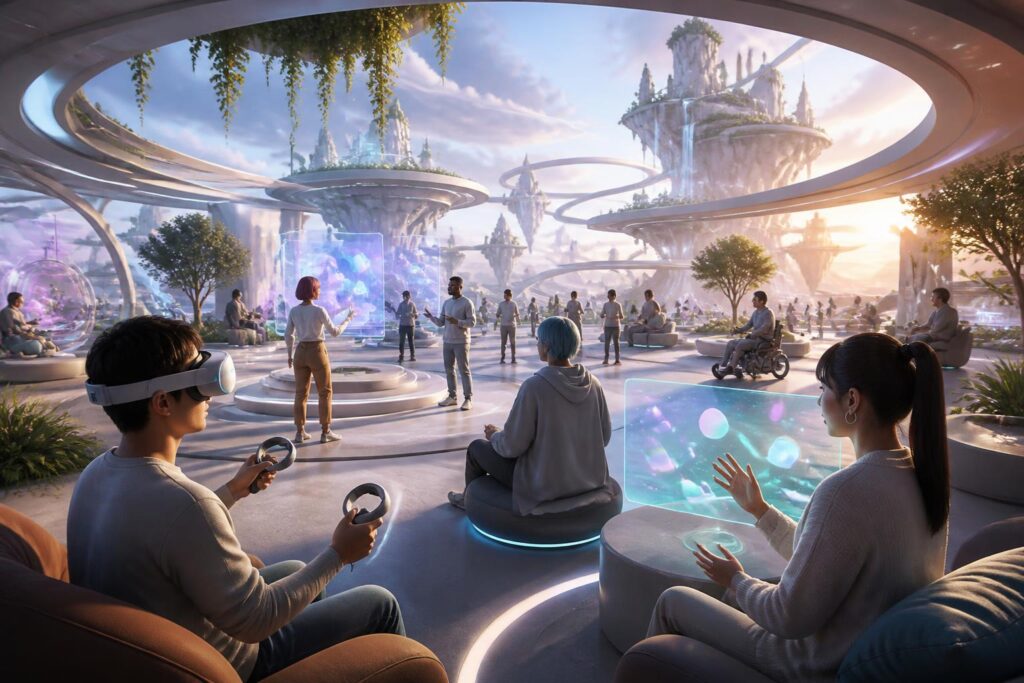
Whenever people talk about virtual worlds, they often think of vast landscapes, customizable characters, or activities that go beyond the limits of an ordinary screen. However, no matter how beautifully an environment is built, it can hardly become a place for long-term engagement if some users cannot enter it, do not know how to interact, or quickly become tired. The important question, therefore, is not only what virtual worlds can do, but also who can use them fully and comfortably.
Accessibility in virtual worlds should not be viewed as a secondary feature intended for a small group. It is a design approach aimed at reducing unnecessary barriers related to vision, hearing, mobility, cognition, and device conditions. When a platform allows users to change the interface size, adjust movement speed, use captions, or choose a suitable control method, the benefits do not belong only to people with disabilities. New users, people using small screens, those in noisy environments, or those with unstable connections can also participate more easily.
A Beautiful Space Is Not Necessarily an Easy-to-Use Space
Virtual-world design often begins with visuals. Developers want to create scenes with depth, striking lighting, and a strong sense of presence. These are important elements, but they can obscure a more basic requirement: users must understand where they are, what they can do, and how to carry out that action. An area with too many moving objects, low-contrast colors, or constantly changing effects can be difficult for people with limited vision, those who are easily distracted, or those unfamiliar with three-dimensional interfaces.
Visibility does not depend solely on graphics quality. Information needs to be arranged in a clear hierarchy. Controls should have easily distinguishable shapes, provide visual feedback, and not depend entirely on color. If red and green are the only ways to distinguish two states, people who have difficulty identifying colors may not recognize the difference. A clear icon, a change in shape, or an optional audio signal can provide an additional layer of necessary information.
Sound also needs to be designed with similar care. Spatial audio can help users recognize that an event is occurring beside or behind them, but not everyone can hear the full range of frequencies or has a quiet environment in which to listen. Captions, visual cues, and separate volume controls for different groups of sounds make the experience less dependent on a single sense. This does not make the virtual world less immersive; on the contrary, it allows each person to choose a more suitable way of taking it in.
Choice Creates a Sense of Control
A good experience does not force users to adapt to only one way of moving, communicating, or observing. Some people enjoy moving continuously through three-dimensional space, while others easily become dizzy when the viewpoint changes rapidly. Some people want to use a controller, while others are more familiar with a keyboard, touch controls, or assistive devices. If the system provides only one method, perfectly ordinary differences in people’s bodies and habits become barriers.
For this reason, options such as step-by-step movement, teleportation, fixed-angle turning, reduced vibration effects, or adjustable viewpoint height are highly meaningful. These choices do not change the objective of a game, class, or meeting, but they help more people access the same activity in ways that are less uncomfortable. Users should also be able to try settings before entering the main space, rather than having to figure things out after they have already become tired or disoriented.
Choice also concerns the degree of presence of other people. Some users want to see everyone’s gestures and hear all the surrounding sounds; others need a quiet space, less movement, or limited direct contact. Reduced-stimulation modes, audio filters, the ability to hide other people’s effects, and private areas can help users control their experience without necessarily leaving the community.
Designing for Diverse Abilities from the Start
A common mistake is to build the entire product first and only add accessibility after receiving feedback. This approach often leads to patchwork solutions. An interface designed from the beginning with text that is too small is difficult to fix without affecting the layout. An interaction system based solely on precise movements of both hands is difficult to convert to another method if the entire activity already depends on it.
Inclusive design should begin with fundamental questions. Can users complete a task using only one hand? Can they read the information without hearing any sound? Can they understand the instructions without seeing an object in the distance? Can a newcomer exit an activity without becoming stuck in the interface? These questions are not intended to oversimplify the product, but to help the team recognize which elements are essential and which are merely design habits.
Testing also needs to extend beyond groups of users who are familiar with technology. Participants may use different devices, have varying levels of experience, and have different mobility or sensory limitations. Their feedback often reveals problems that designers find difficult to notice on their own, such as an instruction appearing too quickly, a button being out of reach, an alert sound being easily confused with another signal, or a task requiring users to remember too many steps at once.
Accessibility Cannot Be Separated from Performance
Virtual worlds often require devices to process visuals, sound, and interactions in real time. When performance is unstable, everyone is affected, but the impact can be more serious for people who need assistive interfaces or longer response times. Stuttering visuals, high latency, and interrupted audio make orientation difficult, especially during activities that require quick reactions.
Therefore, an inclusive platform needs multiple quality levels rather than targeting only powerful devices. Users should be able to reduce scene complexity, turn off unnecessary effects, adjust the viewing distance, or choose a lighter mode. These options not only help older devices operate more stably but also reduce the amount of information that must be processed at once. A space with fewer effects but clear feedback can sometimes create a better experience than one rich in detail but constantly interrupted.
Connectivity is also part of the experience. Not every user has the same type of connection or can download large amounts of content in a short time. Mechanisms that allow participation with minimal data, load content in stages, and clearly indicate when the system is synchronizing will help users understand what is happening. This transparency is more important than trying to create a seamless feeling by leaving users waiting in silence.
A Community Is Open Only When Communication Takes Many Forms
Virtual spaces are often described as places where people meet, but communication should not be limited to voice or gestures. Text, icons, live captions, visual signals, and prepared responses can support people who do not want to or cannot speak. These tools are also useful in public environments, where users may not be able to produce sound conveniently or need to communicate quickly.
Information display must avoid creating additional burdens. If every conversation appears at once, users may have difficulty following the main content. The ability to change text size, caption position, display speed, and the priority level of notifications allows each person to build a communication method that suits them. In group activities, indicating whose turn it is to speak or summarizing important information also helps ensure that participants are not left behind.
A good community does not merely invite more people to enter; it also allows them to stay without constantly having to protect themselves from overload. Tools for controlling interactions, filtering audio, hiding users, or quickly leaving a situation need to be placed where they are easy to find. When these choices are treated as a normal part of design, users do not have to explain or justify the reasons for their needs.
From Technical Criteria to a Design Culture
Accessibility is often evaluated through a list of features, but a few on-and-off buttons cannot solve every problem. More important is a culture of asking questions throughout the development process. The design team needs to view users as individuals with different goals and abilities, rather than as a single model. The content team needs to check whether instructions are clear. The technical team needs to regard stable performance as a condition of the experience, not merely a final optimization goal.
Users also need to know where assistive options are located and how they affect the experience. A system with many settings can still create a barrier if those settings are hidden in layers of difficult-to-find menus. Brief instructions, easy-to-understand language, and the ability to restore the original settings will give users the confidence to experiment. Allowing people to save personal configurations is also useful for those who frequently switch between devices or do not want to repeat the setup process.
Virtual worlds will become increasingly diverse in purpose. Some will be intended for entertainment, while others will serve education, creativity, work, or social gatherings. Each context has its own requirements, but the general principles remain the same: reduce barriers, increase choice, and respect the differences among participants. A space that does not force everyone to see, hear, move, or communicate in the same way will have a greater chance of becoming sustainable.
The value of virtual worlds does not lie in making people forget the limitations of their bodies, but in opening up many different ways of being present. When design begins by asking who can participate and what conditions they need in order to participate fully, technology will do more than create impressive scenes. It can shape places where many people feel genuinely welcomed, able to make their own choices, and able to contribute in their own way.
