


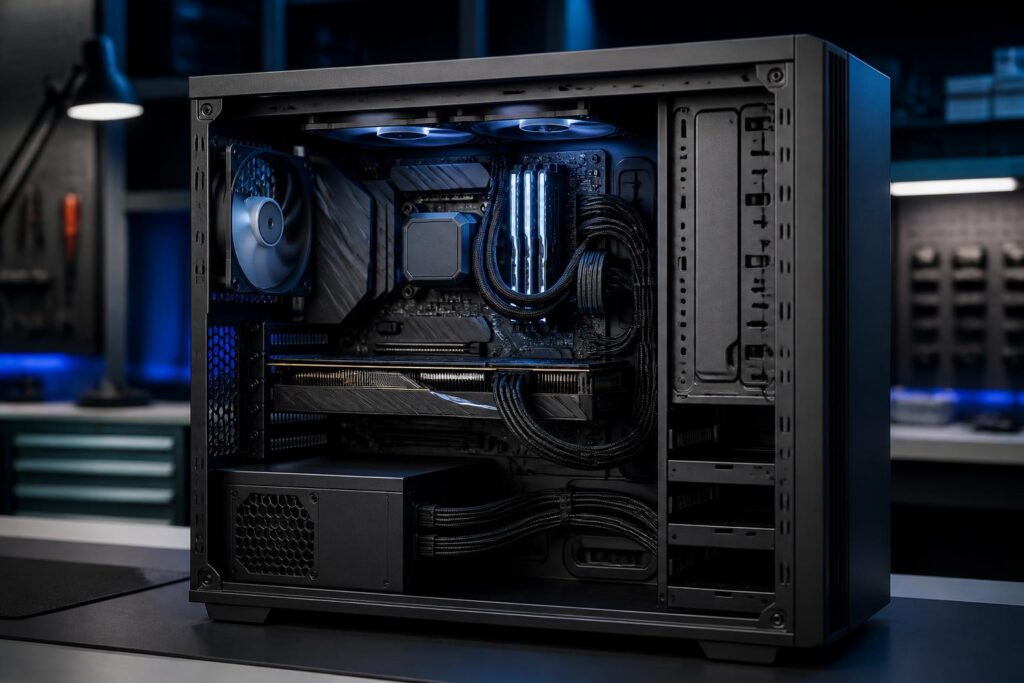
In a computer, the power supply is often the least-noticed component. Users tend to focus on the processor, graphics card, memory capacity, or storage speed, while treating the power supply as a component that only needs to provide sufficient wattage to be installed. This approach can lead to a system that operates unreliably, is difficult to upgrade, and poses potential risks to expensive components.
The power supply, commonly called a PSU, converts alternating current from the wall outlet into the direct-current levels suitable for a computer. In addition to providing sufficient power, a PSU must maintain stable voltage, handle changes in load, and include protective mechanisms for when problems occur. Therefore, choosing a power supply should not be based solely on the wattage printed on the box. Design quality, compatibility, usage conditions, and upgrade needs all need to be considered together.
Wattage Is Not the Only Criterion
Rated wattage is a reasonable starting point, but it cannot be used to evaluate an entire power supply. A high-wattage PSU may not be suitable if its quality is poor, its design does not meet the system’s needs, or it lacks the connectors required by the current configuration. Conversely, a moderately powered supply that is well designed can operate reliably for a long time.
To estimate the required wattage, users should first determine the power consumption of the processor, graphics card, and remaining components. The graphics card is often the component that creates significant load fluctuations, especially when the computer is used for gaming, rendering, or demanding tasks. The processor, motherboard, storage drives, fans, and expansion devices also consume power, although the amount varies depending on the configuration.
After adding up the expected requirements, users should leave a reasonable amount of headroom instead of choosing a power supply that is barely sufficient for the expected consumption. This headroom helps prevent the PSU from constantly operating at a high limit while also allowing for moments when components suddenly increase their load. However, choosing a power supply with excessive capacity is not always optimal. Excessive wattage can increase cost and size, and may sometimes cause users to overlook more important criteria such as component quality or compatibility.
Understanding Efficiency Certifications Correctly
On the market, many power supplies are marketed with different efficiency certification levels. Essentially, efficiency indicates the proportion of electricity drawn from the wall outlet that is converted into useful power for the computer; the remainder becomes heat. Higher efficiency generally helps reduce wasted electricity and the heat generated during operation.
However, an efficiency certification is not an absolute guarantee of overall quality. It does not replace an evaluation of the circuit design, component quality, voltage regulation capability, stability under changing loads, or protection system. Two power supplies with the same certification level can still differ considerably in refinement and reliability.
Buyers should treat efficiency certification as a reference indicator, then check additional information about the manufacturer, warranty period, product line, and published technical specifications. A reputable brand does not mean that every PSU model from that company is the same, so evaluating the specific model remains more important than simply looking at the brand name.
Main Power Rails and Load Handling Capability
In a computer power supply, the power rails that supply the main components play a particularly important role. Graphics cards and processors can create rapidly changing loads, so the PSU needs to maintain stable power as the system switches from idle to heavy load. The total wattage shown on the label does not fully reflect the ability to handle these fluctuations.
Users should read the specifications table on the power supply to determine the power and current allocated to the main power rails. For configurations using powerful graphics cards, it is important to carefully check the card’s power requirements, the number of connectors, and the installation instructions provided by the graphics card manufacturer. Unbranded or questionable adapters should not be used, nor should users attempt to split a connector in a way that is incompatible with the PSU’s design.
The power cables for the processor and graphics card also need to be firmly connected in the correct positions. A loose connector can cause the computer to operate erratically, restart, or shut down suddenly when the load increases. During assembly, do not use excessive force, bend cables sharply near the connectors, or allow wires to become trapped between the case cover and a metal edge.
The Protection System Should Not Be Overlooked
A well-designed power supply typically includes protection mechanisms against situations such as overcurrent, overvoltage, undervoltage, overheating, or short circuits. These mechanisms do not make a computer immune to every electrical problem, but they can help limit damage when operating conditions exceed safe limits.
Information about the protection system is usually provided in the technical documentation or on the product page. Users should prioritize models with clear information rather than choosing products that only advertise high wattage while providing little data about their design and protective mechanisms. If the specifications are vague, no reliable documentation is available, or the warranty terms are unclear, that is a sign to exercise caution before purchasing.
The household power supply also affects the computer’s stability. Loose outlets, overloaded extension cords, environments with fluctuating voltage, or frequently unplugging the power suddenly can all place stress on the power supply and other components. In areas with unstable electricity, users may consider a suitable power protection solution, but these external devices cannot replace a quality PSU.
Modular, Semi-Modular, or Fixed Cables?
The main difference between these cable designs lies in whether the cables can be detached. With a modular power supply, users install only the cables they actually need, making cable management inside the computer case neater. Semi-modular models retain some essential cables and allow the remaining ones to be detached. A fixed-cable power supply has all of its cables permanently attached to the power supply body.
A modular design can be convenient for small computer cases or configurations that require careful cable management. However, it does not automatically make the power supply more powerful or more durable. Users should also remember that cables from different power supplies should not be swapped arbitrarily, even if the external connectors look identical. The pinouts may differ, and using the wrong cable can damage components.
If keeping costs low is a priority and cable management is not a major concern, a fixed-cable PSU can still perform well. What matters is that the cables are long enough, include the correct connectors, and can be arranged appropriately within the case. Neatness is useful only when it does not cause cables to bend sharply, obstruct airflow, or make maintenance difficult.
Choosing a Power Supply Based on Usage Needs
Office computers generally do not need a power supply with very high wattage, but users should still choose a product with stable quality and enough connectors for the motherboard, processor, storage drives, and peripheral devices. For gaming computers, the graphics card is usually the main factor determining the required wattage and type of connectors.
Computers used for video editing, simulation, 3D design, or extended computational tasks may sustain high loads for many hours. In this case, stability, cooling capability, and warranty coverage should be given equal importance to wattage. For a computer that is expected to receive a graphics card or processor upgrade in the future, users can leave additional headroom, but should still base the decision on a realistic plan rather than buying the largest PSU within their budget.
If a small computer case is being used, the physical size of the power supply is another factor that must be checked. The PSU must fit the mounting bay, avoid obstructing fans, and not make cable management excessively cramped. Before purchasing, users should compare the power supply’s size standard with the case specifications and check the cable lengths if the components are positioned far from the PSU.
Maintaining and Replacing It at the Right Time
A power supply does not need to be removed frequently for cleaning, because opening the PSU casing can be dangerous even after the power cable has been unplugged. Users should only clean the exterior, remove dust from inside the computer case, and ensure that the ventilation openings are not blocked. The computer should be placed in a dry, well-ventilated area, away from moisture and excessive dust accumulation.
Signs such as the computer restarting by itself under heavy load, shutting down suddenly, producing unusual noises, emitting a burnt smell, or behaving erratically when a new device is connected should be investigated. A power supply showing abnormal signs should not continue to be used simply because the computer still starts up. Replacing the PSU early is generally safer than waiting until a failure affects the motherboard, graphics card, or storage drive.
When replacing the power supply, shut down the computer, unplug the power cable, and remove all old cables before installing the cables that come with the new PSU. Do not keep using cables from the previous power supply unless their compatibility has been confirmed. After installation, check every connector, make sure no wires are touching the fans, and test the system with light tasks before moving on to heavy loads.
Invest in Stability Rather Than Just Wattage
A good power supply does not make a computer noticeably faster, but it provides the foundation for the other components to operate as designed. A sensible choice should balance actual power requirements, circuit quality, protection capabilities, connectors, size, efficiency, and warranty policy.
Rather than asking which power supply has the highest wattage, users should begin by asking what the configuration requires and what the usage environment is like. Once the current needs, planned upgrades, and limitations of the computer case are understood, choosing a PSU becomes more precise. It is an investment that makes little impression at the time of purchase, but has a lasting effect on the stability, lifespan, and safety of the entire computer.
