


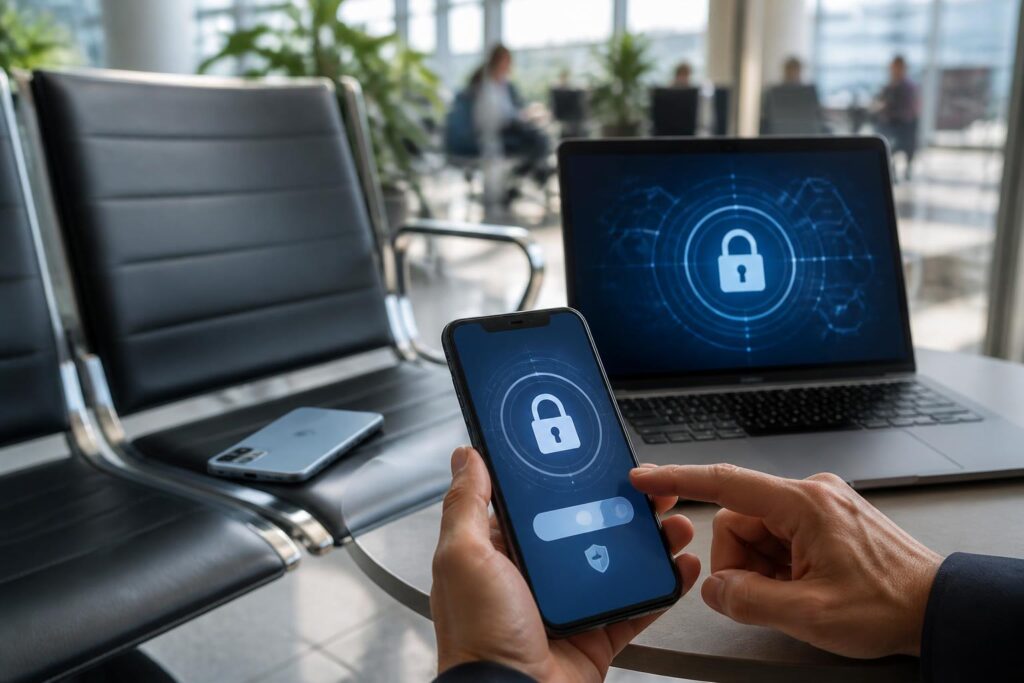
Phones today are no longer merely communication tools. A small device can contain email, social media accounts, banking applications, private photos, contacts, electronic documents, and many important conversations. Therefore, when a phone is lost, the first reaction should not be limited to calling the number or returning to places recently visited. More importantly, it is essential to quickly protect the data that may be accessed from that device.
The level of risk depends on many factors, such as whether the phone is still connected to the network, whether it has a screen lock, whether the person who found it knows the unlock code, and which accounts are logged in. Not every lost-phone situation results in data exposure, but proactively following a clear sequence of steps can significantly reduce the period during which the data remains vulnerable. At the same time, this is also an opportunity for everyone to review how they back up and protect data against similar incidents.
What to do in the first few minutes
First, try to determine where and when you last had the phone in your possession. If you suspect that it was merely left somewhere at home, in the office, in a vehicle, or at a familiar location, you can use another device to call that phone number. The ringing sound or a response from the person who found it may sometimes resolve the situation quickly. However, you should not rely solely on this approach if the phone contains important data.
If the device has a location-tracking function, access the corresponding platform’s device-finding service using a computer or another phone. This function usually allows you to view the most recent location, play a sound, lock the device remotely, and display contact information on the lock screen. The displayed location may not be completely accurate, especially when the device is indoors, has lost its connection, or has not yet updated its data. For safety reasons, do not go alone to an unfamiliar location to confront the person holding the phone. If the map shows that the device is in a suspicious place, consider asking the authorities for assistance.
If you cannot determine the location, activate lost mode or lock the device remotely if the platform provides that option. Locking the phone helps restrict direct access and allows the owner to display contact information on the screen without revealing the data inside. The displayed information should be sufficient for the person who found it to make contact, such as a backup phone number or an email address that does not contain sensitive data. Do not put information such as your home address, identification document number, or personal schedule on the lock screen.
Protect accounts according to priority
After locking the device, the next important step is to protect accounts that could provide access to large amounts of other data. The primary email account should be handled promptly because it is often where password-reset links for other services are received. Log in from a secure device, check the list of active devices, and sign out of the session on the lost phone if the service allows it. Then change the password to a new one that is not the same as any password used elsewhere.
Next, review social media accounts, messaging applications, cloud storage services, and shopping platforms. Each service has its own method for managing login sessions, so you need to check the security section or device list in each account. Changing the password is only fully effective when old login sessions are also revoked; otherwise, the person holding the phone may still be able to access the account for some time.
For banking applications, e-wallets, and payment services, contact the provider immediately to request that the appropriate functions be locked or temporarily suspended. Do not wait until you discover an unusual transaction before taking action. Account holders should check transaction history, balance-change notifications, and registered devices. If you discover a transaction that you did not make, record the time and the contents of the notification and contact the bank through an official channel.
The SIM card also requires attention. When someone else can receive verification codes sent by text message or phone call, some accounts become more vulnerable to attack. The subscriber should contact the carrier to request that the SIM be blocked and have it reissued according to the carrier’s procedures. While waiting for this to be handled, prioritize accounts that use the lost phone number as a recovery method.
Do not rush to erase data remotely
Many services allow data on a phone to be erased remotely. This is a useful option when the risk of information exposure is high and the likelihood of recovering the device is low. However, the erase command often limits the ability to locate or manage the device, depending on the platform and connection status. Therefore, if there is still hope of recovering the phone, users should lock the device first, check whether it can still be located, and consider when to erase the data.
Remote erasure also does not replace changing passwords. Data may already have been synchronized with online services, some applications may retain login sessions, and copies in the cloud may still exist. After deciding to erase the device, users still need to sign out of old sessions, change passwords, lock payment methods, and check for unusual activity on each account.
Before erasing the device, if it is showing a location in a safe place and a trusted person can help retrieve it, consider keeping it locked to support the search. Conversely, if the phone has no screen lock, contains a large amount of sensitive data, or shows signs that someone else has deliberately attempted to access it, protecting the information must take priority over the possibility of recovering the device.
Check data and signs of unusual access
After handling the main accounts, check incoming emails, login history, password-change notifications, and authentication requests that you did not initiate. Signs such as a login session from an unfamiliar device, a changed password, unusual messages being sent, or modified recovery information all require serious attention.
Do not click links sent after the phone has been lost if they ask you to provide a password, authentication code, or card information. Malicious actors may exploit your anxiety by pretending to be the person who found the phone, a support representative, or a delivery company. A legitimate service usually has a clearly published support channel; users should open the official website or application themselves instead of accessing links from unknown sources.
If the phone stores photos of identity documents, account information, or work data, notify the relevant people and organizations when necessary. For example, users can warn colleagues that a messaging account may be misused and ask them to disregard any requests to transfer money or provide information originating from that account until the situation has been confirmed.
Prepare in advance so the incident does not become a crisis
The most effective protective measures are established before a phone is lost. Locking the screen with a sufficiently strong method is a basic layer of defense. The unlock code should not be an easily guessed sequence of numbers based on a date of birth, phone number, or publicly available information. Users should also set an appropriate automatic-lock period, enable device-protection features, and update the operating system and applications when reliable updates are available.
Enable location tracking, remote locking, and remote data erasure before you need them. This usually requires the platform account to be signed in and the device to have the necessary permissions. You should learn the procedure on a backup device or read the official instructions so that you are not confused in an emergency. Account recovery information should also be kept up to date, but backup codes should not be stored on the very phone that may be lost.
Regularly backing up data ensures that users do not have to sacrifice security in order to preserve the information on the phone. Photos, contacts, documents, and notes should be synchronized with appropriate services, while also checking whether the backups can actually be opened. Backing up does not mean uploading all data to just any service; users need to read the terms, enable additional protection, and consider the sensitivity of each type of information.
For important accounts, use multi-factor authentication and prioritize methods that do not depend entirely on the phone you are carrying. Backup codes should be stored in a safe place separate from the primary device. If you use a password manager, protect the manager account with a separate password and have a clear recovery plan. The goal is not to memorize a large number of passwords, but to prevent one exposed password from opening access to a wide range of other services.
When to report the incident and preserve evidence
If the phone was stolen, contains sensitive information, or unauthorized transactions have occurred, users should report the incident through the appropriate channel. Keep the receipt or device-identification information, the time and last location where the phone was seen, screenshots of its location, transaction notifications, and records of communications with the carrier or bank. These materials help describe the incident more clearly.
Do not publicly share too much location information or personal data in the hope of finding the phone more quickly. Widespread sharing may inadvertently provide additional clues to malicious individuals or make the user a target of subsequent scams. Protecting information during the search is no less important than recovering the device.
A lost phone is an incident that can happen to anyone, but its consequences do not necessarily have to continue if users prepare in advance and act in the proper order. Locking the device, protecting email, handling the SIM, checking payment accounts, revoking login sessions, and considering data erasure are tasks that should be included in the same process. More importantly, treat data security as a regular habit rather than merely a temporary reaction after an incident occurs.
