


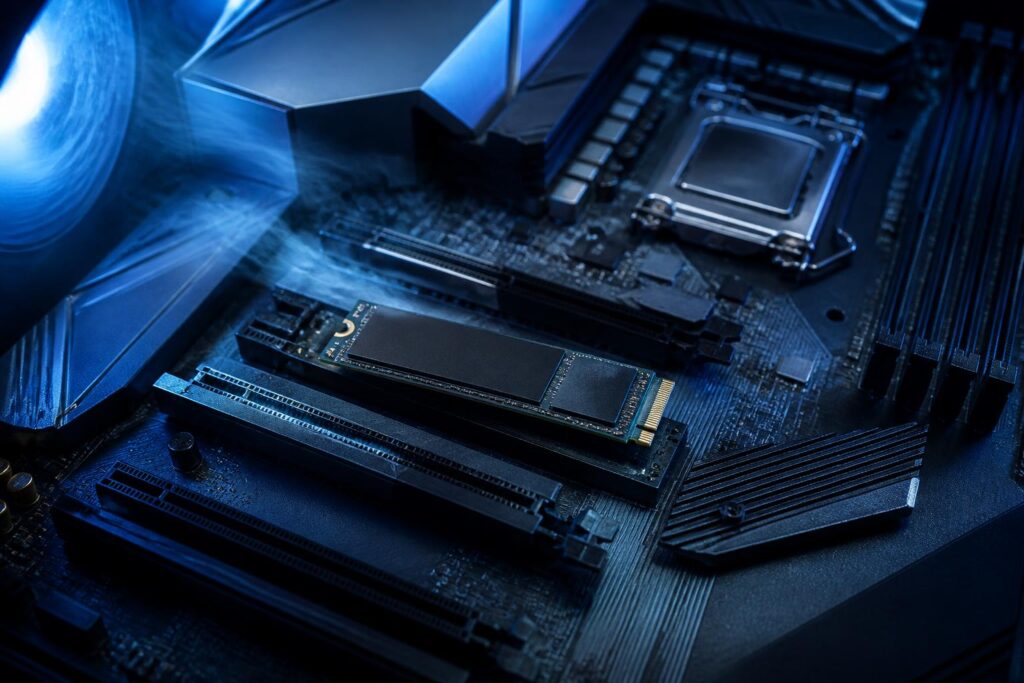
NVMe SSDs using the PCIe 5.0 interface are gradually becoming more common in the personal computer market. These drives are often highlighted for their very high sequential read speeds, far exceeding those of most popular PCIe 4.0 SSDs today. However, the figures on the product box reflect only part of the experience. In many everyday use cases, the difference between the two generations is not as significant as expected, while cooling and compatibility requirements are considerably higher.
Therefore, the important question is not how fast PCIe 5.0 SSDs are, but whether the user’s computer and workload actually need that bandwidth. Understanding the platform’s limitations, the characteristics of the controller, the type of NAND flash memory, and the mechanism of thermal throttling will help buyers avoid paying extra for an upgrade that may not produce a noticeable change.
What does PCIe 5.0 change in SSDs?
PCI Express is the interface that connects the processor, motherboard, and expansion devices such as graphics cards or SSDs. Each PCIe generation increases the amount of data that can be transmitted over each lane. NVMe SSDs for personal computers typically use four lanes, so moving from PCIe 4.0 to PCIe 5.0 significantly expands the theoretical bandwidth available to storage drives.
In sequential tests, PCIe 5.0 SSDs can achieve noticeably higher read and write speeds than high-end PCIe 4.0 SSDs. This is a meaningful advantage when moving very large files, editing video with high-resolution data, batch-editing photos, working with virtual machines, or processing projects that regularly need to read and write hundreds of gigabytes. These tasks can take advantage of the wider data path, especially when the software and file system are properly optimized.
By contrast, opening applications, booting the operating system, or browsing folders does not depend solely on sequential speed. Latency, random-access performance, command queues, cache memory, and the way software processes data all have an impact. A good-quality PCIe 4.0 SSD can still feel very fast for office work, gaming, and home use. Switching to PCIe 5.0 in these situations does not always provide an improvement proportional to the cost.
Compatibility must be checked first
A PCIe 5.0 SSD can reach its full potential only when installed in an M.2 slot that supports PCIe 5.0 with the appropriate number of lanes. Some motherboards have multiple M.2 slots, but not every slot is directly connected to the processor or supports the same PCIe generation. Some slots use PCIe 5.0, while others support only PCIe 4.0; in some cases, a slot may even share bandwidth with another expansion port.
Users should check the motherboard documentation rather than simply looking at the number of M.2 slots. Product manuals usually indicate which slots support which interface generations, whether any lanes are disabled when additional devices are installed, and whether the SSD shares resources with SATA ports or other PCIe slots. With laptops, upgrading also depends on the drive’s size, the thickness of the heatsink, and the manufacturer’s specific design. An SSD with a large heatsink may not fit in a compartment designed for a slim drive.
PCIe 5.0 SSDs can still operate on older PCIe platforms because of backward compatibility, but their speed will be limited by the interface generation of the slot. This is an easy point to misunderstand when users buy a high-end drive for a system that does not yet support PCIe 5.0. The drive can still be used, but the additional cost for higher bandwidth will not yet provide any benefit.
Thermal management is a major challenge for the new generation
Higher performance usually comes with greater power consumption and more heat. PCIe 5.0 SSD controllers have to process more data in a shorter period, so they can heat up quickly when performing continuous write or read operations. When the temperature exceeds the design threshold, the drive will automatically reduce its speed to protect its components. This phenomenon is commonly known as thermal throttling.
In theory, an SSD with an extremely high peak speed can still become significantly slower after several minutes of continuous writing if the cooling system is inadequate. This is especially important for small computers, systems installed in enclosed spaces, or motherboards without a built-in M.2 heatsink. Users should not look only at the maximum speed; they should also check what type of cooling the manufacturer recommends and whether the installation location provides adequate airflow.
An M.2 heatsink on the motherboard may be sufficient for some SSD models, but its effectiveness also depends on the quality of the thermal pad, the mounting pressure, and airflow inside the case. Some PCIe 5.0 SSDs are sold with active heatsinks featuring small fans. This solution helps maintain performance under heavy loads but may add noise, take up space, and make installation in a small computer more difficult.
Sequential speed does not tell the whole story
When comparing SSDs, buyers often focus on sequential read and write speeds because these are the figures that are easiest to see in the specifications. These metrics are useful when handling large files, but they do not represent every operating-system activity. Computers frequently access many small files, perform interleaved read and write requests, and wait for software to respond. In these situations, latency and random-access performance may be more important than sequential speed.
Cache memory also has a major effect on real-world results. Many SSDs use a fast memory area to absorb data initially. Once the cache is full, write speed may vary depending on the type of NAND, the amount of free space remaining, and the controller design. A drive with a very high advertised write speed that slows down sharply after continuous writing will not be suitable for people who frequently copy large files or edit video.
Performance consistency is no less important than peak speed. An SSD with a moderate speed level but consistent results, well-controlled temperatures, and clearly supported software may be more suitable than a model that achieves a high figure in a short test. When reading reviews, users should pay attention to the testing method, drive capacity, how full the drive was, and the duration of the heavy workload rather than looking at just one screenshot of the results.
Durability and capacity affect practical value
SSDs differ not only in their PCIe interface but also in their NAND flash type, controller, and warranty policy. Write endurance is typically expressed as the total amount of data that can be written during the warranty period, but this figure should not be interpreted as the point at which the drive is certain to fail. It is a reference metric for comparing products and assessing how suitable they are for a particular workload.
Office users, students, and typical gamers rarely write extremely large amounts of data every day. For this group, capacity, stability, and backup capabilities are often more important than choosing the model with the highest endurance rating. By contrast, video editors, virtual-machine operators, people compiling large projects, or those using an SSD as a system cache may need to pay closer attention to endurance, sustained write performance, and warranty conditions.
A larger capacity can also help an SSD maintain better performance in some situations. When a drive is nearly full, the space available for the controller to organize data and perform maintenance operations decreases. Therefore, instead of buying a small-capacity PCIe 5.0 SSD solely to obtain high speed, users may want to consider a larger-capacity PCIe 4.0 SSD if their main need is storing games, photo libraries, or personal projects.
Who should upgrade to a PCIe 5.0 SSD?
PCIe 5.0 SSDs are suitable for people building a new computer on a platform that supports this interface generation and who want to maintain the ability to process large amounts of data over the next few years. They are also worth considering for professionals who frequently move large files or run workflows in which read and write times directly affect progress. In these cases, higher bandwidth can shorten certain stages, provided that the processor, system memory, and software do not become bottlenecks.
Typical gamers, office workers, online learners, and people who perform basic photo editing generally do not need to prioritize PCIe 5.0 yet. A good-quality PCIe 4.0 SSD already meets these needs quickly, while the budget could instead be allocated to greater capacity, more RAM, a monitor, or a backup system. If the current computer supports only PCIe 3.0 or PCIe 4.0, switching to a PCIe 5.0 SSD only to run it at a limited speed is usually not an economical choice.
How to upgrade practically and safely
Before buying, identify the appropriate M.2 slot, check the drive length, update the motherboard firmware if necessary, and make sure there is a proper cooling solution. After installation, update the SSD management software, monitor temperatures during heavy loads, and keep some free capacity instead of using the drive almost to its limit. These steps give the controller more room to perform data-management operations efficiently.
A new SSD should not be treated as the only backup solution. Although SSDs have no moving parts and generally operate quietly, data can still be lost due to hardware failure, software errors, power problems, or accidental actions. Important files should also have copies on another device or on an appropriate storage service. High speed cannot replace a reliable backup strategy.
PCIe 5.0 is a notable advance in storage hardware, but its value depends on the entire system, not just the SSD itself. When choosing, users should weigh real-world performance, temperature, capacity, endurance, and compatibility together. The right decision is not necessarily to buy the fastest product, but to choose the device that offers the best balance for the specific work and platform being used.
