


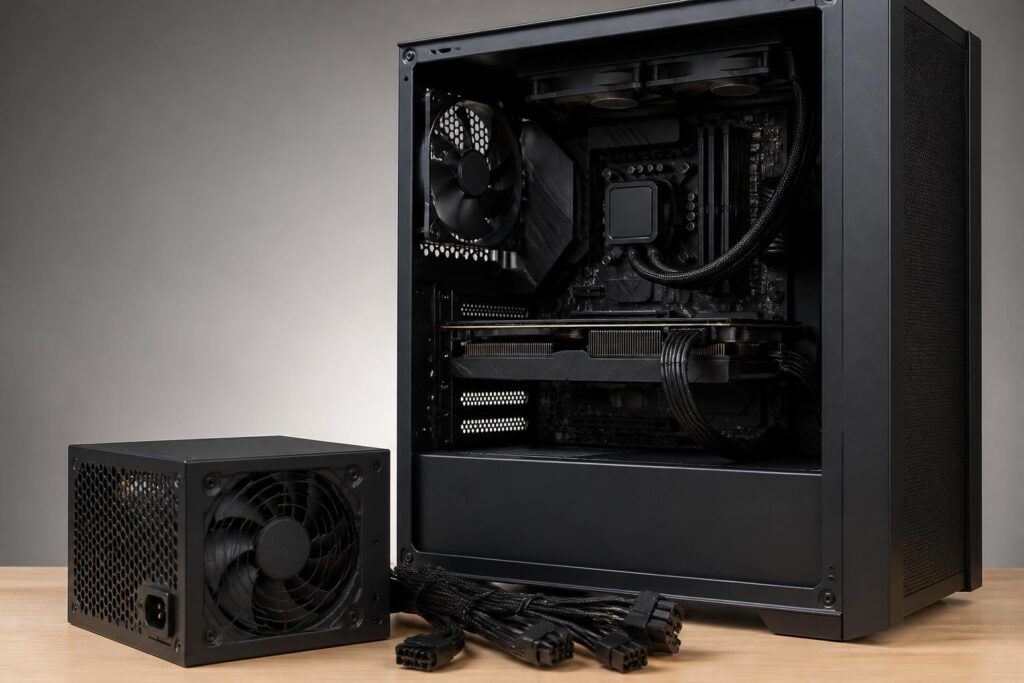
In a computer system, the power supply usually receives less attention than the CPU, graphics card, or storage drive. It is a component that does not directly produce performance scores or make software interfaces run faster. However, the power supply is responsible for delivering electricity to the entire system. Choosing the right one helps the computer operate stably, makes upgrades easier, and limits risks related to voltage. Conversely, a power supply that cannot meet the system’s needs may cause sudden shutdowns, restarts under heavy load, or difficulties when upgrading later.
Choosing a power supply is not simply a matter of looking at the largest wattage number on the box. Buyers need to consider the actual power consumption of the components, design quality, the number of connectors, physical dimensions, and how the power supply responds to rapid changes in electrical load. A power supply with very high wattage but unsuitable quality is not necessarily better than a moderately powered model designed appropriately for the configuration.
Rated Wattage Is Not Mandatory Power Consumption
The wattage listed on a power supply is the maximum amount of power it is designed to deliver, not the amount of electricity the computer always uses. A computer with a high-wattage power supply still consumes only the amount of electricity required by the CPU, GPU, motherboard, storage drives, fans, and other devices at a given time. When the computer is performing light tasks, consumption is usually significantly lower than when gaming, rendering, or running demanding workloads continuously.
To estimate requirements, first identify the components that consume the most power, typically the processor and graphics card. Then add an allowance for the motherboard, memory, storage drives, fans, a cooling pump if present, and connected devices. This result is only a starting point. A power supply should not regularly operate close to its limit, because system power consumption can vary according to workload, temperature, and usage patterns.
The appropriate amount of headroom also depends on the user’s goals. An office computer with an energy-efficient processor and no discrete graphics card will have very different requirements from a gaming computer with a powerful GPU. If a graphics card upgrade or the addition of multiple devices is expected in the future, that possibility should be taken into account rather than choosing a power supply that is just sufficient for the current configuration. Even so, buying a power supply with excessive capacity does not automatically make the computer faster. What matters is actual wattage, quality, and compatibility with the system.
Reading Efficiency Information Correctly
A power supply does not convert all the electricity drawn from the outlet into electricity delivered to the components. Some energy is lost and converted into heat. Efficiency certifications give buyers additional information for comparing how effectively different models convert electricity under certain conditions. However, an efficiency certification is not the only measure of overall quality.
A power supply with good efficiency generally produces less heat at the same load level, which can reduce stress on the fan and make it easier to manage temperatures inside the computer case. Efficiency can also affect the amount of electricity consumed over an extended period. Nevertheless, users should also consider component quality, voltage stability, circuit design, protection systems, and the warranty policy.
It is also important to distinguish between efficiency and wattage. Efficiency indicates how effectively the power supply uses incoming electricity, while wattage indicates how much power it can deliver to the system. A model with good efficiency but insufficient wattage is still unsuitable for the configuration. Conversely, a high-wattage power supply with poor efficiency and design is not a reliable choice either.
Protection Quality Matters as Much as Wattage
A good power supply should have protection mechanisms that reduce risks when abnormal conditions occur. Depending on the design, these mechanisms may address overcurrent, overvoltage, undervoltage, short circuits, overheating, or overload. Buyers do not necessarily need to memorize every technical term, but they should check the manufacturer’s specifications and prioritize products with clear information and complete documentation.
The ability to maintain stable voltage also deserves attention. Computer components require power rails that match their design specifications. When a power supply operates unstably, the symptoms may not immediately appear as obvious hardware failure, but rather as random errors, system freezes, signal loss, or restarts under high load. These issues can also result from many other causes, so it is unwise to quickly conclude that the power supply is the sole cause. Nevertheless, using a power supply with a trustworthy origin and specifications helps eliminate an important risk factor.
Brand reputation is a useful reference but cannot replace evaluating each model individually. A manufacturer may offer many different product lines aimed at different market segments and usage goals. Therefore, buyers should check the exact model name, the wattage available on the required rails, connector types, warranty period, and specific technical information instead of relying only on the brand name.
Connectors and Compatibility with Components
Before buying a power supply, check the connectors required by the configuration. The motherboard generally needs a main power connector and a processor power connector. A discrete graphics card may require one or more dedicated power connectors, while fans, cooling pumps, storage drives, and other accessories may use different connection methods. The number and types of connectors, as well as cable distribution, all need to be compatible with the actual components.
In particular, modern graphics cards may use new power connectors or require a specific connection method depending on each model’s design. Do not use an adapter of uncertain quality simply because the power supply has sufficient theoretical wattage. When an adapter cable is necessary, check the manufacturer’s instructions, load capacity, and whether it is fully inserted into the connector. A loose plug, a cable bent too sharply near the plug, or incorrect cable routing can increase the risk of heat buildup.
Modular cables allow unused cables to be removed, making the space inside the computer case neater and improving cable management. Semi-modular power supplies usually have some essential cables permanently attached, while fully modular power supplies give users more flexibility. However, modular cables should not be assumed to be interchangeable between brands or product lines. The plug shapes may look identical, but the internal pinouts are not necessarily the same. When replacing a power supply, use the cable set that comes with the new power supply.
Size, Noise, and Installation
The power supply must fit the computer case in terms of length, mounting position, and the space available for cables. High-wattage power supplies are sometimes longer, while some small cases support only specific form factors. Ignoring this factor can result in a power supply that cannot be installed, a case cover that is difficult to close, or insufficient room for cable routing.
The position of the power supply’s fan also needs to be considered. The fan needs an appropriate air intake path and must not be blocked by the case floor, a dust filter, or other obstructions. A power supply mounted at the bottom of the case can usually draw air from outside through a filter, but the exact installation method still depends on the case design. Even a good power supply cannot operate optimally if it is placed in a confined space, accumulates a lot of dust, or is not cleaned for a long time.
Noise depends on the fan design, cooling configuration, and load level. Many power supplies have fan-control modes that reduce noise at low loads, but a fan not spinning should not be treated as the sole sign of quality. More important is that the power supply maintain a suitable temperature and operate stably under real-world usage conditions. Users should place the computer in a well-ventilated location, avoid blocking ventilation openings, and avoid routing the power cable in a way that puts strain on the connector.
Common Mistakes When Buying a Power Supply
The most common mistake is choosing based on the wattage number while ignoring quality. A large wattage label does not provide enough information about stability, protection systems, or long-term load tolerance. The second mistake is relying only on average power consumption. A computer may operate normally most of the time but still encounter problems when the CPU and GPU both increase their load significantly.
Some people also wait until they have purchased all the other components before replacing or selecting a power supply. This approach can easily lead to insufficient connectors, inadequate installation space, or the need to use unnecessary adapter solutions. It is better to make a component list from the beginning, determine the planned upgrades, and allocate an appropriate budget for the power supply. This is a component that can be retained through multiple upgrade cycles if chosen correctly, so its cost should not be calculated only for a short-term configuration.
Finally, do not buy a product of uncertain origin simply because it is inexpensive. Incomplete information makes it difficult to assess actual wattage, internal components, and support policies. For a component directly connected to the entire system, traceable information and clear warranty coverage are important factors to consider.
How to Make the Right Decision
The process of choosing a power supply can begin by recording all current components and any upgrades that may be made in the near future. Next, estimate power requirements based on the specifications of the CPU, GPU, and remaining components, then add an appropriate amount of headroom. When comparing power supply models, check actual wattage, efficiency, connectors, dimensions, protection systems, cable design, and warranty period.
If uncertain, buyers should consult the official technical documentation for the components rather than relying only on brief advertising claims on a sales page. It is also important to distinguish between the needs of an office computer, gaming computer, professional workstation, and computer planned for major upgrades. There is no single wattage level suitable for every configuration.
The power supply is often viewed as an unremarkable component, but it is the electrical foundation of the entire computer. Choosing the right power supply does not directly increase system performance, but it gives the components the conditions they need to operate stably, reduces the risk of difficult-to-diagnose problems, and provides room for future changes. A good decision requires balancing wattage, quality, compatibility, and budget rather than chasing the largest number on the box.
