


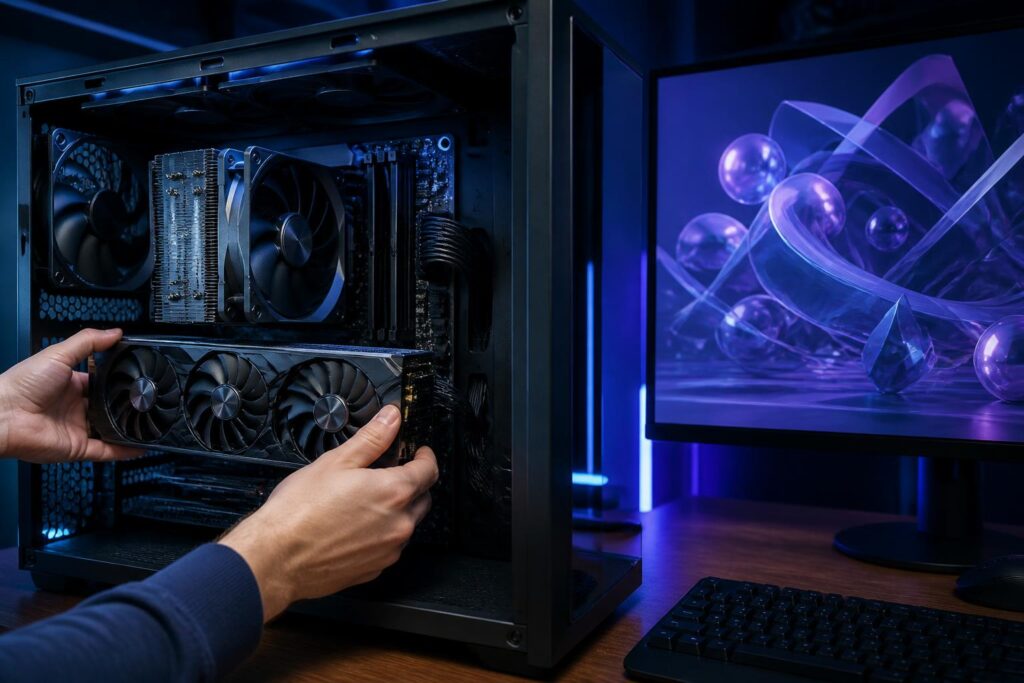
Graphics cards are often the first component users consider when upgrading a computer for gaming or graphics-related work. However, choosing a suitable GPU is not simply a matter of finding the product with the highest specifications within the budget. Real-world effectiveness also depends on screen resolution, the type of applications being used, graphics memory capacity, power delivery, available space inside the case, and balance with the central processing unit.
A powerful but unsuitable graphics card can cause too much of the budget to be invested in a component whose capabilities are not fully utilized. Conversely, a GPU that is too weak will make the experience less stable, especially when the monitor has a high refresh rate or the software needs to process complex 3D scenes. Therefore, a sensible approach is to start with usage needs and only then compare specifications and specific product models.
Determine What Work the Graphics Card Will Handle
For office computers, study, and common tasks such as browsing the web, writing documents, watching movies, or performing basic photo editing, the integrated graphics in modern processors are usually sufficient. Users do not necessarily need to buy a discrete graphics card just to output images or use multiple monitors, provided that the chosen platform supports the necessary connection ports and the desired resolution.
A discrete graphics card becomes worth considering when the computer is used for 3D gaming, rendering, engineering design, high-resolution video editing, or applications that take advantage of parallel computing power. In these situations, the GPU handles part of the specialized workload, reducing the load on the CPU and providing a more responsive experience. Even so, the degree of improvement depends on the software. Not every application uses the GPU in the same way, so users should check the requirements of the programs they use rather than relying solely on a card’s name or market segment.
For gaming, users should first determine the target resolution and image quality. A game running at Full HD resolution will place different demands on the system than the same game running at a higher resolution. If the monitor has a high refresh rate, the GPU also needs to produce a corresponding frame rate for the user to notice the benefit. Meanwhile, for rendering or video editing, graphics memory capacity and software compatibility can be just as important as raw performance.
Do Not Look Only at the Product Name
A product line name often helps buyers understand a card’s approximate position in the range, but it cannot replace an examination of the specific configuration. Two cards from the same product line may differ in memory capacity, cooling design, clock speed, number of display outputs, and power consumption. In addition, performance differences between generations do not always increase in a way that can be predicted simply from the names.
The first important specification is graphics processing capability, which is commonly represented by various technical metrics depending on the manufacturer. These figures are useful when comparing models on the same platform, but they should not be used alone to draw conclusions about the user experience. Performance is also affected by GPU architecture, memory speed, temperature limits, drivers, and how well the game or software has been optimized.
VRAM capacity should also be considered separately. Graphics memory stores image data, textures, frames, and the resources required during processing. When using high resolutions, large texture settings, or projects with many layers, VRAM requirements can increase significantly. A card with strong processing capability but limited memory may still experience stuttering, require reduced image quality, or load data inconsistently in certain situations.
However, more VRAM does not automatically make a card a good choice. If the GPU has low processing capability, having a large amount of memory cannot compensate for its speed limitations. Buyers should examine overall performance in applications close to their real-world needs, while treating VRAM as one part of the decision rather than the sole criterion.
Balance the GPU with the CPU and Monitor
A computer system needs to be viewed as a whole. When the graphics card is very powerful but the CPU cannot supply data quickly enough, the GPU may not operate at full capacity in certain games or tasks. This situation is often more noticeable in settings that require high frame rates, where the CPU must process many objects, game logic, and background data.
Conversely, pairing a powerful CPU with a GPU that is too weak will also fail to deliver an optimal experience in applications that depend primarily on graphics performance. Therefore, there is no fixed ratio that applies to every configuration. Users should base their decision on resolution, game type, the software they use, and their upgrade goals for the next few years. If the computer serves many different purposes, a balanced configuration is usually more practical than directing the entire budget toward one component.
The monitor is a factor that is often overlooked. The graphics card must be powerful enough to handle the resolution and refresh rate provided by the monitor. If the monitor is used only for office work at a standard refresh rate, a high-end GPU may not deliver commensurate value. Conversely, a high-resolution gaming monitor or a monitor intended for use with multiple windows can increase performance and memory requirements.
Check Power, Size, and Cooling Capacity
Before buying a discrete graphics card, users need to check the actual power capacity and the available power connectors on the power supply. The wattage listed on the power supply is only a starting point; design quality, stability, and the ability to deliver power through the various power rails are also important. Cards with high power consumption often require suitable connectors, so users should compare the manufacturer’s guidance with the power supply they currently have.
Physical dimensions should not be overlooked either. Many current graphics cards have large cooling systems that occupy two or more expansion slots and have considerable length. A product may fit in one computer case but interfere with the storage drive tray, front fans, or side panel of another. Before placing an order, users should measure the available space inside the case, check the number of free slots, and make sure the power cables will not be bent excessively.
Temperature and noise are two factors that directly affect everyday use. A larger cooling system generally helps a card maintain more stable performance, but the specific design also depends on the quality of the fans, heatsink fins, thermal paste, and airflow throughout the case. A suitable graphics card needs to be installed in a system with a sensible path for drawing in cool air and exhausting hot air. If the case is poorly ventilated or the fans are positioned incorrectly, switching to a more powerful card may cause temperatures and noise levels to rise noticeably.
Connection Ports and Software Features
A graphics card does not only process images; it also serves as the link between the computer and the monitor. Users should check the types of display outputs, the number of monitors that can be connected, and the supported resolutions. If the current monitor uses a specialized connection port, users need to prepare a compatible cable or adapter and keep in mind that some adapters may limit the resolution or refresh rate.
Hardware video encoding and decoding can also be useful for people who frequently watch, record, or edit video. This feature can reduce the CPU load and shorten processing times in compatible software. However, its effectiveness depends on the video format, application version, and driver. When choosing a GPU for professional work, users should directly check the list of features supported by the software rather than assuming that every card works in the same way.
Drivers are an inseparable part of the user experience. A card with good hardware can still be frustrating if it encounters compatibility problems with a game or application. Users should download drivers from official channels, update them when necessary, and retain the ability to return to a stable version if a new release causes problems. For work computers, stability can sometimes be more important than immediately pursuing every update as soon as it is released.
Buy a New or Used Graphics Card?
A used graphics card can help reduce costs, but it requires more careful evaluation than a new product. Check the condition of the fans, signs of oxidation, unusual dust buildup, warranty stickers, and operating history if the seller can provide reliable information. A card that has operated for a long time in a hot or dusty environment may need servicing, new thermal paste, or replacement fans.
Testing should include display output, stability under heavy loads, and temperatures under real-world usage conditions. Buyers should not focus only on whether the computer starts up. If possible, they should request a reasonable testing period and clearly confirm the return and exchange policy. A low price without a warranty or without the ability to conduct thorough testing can lead to higher additional costs later.
Set a Budget Based on Needs, Not on the Spec Race
Upgrading a graphics card can easily draw buyers into a race for specifications. A better way to stay in control is to clearly list what the computer needs to do, which monitor is being used, the desired image quality, and how long the configuration is expected to be kept. Then, set aside part of the budget for related components such as the power supply, case, or cooling system if necessary. A suitable card in a stable configuration usually provides greater practical value than a powerful product that requires cutting back on essential components.
If high performance is not immediately necessary, users can start with integrated graphics or a mid-range card and upgrade later as their software and needs change. Conversely, professionals working with 3D scenes, video, or computational models should take processing wait times and the cost of work interruptions into account. In that case, the investment in a GPU should be evaluated based on productivity and stability, not only its initial purchase price.
Choosing the right graphics card is not about finding the model with the highest specifications, but about finding the balance between performance, memory, power consumption, temperature, compatibility, and budget. By clearly identifying their needs first, users can more easily eliminate flashy options that are not suitable. A good decision must also account for the entire system, from the CPU and monitor to the power supply, case, and software. That is the foundation for a computer that operates reliably, handles its intended work, and still has enough headroom for needs that may arise in the future.
