


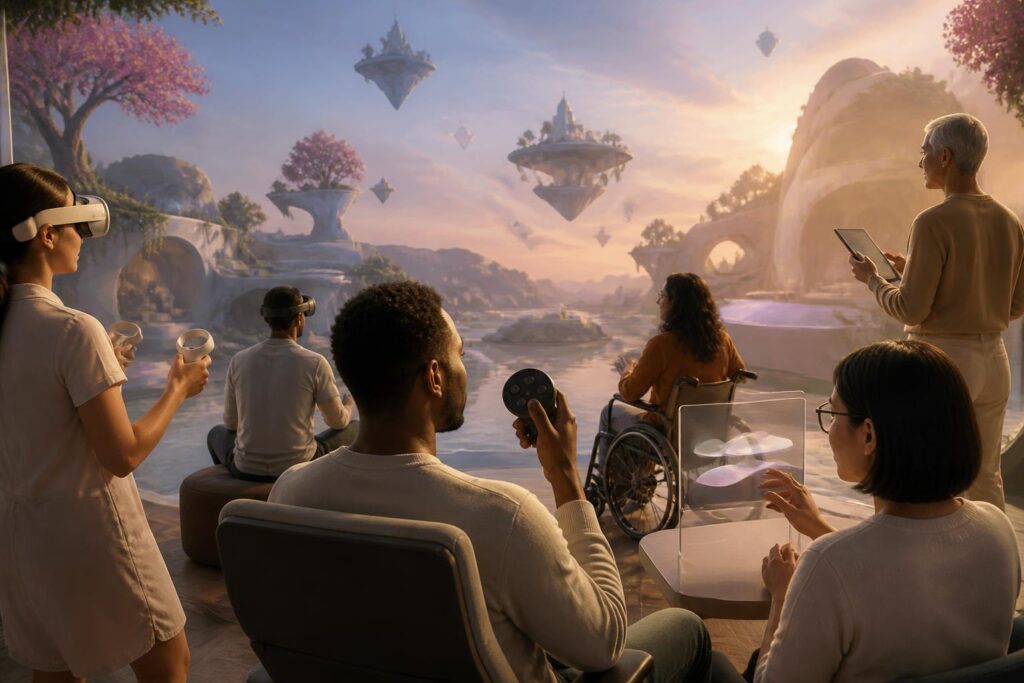
Virtual worlds are often imagined through richly detailed scenes, fluidly moving characters, and interactions that take place with almost no limits imposed by physical space. However, an attractive experience with many features is not necessarily an experience that expands opportunities for everyone to participate. If users cannot read information, hear instructions, control their characters, maintain their concentration, or communicate in ways that suit them, that world still contains invisible doors.
Accessibility in virtual worlds therefore should not be seen as an ancillary feature intended for a small group. It is a fundamental question about how a digital environment defines its participants, how it distributes opportunities, and how it respects differences among bodies, senses, devices, and usage habits. When considered from the outset of the design process, this principle not only helps people with disabilities participate more easily, but also makes the experience clearer, more flexible, and more sustainable for many other users.
The Barriers Are Not in the Users
In physical life, a high step can block a wheelchair, a sign with insufficient contrast can cause difficulties for people with low vision, and a room that is too noisy can make communication exhausting. In virtual environments, barriers take different forms, but the principle is similar. An interface that communicates only through color may exclude people who cannot distinguish certain colors. A task requiring rapid hand movements may prevent a person with limited mobility from completing it. A meeting conducted through continuous audio will disadvantage people who are deaf or hard of hearing, or people who need to read content at their own pace.
The important point is that these difficulties do not necessarily reflect fixed limitations of the users. They often arise because the system anticipates only one type of body, one type of sensory ability, and one type of response. When the default design assumes that players must see clearly, hear well, use both hands, react quickly, and always be able to concentrate for long periods, the platform turns human diversity into a problem that users must solve themselves.
A more reasonable approach is to shift the question from “Can users adapt to the system?” to “How flexible can the system be in response to differences among users?” This change clarifies the responsibility of developers, operators, and the community as a whole. Participants are not components that need to be adjusted to fit the product; the product is what needs to be designed to serve many legitimate needs.
Multiple Layers of Access in One Space
Accessibility is not just about adding captions or changing the font size. It is a system composed of many layers, from devices and interfaces to interaction rules and the pace of the space. A virtual world may provide captions for dialogue, but if the captions appear too quickly, the text is too small, or they are obscured by other effects, that solution is still insufficient. Similarly, a text-to-speech feature will be less effective if buttons do not have clear names or if the navigation sequence changes unexpectedly.
For visual access, developers can consider contrast, size, spacing between elements, reduced-motion modes, and ways of conveying information that do not rely entirely on color. For auditory access, captions, visual indicators, and the ability to adjust the volume of different groups of sounds can help users control their experience more effectively. For people with motor difficulties, remapping keys, supporting alternative controllers, reducing the need for simultaneous actions, and allowing users to hold or toggle control states can make a major difference.
People who are sensitive to motion, light, or sound also need to be taken into account. A space with too many flashing effects, vibrations, or sudden changes in viewpoint can cause fatigue and force users to leave. Options to reduce effects do not make a virtual world less appealing. On the contrary, they allow each person to choose a level of stimulation that suits them, rather than forcing everyone to experience the same intensity.
Control Autonomy Is a Condition of Participation
A well-designed environment does not merely say that users are welcome; it gives them the power to adjust how they participate. Users should be able to change text size, contrast, volume, dialogue speed, viewpoint, control methods, and the level of notification visibility. These settings should be easy to find and understand, and should not require users to go through a complicated sequence of options before beginning the main activity.
Autonomy also concerns pace. Not everyone can respond within a few seconds, follow multiple information panels at once, or process instructions that appear one after another. A task could allow users to review instructions, pause, practice in a safe area, and continue afterward. In social spaces, users may need the option to receive invitations only from friends, temporarily mute sound, or leave a conversation without being regarded as disrupting other people’s experience.
These choices do not necessarily reduce competitiveness or authenticity. Operators can distinguish between experience modes, make the rules for each activity public, and ensure that supportive adjustments do not create an unfair advantage in contexts requiring competition. The core issue is that a single type of difficulty should not be used to measure a participant’s worthiness.
Communication Is More Than Speech
In social virtual worlds, communication is often built around real-time voice. This method may feel natural to some people but creates barriers for many others. Users may not hear clearly, may be unable to speak, may not want to turn on their microphones, may need more time to express themselves, or may feel safe communicating only through text. Therefore, text chat, visual icons, selectable response panels, customizable gestures, and captions should not be regarded as secondary features.
Multimodal communication also helps reduce the pressure to maintain a single social persona. A person may use voice in one activity, switch to text in another, or send only brief signals while concentrating. This expands the ability to participate without forcing users to explain their private lives or health conditions to the entire community.
Of course, the more communication channels there are, the greater the coordination requirements. Platforms need to help users know which information is being transmitted through which channel, how to turn off or filter a channel, and how to report harmful behavior. Accessibility cannot be separated from safety. A feature that helps more people communicate but makes them more vulnerable to harassment will not create a truly welcoming space.
Designing with Users Rather Than for Them
No design team can independently predict everyone’s needs in full. Therefore, accessibility testing needs to take place with the meaningful participation of people with different experiences. They should not be invited only at the final stage to find errors; they should be involved from the moment problems are identified, through prototype development, task testing, and evaluation of revised versions.
Meaningful participation requires developers to ask specific questions. At which step do users encounter difficulties? How many actions do they have to remember? What information is missed? Is the supportive feature easy to find? Could a solution inadvertently reveal a user’s condition to others? These questions often produce insights that purely technical testing cannot replace.
This process must also avoid treating one individual as representative of an entire community. People who are blind or visually impaired, deaf or hard of hearing, mobility-impaired, or sensitive to motion do not constitute homogeneous groups. Differences in devices, levels of support, language, age, and purpose of use create different needs. Good design therefore must accept variation and provide multiple options instead of seeking a single solution for everyone.
Measuring Success by the Ability to Stay
Many digital products measure success through the number of logins, time spent using the product, or the number of activated features. These metrics can reveal part of a platform’s activity, but they do not answer the question of who is being left behind. A virtual world may be crowded yet still force some groups to leave repeatedly because of fatigue, an inability to control it, or an inability to find a way to communicate.
Operators should observe broader signals: Can users complete the basic steps? Can they find the support settings? Can they participate in group activities? Do they encounter recurring errors on a particular type of device? Is the reason for leaving the platform related to an inaccessible experience? Feedback also needs to be collected through multiple methods, because a single form may itself be a barrier.
Transparency about a product’s limitations is also part of responsibility. If a feature does not yet fully support a particular control method, users need to know in advance rather than discovering it after purchasing a device or spending a great deal of time building a character. Clear information helps users make realistic decisions and creates positive pressure for the platform to continue improving.
Virtual Spaces Become Broader When There Are More Ways to Be Present
Accessibility does not make virtual worlds smaller. It expands the definition of what it means to be present in a digital space. Some people participate through visuals, some through sound, and some primarily through text; some control things directly, while others need automated assistance or a slower pace. These different ways of being present are not less complete versions of a single standard.
When barriers are identified early, the benefits often extend to many people beyond the initial target group. Captions are useful in noisy environments. Customizable controls are useful when users have only one hand available or are using a mobile device. Reduced-motion modes are useful when the connection is unstable or when users want to conserve processing power. A clear interface is useful both for newcomers and for people already familiar with technology.
Virtual worlds deserve to be evaluated not only by the wonder of their landscapes or the power of their devices, but also by asking who can enter, stay, and create meaning within them. An environment that truly expands access opportunities will not require everyone to be the same in order to be recognized as a participant. It creates multiple paths for seeing, hearing, moving, communicating, and contributing. This is not merely a technical standard, but a social choice about how a shared space should make room for people.
