


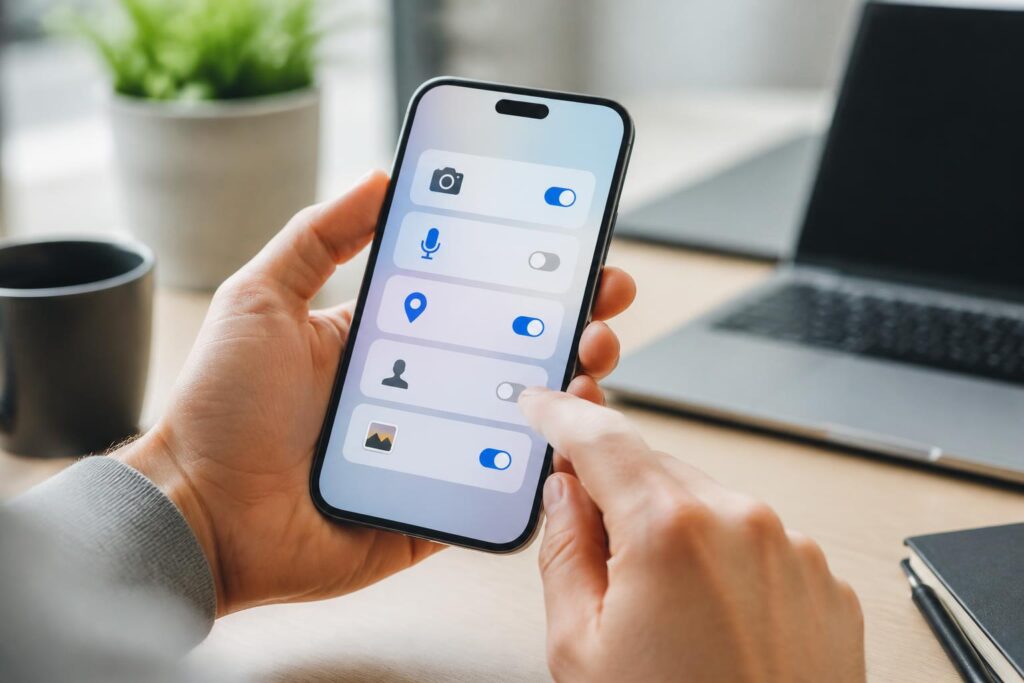
Smartphones are taking on increasingly more roles in daily life: communication, payments, study, work, entertainment, and storing private information. To perform these functions, apps often request access to certain resources on the device, such as the camera, microphone, location, contacts, photos, files, or notifications. Some of these permissions are necessary for an app’s main functions, but not every request is appropriate for the user’s actual needs.
Many people have a habit of quickly tapping accept when installing a new app. After that, the permissions granted may be forgotten, even when the user no longer uses the related function. Reviewing app permissions does not require complex technical knowledge. It is a basic device-management task that helps people better understand what data is being shared, which apps genuinely need access, and when permissions should be revoked.
What Are App Permissions?
App permissions are the user’s authorization for a program to access or use a particular resource on a phone. Depending on the operating system and device version, the names may differ, but common permission categories usually include the camera, microphone, location, contacts, calendar, photos and videos, files, calls, messages, nearby devices, and notifications.
Each permission has its own purpose. A video-calling app needs the camera and microphone to transmit images and sound. A map app needs location access if the user wants to get directions or determine their current location. A photo-editing app may need permission to read photos in order to open files selected by the user. By contrast, a flashlight app does not necessarily need access to contacts, the calendar, or messages to perform its basic function. The match between an app’s main function and the permissions it requests is the first point users should consider.
Why Should Access Permissions Be Reviewed Regularly?
Access permissions that are broader than actual needs can increase the amount of data an app is allowed to access. When an app has permission to read contacts, photos, or location, users should understand that this data may be processed within the scope of the app’s operation and according to related settings. Not every permission means that the data will certainly be misused, but granting unnecessary permissions makes it harder for users to control their information.
The habit of reviewing permissions is also useful because usage needs change over time. An app that once needed location access to provide a specific feature may no longer be used for that purpose. An app that has not been opened for a long time may still retain the permissions it was granted, depending on the device settings. When an app is uninstalled, the related permissions generally no longer remain active on the device, but checking the app list can still help identify programs that are no longer needed.
Reviewing permissions also helps users recognize unusual requests. If an app has a simple function but asks to access many types of data, that is a sign that warrants closer consideration. Users can read the app description, check the developer, review ratings from reliable sources, and consider not installing the app if they do not understand why a particular permission is being requested.
How to Check App Permissions
On most current phones, users can open the system settings, find the apps section, select a specific app, and then view its access permissions. Some devices allow users to view permissions by app, while others organize them by permission type, such as a list of all apps that have permission to use location or the microphone. Menu names may vary by manufacturer and operating-system version, but the general principle is the same.
When checking permissions, it is best to start with those involving a high level of privacy, such as location, microphone, camera, contacts, photos, and files. Read each item to see its current status: always allow, allow only while using the app, ask every time, or do not allow. If they do not remember why a permission was granted, users can temporarily revoke it and observe which functions are affected.
Do not check only newly installed apps. Social media apps, shopping apps, games, free utilities, and content-editing tools should also be reviewed periodically. Checks can be carried out after updating the operating system, after installing several new apps, or when the phone starts behaving unusually. A simple review schedule every few months is easier to maintain than waiting until a problem occurs.
Choosing the Appropriate Permission Level
If the operating system offers multiple permission levels, users should prioritize the narrowest option that still meets their needs. For example, if an app only needs location while it is open and the user is using its map feature, it can be granted permission while in use instead of being allowed continuous access. For photos and videos, if the device supports selecting individual files, users can share only the necessary content rather than opening their entire library.
The option to ask every time is suitable for permissions that are not used frequently. It allows users to make a decision at the moment the app requests access. However, if they continually approve requests out of habit without reading what is displayed, this option will not provide much benefit. What remains important is understanding what permission the app is requesting and which function requires it.
Situations That Require Caution
A permission request that appears as soon as an app is opened does not always need to be approved immediately. Users can initially refuse it, try the basic functions, and grant the permission only when necessary. If an app does not allow users to continue even though the permission is unrelated to its main function, they should consider choosing an alternative rather than reluctantly sharing their data.
Particular caution is needed with apps installed from files of unknown origin, links sent through messages, or untrustworthy websites. The fact that a program requests access to sensitive information does not prove that it is dangerous, but an unclear installation source gives users more reason to inspect it carefully. Do not install an app solely because of attractive feature claims if you do not clearly know who developed it or how it is intended to be used.
It is also important to distinguish between app permissions and account permissions. Signing in with an online account may allow a service to access information under a separate agreement, while permissions on the phone concern the device’s resources. These two groups of settings may appear together in the same app, so users should check both the settings within the app and the system settings when they want to reduce the scope of data sharing.
Notification, Location, and Background Data Permissions
Notifications are not always considered a privacy permission in the same way as the camera or microphone, but managing notifications is still important. The lock screen may display message content, verification codes, or personal information when the phone is in a public place. Users can turn off notifications from unnecessary apps or adjust the settings so that detailed content does not appear on the lock screen.
For location permissions, users should consider the difference between allowing access while the app is in use and allowing it in the background. Some features may need location when the app is open, but do not necessarily need to track it continuously. If they do not use location-based functions, users can turn off the permission or enable it only for the time it is needed.
In addition to access permissions, some devices also have settings related to background activity, auto-start, or access to nearby devices. These settings affect how an app operates when the user is not directly opening it. Reducing unnecessary activity can help keep the notification interface more streamlined and make it easier for users to recognize unusual app behavior.
Managing Permissions Does Not Replace Other Safe Practices
Revoking app permissions is a useful layer of control, but it is not the only measure for protecting data. Users should still update the operating system and apps from official sources, use a screen lock, uninstall programs they no longer use, and avoid sharing sensitive files with services that do not need them. When an app shows signs of behaving differently from its description, uninstalling it may be more appropriate than merely revoking one individual permission.
Keep in mind that some functions will not work if the related permission is disabled. This does not mean that reviewing permissions is pointless. Users can turn a permission back on when they need to use the function and turn it off afterward, as long as they understand their choice. If an app repeatedly requests an unreasonable permission, consider stopping its use and finding an alternative.
Turning Permission Reviews into a Simple Habit
Instead of trying to check every setting at once, users can divide the task into small steps. First, review the list of installed apps and remove programs they no longer need. Next, check location, microphone, camera, contacts, and photo permissions. Then review lock-screen notifications and the apps allowed to run in the background. Each step takes only a short amount of time but helps make the overall picture of the data being shared clearer.
When installing a new app, ask yourself three questions: What function does this app serve? Is the permission it is requesting directly related to that function? What level of access is sufficient? These three questions create a necessary moment of consideration before tapping accept. If you are uncertain, choosing to refuse at first is generally safer; the permission can be granted later in the settings if the function genuinely requires it.
Managing app permissions is not intended to make phones difficult to use or force users to reject every request. The goal is to make deliberate decisions, sharing data only within a scope appropriate to the function and the user’s needs. By maintaining the habit of checking permissions, users can be more proactive when faced with access requests, reduce unnecessary permissions, and better understand how their personal data is used on their device.
