


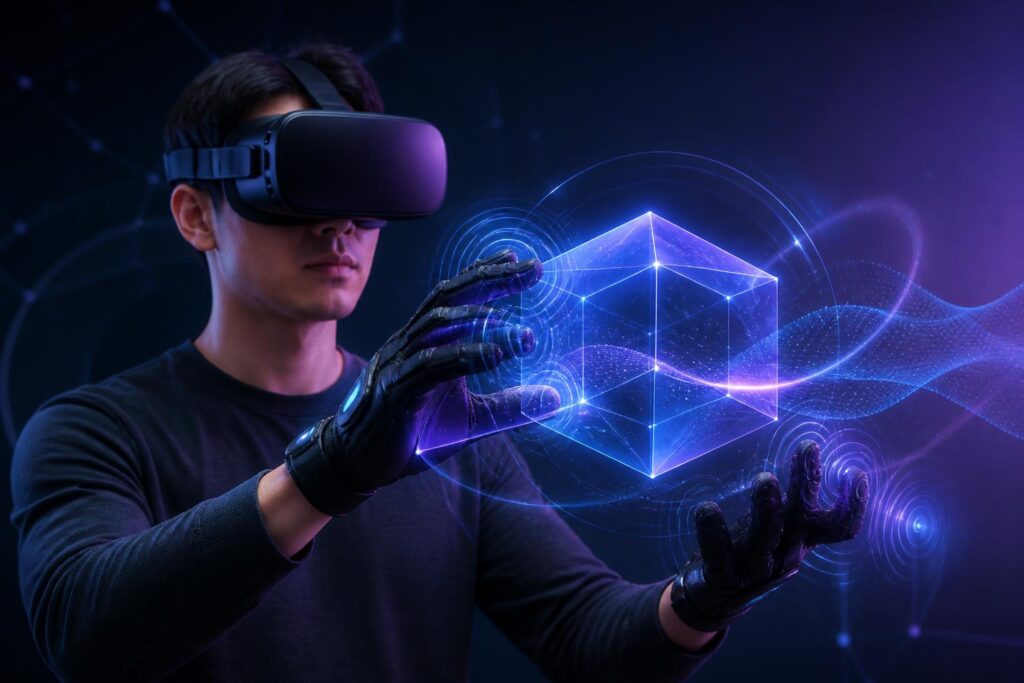
In most virtual-world experiences today, people receive information primarily through images and sound. Displays transport users into a software-generated space, headphones create a sense of presence, and controllers allow them to perform some basic actions. However, an important part of the physical experience is still left outside: the sensation of touch, resistance, weight, and contact between the body and the environment.
That is the gap haptic-feedback technology is seeking to narrow. Instead of merely seeing a virtual object, users can receive vibrations, pressure, or force feedback corresponding to their actions. These signals do not turn the virtual world into reality in the fullest sense, but they change how people understand, remember, and respond to what is happening on the screen.
How Does Haptic Feedback Work?
Haptic feedback is a way for devices to transmit signals to the body in order to simulate a physical sensation. The most familiar form is vibration. Phones vibrate when notifications arrive, game controllers vibrate when a character is affected, and smartwatches can produce different vibration patterns as alerts. In virtual worlds, this principle is developed in more complex ways to link sensations to the user’s position, timing, and specific actions.
A controller may vibrate at different intensities when the user touches a surface, pulls an object, or squeezes a trigger. Haptic gloves can apply pressure to the fingertips or palms, thereby suggesting the sensation of holding an object. Some devices worn on the arms, shoulders, or torso instead focus on simulating impacts, movement direction, or changes in the environment. Larger systems can combine force-generating mechanisms to make users feel a certain amount of resistance while moving or interacting.
The important point is that a device does not need to fully recreate a real object in order to produce a convincing sensation. The brain often interprets multiple signals at once. If an image shows a hand touching a surface, a sound is produced at the right moment, and the device generates an appropriate impulse, the user may perceive the action more clearly than if they only saw the image. Synchronization among the senses is therefore no less important than the vibration or pressure intensity itself.
From Gaming to Training and Design
Video games are the most apparent environment for the development of haptic feedback. An action in a game can be conveyed through multiple layers of signals: sound indicates that an object has collided, visuals show the result, and vibration helps the player feel when the event occurs. When used in moderation, haptic feedback makes actions easier to recognize and helps players distinguish between states without having to look at the screen at all times.
The value of this technology lies not only in entertainment. In vocational training, haptic simulations can help learners become familiar with procedures before they work with real equipment. People learning to repair machinery can practice identifying positions, applied force, or assembly sequences in a safer environment. Learners in fields requiring precise manipulation can repeat a situation many times without consuming materials or immediately facing the consequences of a real-world mistake.
However, simulation should not be regarded as a complete replacement for hands-on practice. A haptic device can reproduce only the characteristics that its designers have selected and programmed. It may help learners understand force, direction, or sequence, but it may not fully convey material instability, environmental conditions, bodily fatigue, or difficult-to-predict changes. Therefore, the most appropriate value of this technology is to supplement training, not to create the illusion that every physical experience can be converted into data.
In product design and architecture, virtual worlds can allow users to interact with a model before the product is manufactured. Haptic feedback makes the evaluation of shape, position, or usability more intuitive. A designer may discover that a button is difficult to reach, a handle feels insecure, or a particular distance makes an action inconvenient. Observations like these can be made early in the design process, when changing the model is still less costly than modifying a physical product.
The Sense of Presence and the Limits of Simulation
The sense of presence is created by more than image sharpness. It also depends on whether the virtual environment responds consistently to the user’s actions. When a virtual hand passes through an object, force feedback arrives late, or sound does not match movement, users can easily recognize the simulation. Conversely, a simple response delivered at the right time can sometimes make an action feel more meaningful.
This shows that the goal of digital touch is not necessarily to deceive the body. A more practical goal is to provide enough signals for users to understand what is happening and control their actions accurately. A short vibration can indicate that an action has been registered. Gradually increasing resistance can help users recognize a limit. A distinct feedback pattern can warn of a danger that images or sound have not conveyed clearly.
Even so, the more convincing the sensation, the higher the design requirements. Feedback that is too strong can cause discomfort, muscle fatigue, or loss of concentration. Repeated feedback can make an experience sensorially noisy. In environments involving multiple participants, signals from different interactions can also overlap, making it difficult for users to distinguish important alerts from mere secondary effects.
The Boundary Between Utility and Manipulation
Every sensory channel can be used to support users, but it can also be exploited to encourage them to act in a particular way. A vibration at the right moment can help users recognize that a button has been pressed. However, if a device constantly provides feedback to create a sense of urgency, reward, or danger, users may make decisions more quickly without having time to consider them.
For this reason, haptic design needs to be transparent about its purpose. Users should know which event the device is responding to, where they can reduce the intensity, and which types of signals they can turn off. Platforms should also avoid turning haptic feedback into a tool for applying pressure, especially in environments involving transactions, competition, or social interaction. An effect considered entertaining in a game may become inappropriate when it appears in learning, work, or support for people with different levels of sensory sensitivity.
Customization is therefore not a secondary feature. Users may need to adjust the intensity, frequency, location, or type of feedback. Some people prefer clear signals, while others can easily become overwhelmed by simultaneous vibration and sound. Inclusive design needs to treat these differences as a normal condition among users, rather than regarding them as exceptional cases.
Questions About Privacy and Bodily Data
When haptic devices operate alongside motion sensors, cameras, or body-tracking systems, the data they generate no longer describes only actions within software. It may reveal how users move, how they respond to an event, where they tend to stop, or how long they take to complete an action. This data is valuable for improving the experience, but it also needs to be handled carefully.
Users need to be clearly informed about what data is being collected, what data is stored, and what data is shared with third parties. Not all information about movement or bodily responses is necessary for a particular feature. The principle of collecting only what is sufficient can help reduce risks when data is used beyond its original purpose. In addition, devices need clear, easy-to-understand indicators so users know when sensors are active and have corresponding control over them.
A New Layer of Interaction, Not a Replica of Real Life
Haptic feedback opens up a layer of interaction that can make virtual worlds easier to understand, easier to control, and more immersive. It has the potential to support entertainment, training, design, remote communication, and many other activities. But the value of the technology does not automatically emerge simply because a device has numerous sensors or produces many effects.
Good design must begin by asking what users need to understand, what actions they need to perform, and which signals genuinely help them do so. Feedback should be consistent, adjustable, non-overwhelming, and transparent about the platform’s purpose. At the same time, the limitations of simulation need to be acknowledged so that users do not confuse a digital experience with a complete physical experience.
The virtual world will become more convincing not only when it looks like real life, but also when it responds appropriately to human presence. Digital touch can be an important bridge in that process. However, this bridge is meaningful only when it is built around users’ needs, safety, and agency, rather than solely around the goal of making technology more appealing.
