


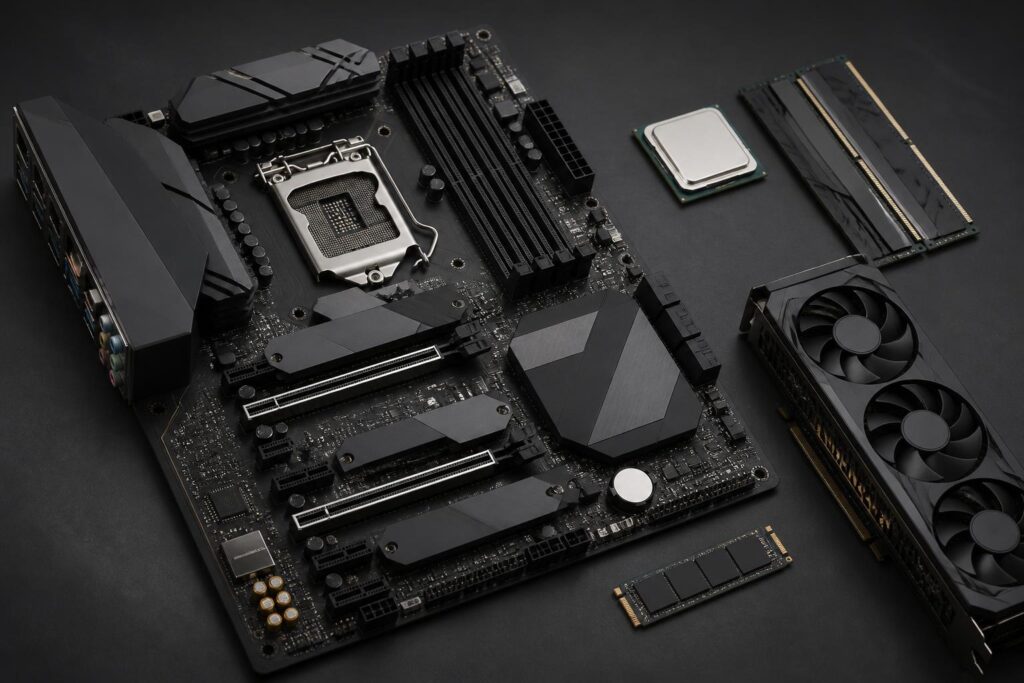
A motherboard is usually not the component that creates the clearest speed difference in a short benchmark. However, it is the part that connects nearly every important component in a computer, from the processor, memory, graphics card and storage drives to peripherals. The right choice helps the system operate stably, makes assembly easier and leaves room for future upgrades. Conversely, a motherboard that lacks the necessary features may force users to replace the entire platform sooner than expected.
Many people begin by choosing a CPU or graphics card and then buy a motherboard that fits the remaining budget. This approach can produce a configuration that works, but it is not necessarily a well-balanced one. A motherboard must not only be compatible with the current processor but also suit the number of devices to be used, the type of computer case, connectivity requirements and upgrade plans. Therefore, it should be viewed as the foundation of the system rather than a supporting component.
The Socket Is the First Compatibility Requirement
The socket is the physical location for the processor on the motherboard. Each CPU generation or platform family typically uses a specific type of socket, and a CPU can only be installed on a motherboard that uses the correct compatible socket. This is the first check to make before considering the number of slots or the cooling design.
However, the same socket does not always mean support for every processor from the same brand. Manufacturers may limit compatibility according to the CPU generation, BIOS version or power-delivery design of each motherboard series. When buying a model released before a new processor, users should check the list of supported CPUs on the manufacturer’s official website and pay attention to the BIOS requirements.
BIOS is the firmware that helps the motherboard recognize and initialize hardware when the computer starts. Some models can update the BIOS without a CPU installed, while others require the system to boot successfully before updating. This feature is especially useful when buying a motherboard that has been in inventory for a long time or pairing it with a CPU from a newer generation than the time when the motherboard was manufactured.
The Chipset Determines More Features Than the Product Name
Within the same platform, the chipset often creates differences in connectivity, the number of PCIe lanes, overclocking options, the number of USB ports and how the motherboard allocates resources. Basic chipsets may be suitable for office computers or simple home systems, while higher-end chipsets are generally aimed at users who need multiple storage devices, expansion cards, high-speed connections or extensive tuning options.
A chipset should not be evaluated solely by its name or position in a product lineup. What matters is examining the actual features of the specific motherboard model. Two motherboards using the same chipset can still differ considerably in the number of M.2 slots, the type of network port, the audio standard, bandwidth-sharing capabilities and the arrangement of ports on the rear panel. The chipset establishes the platform’s limits, but the manufacturer’s design determines the specific user experience.
For users who do not need overclocking or multiple expansion cards, buying the highest-end chipset does not automatically make the computer faster. The price difference may provide better value if spent on more memory, storage or a more suitable processor. A chipset should be chosen according to the features that are actually needed, not out of a mindset of choosing the most expensive model to avoid insufficient performance.
The Motherboard Size Must Match the Computer Case
Motherboards commonly come in sizes such as ATX, microATX and Mini-ITX. ATX models usually offer more expansion slots and more spacious layouts, making them suitable for computers that need multiple cards, multiple drives or long-term upgradeability. microATX is more compact but still meets the needs of many mainstream configurations. Mini-ITX is suitable for small computers, but it generally requires compromises in the number of slots, cooling capability and cable-management space.
Size is not only about whether the motherboard fits inside the case. It also affects the clearance around the CPU socket, the position of M.2 slots, the ability to install thick graphics cards and access to connectors during assembly. A small motherboard in a large case is not necessarily a poor choice, but users should understand that they are reducing the number of upgrade slots in exchange for a more compact layout.
Before buying, compare the case’s supported standards with the motherboard’s size. At the same time, check the graphics card’s length, the CPU cooler’s height and the fan positions. These limitations often do not come from the motherboard alone but from the combination of multiple components within the same space.
Evaluate the Power-Delivery System Based on the Actual CPU
The power-delivery area around the CPU socket, commonly called the VRM, is responsible for converting and supplying power to the processor. A good power-delivery design helps the system remain stable when the CPU is under heavy load for long periods. Even so, users should not look only at the number of phases or marketing figures while overlooking component quality, heatsink size and the case’s airflow.
For power-efficient CPUs or office configurations, a basic motherboard may already be sufficient. When using a multi-core CPU for rendering, video editing, compiling or other sustained workloads, it is advisable to prioritize a model with an adequately heatsinked VRM area. Users should also examine the power limits published by the manufacturer and real-world reviews of the motherboard instead of drawing conclusions solely from its price.
The power-delivery system is not the only reason a computer may run hot or become unstable. Case airflow, the CPU cooler, BIOS settings and the computer’s power supply also play important roles. Therefore, choosing a good motherboard should go hand in hand with an overall cooling plan, especially when the computer must operate continuously.
Check the RAM, M.2 and PCIe Slots According to Your Usage Plan
The number of RAM slots directly affects how memory can be upgraded in the future. Two slots may be suitable for a small computer or a configuration expected to remain unchanged, while four slots provide more options when additional capacity is needed. However, filling every slot is not always the optimal approach for compatibility. Users should check the memory support list validated by the motherboard manufacturer and consider buying a suitable kit rather than combining multiple modules from different sources.
M.2 slots are increasingly important because they allow compact storage drives to be installed directly on the motherboard. When reviewing specifications, distinguish which protocols the M.2 slot supports, whether it is intended for an SSD or another device, and whether it shares bandwidth with SATA ports or PCIe slots. Some slots may be disabled when a device is connected to a particular port. This information is usually found in the manual and is worth reading before installing multiple drives.
PCIe slots are not only for graphics cards. Users may need a network card, sound card, capture card or storage controller in the future. Observe the spacing between slots, the thickness of the graphics card and whether it can obstruct the remaining slots. With a large graphics card, a motherboard with many slots on paper can still become difficult to upgrade if the actual layout is inconvenient.
Connectivity Ports Matter More Than Appearance
The rear panel of the motherboard should be considered based on the devices the user currently has and expects to add. USB ports may differ in standard, speed and power-delivery capability. A network port may meet ordinary needs or target fast data transfers on a local network. Video outputs only work when the processor has integrated graphics, so the presence of such a port does not mean that every configuration can output an image.
Integrated audio should also be evaluated according to actual needs. Mainstream users may be satisfied with an integrated solution, while people who work with audio or use sensitive headphones may care more about the circuit design, driver software and ability to connect external devices. Integrated Wi-Fi provides convenience, but if the computer always uses a wired network, the feature may not be worth paying much extra for.
Do not overlook the connectors along the edge of the motherboard, such as fan headers, front-panel USB ports, front-panel audio and additional power connectors. The number of connectors determines whether installing fans, lighting or front-panel ports will be convenient. A model with a well-planned connector layout often makes assembly and maintenance easier than one with impressive specifications only on its marketing sheet.
Upgradeability and Ease of Assembly
A good motherboard for long-term needs does not necessarily have to be the most expensive model. What matters is whether it provides enough space and connectivity for your usage plan. If you only need a computer for studying, work and basic entertainment, prioritize stability, necessary connection ports and the ability to upgrade memory and storage. If you are building a computer for professional work, plan in advance for the possible addition of expansion cards, storage devices or high-speed networking.
Physical design also has a major impact on the experience. A spacious socket area, easy-to-operate PCIe slot latches, a preinstalled rear I/O shield and well-positioned connectors can save considerable time during assembly. Decorative lighting or an attractive cover cannot replace these conveniences. In addition, consider the warranty policy, the quality of the documentation and the brand’s support reputation at the place of purchase.
Before finalizing a product, make a short list including the CPU, memory type, number of storage drives, expansion cards, network devices, computer case and front-panel connectivity needs. Then compare each item with the motherboard’s official specifications. This checking method is more practical than choosing based on brand or general reviews, because a model that receives widespread praise may still not suit your particular configuration.
A Stable Platform Starts with a Balanced Choice
Choosing a motherboard is a balancing act involving compatibility, features, durability, upgrade space and budget. The socket must match the CPU, the chipset must meet your needs, the size must fit the case, and the slots and connection ports must suit both current devices and future plans. After checking these factors, users should then compare the power-delivery design, cooling, BIOS and assembly conveniences.
Rather than buying a motherboard based on impulse, start with how the computer will be used over the next few years. A sufficient model with a sensible design and support for the right connections will generally offer better value than one packed with features that will never be used. The right platform not only helps the computer run stably today but also reduces the cost and effort required when the system needs to change later.
