


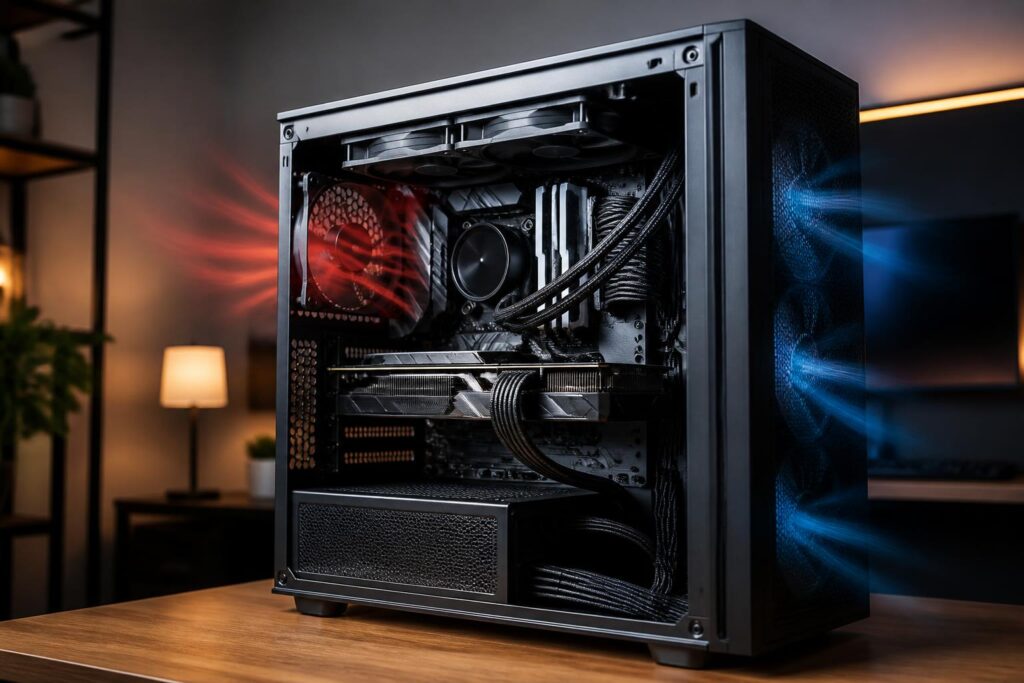
In a computer system, the power supply is often the least noticed component. Users tend to spend more time comparing processors, graphics cards, RAM capacity, or storage types, then choose a power supply based on whatever portion of the budget remains. This approach can leave an expensive system dependent on an unsuitable component. A power supply does not directly add more frames or shorten application launch times, but it supplies power to the entire machine and affects stability throughout its use.
A suitable power supply does not necessarily have to offer the highest wattage or the highest efficiency certification. What matters is that it meets the system’s actual needs, provides stable power, has enough connectors, operates safely, and leaves reasonable room for future changes. When evaluating a PSU, buyers should look at the entire system rather than simply reading a number printed on the box.
Rated wattage does not tell the whole story about quality
Wattage is the first piece of information users usually look for, but it is only a necessary condition. An office computer with an energy-efficient processor and integrated graphics will have very different needs from a gaming computer with a discrete graphics card or a workstation running continuously with multiple drives. Therefore, choosing a power supply should begin with estimating the total consumption of the main components, followed by allowing a reasonable margin.
This margin serves several purposes. The computer may need additional power when the processor and graphics card are both under heavy load, when the user adds more storage, or when the graphics card is upgraded in the future. The power supply also should not have to operate close to its limit during every extended session. However, an excessively large margin does not automatically make a system better. A very high-wattage power supply that has poor quality, lacks suitable connectors, or is incompatible with the actual requirements is still a concerning choice.
Buyers should distinguish the wattage stated on the label from the ability to deliver stable power under real-world conditions. The power supply label should clearly show important specifications, especially the main power rail that supplies high-consumption components. If the information on the label is sparse, difficult to read, or does not clearly explain how power is distributed, that is a reason for caution rather than a reason to rely solely on the advertised wattage.
Do not overlook short bursts of increased load
Some modern components can create brief spikes in power demand, especially graphics cards. As a result, the system’s average consumption does not always fully reflect the requirements placed on the power supply. A power supply that is sufficient on paper but responds poorly to load fluctuations can cause the computer to restart, shut down unexpectedly, or develop errors during demanding tasks.
To reduce the risk, users should check the power-supply requirements recommended by the component manufacturer while also considering their specific configuration. They should not mechanically add up the rated wattages of individual components and choose exactly that number. The calculation should account for fans, cooling pumps, storage drives, and devices that may be added later. For a computer used for gaming or heavy workloads lasting many hours, a moderate amount of headroom is generally more meaningful than choosing a power supply that is just large enough.
Efficiency reduces waste, but does not replace quality
Efficiency certifications are commonly used to describe how effectively a power supply converts alternating current into direct current inside the computer. Higher efficiency can reduce the amount of energy lost as heat, thereby helping with temperature and noise control. However, an efficiency certification is not the only guarantee of a PSU’s overall quality.
A power supply still needs an appropriate design, reliable components, protection systems, and the ability to maintain stable voltage. Buyers should not assume that all products with the same certification level have identical durability or operating capabilities. Efficiency also varies according to load, so information on the packaging should be read in context rather than treated as a promise of a fixed level of power consumption.
For general users, a reasonable approach is to choose a product whose efficiency suits their budget and intensity of use, then prioritize a power supply with transparent technical information. If costs must be cut, slightly reducing secondary features is generally less risky than choosing an obscure model simply because it is inexpensive or advertises high wattage.
Protection systems are the truly important safety layer
A good power supply does more than deliver electricity to components; it must also respond appropriately when abnormal situations occur. Commonly mentioned protection mechanisms include overcurrent, overvoltage, overpower, overtemperature, and short-circuit protection. The names or abbreviations may differ between manufacturers, but buyers should look for technical documentation confirming that the product has the necessary mechanisms.
These features do not make a computer immune to every electrical problem. They are only one part of the safety system, alongside the quality of the outlet, wiring, surge-protection equipment, and the electrical conditions of the place where the computer is used. Even so, a PSU that provides little information about its protection features or does not publish clear documentation is difficult to regard as reliable. For a component that supplies power to the entire computer, transparency matters just as much as appearance.
Connectors must match the current configuration
Before buying a power supply, check the connectors required for the motherboard, processor, graphics card, drives, and other accessories. A power supply may have sufficient wattage but still be inconvenient if it lacks connectors or requires too many adapters. Using unsuitable adapter cables can increase the number of contact points, create cable clutter, and introduce additional risks during installation.
Graphics cards and newer hardware platforms may use different power-delivery methods from older configurations. Therefore, buyers should check the documentation for both the graphics card and the power supply instead of looking only at the number of connectors shown in product photos. If an upgrade is planned, consider in advance which types of connectors may be needed to avoid replacing the power supply simply because compatible cables are missing.
Cable length is also worth considering, especially in a large case or one designed for routing cables behind the motherboard tray. Cables that are too short make installation difficult, while cables that are too stiff or have poorly positioned connectors can put pressure on the side panel. A modular power supply allows unused cables to be removed, helping keep the interior neater, but this benefit should not be prioritized over power quality and safety.
Noise, temperature, and installation location
The power supply’s fan usually changes speed according to temperature and load. When the computer is under a light load, the power supply may be relatively quiet; during gaming or heavy processing, fan noise may increase. Actual noise levels also depend on the case, airflow, room temperature, and system layout. Therefore, quietness should not be judged solely from one advertised operating mode.
During installation, make sure the power supply’s air intake and exhaust are not blocked. If the case is placed on carpet or in a confined space, the power supply may have to operate at a higher temperature. Dust buildup also reduces cooling efficiency over time. A good power supply still needs to be installed in a well-ventilated environment and cleaned properly, but the power supply’s casing should not be opened for cleaning without professional expertise because electrical charge may remain inside even after the cable has been unplugged.
Common mistakes when buying and installing a power supply
The most common mistake is choosing based on price or advertised wattage without checking the technical information. Another mistake is reusing an old power supply for a new configuration without considering its age, connectors, and load level. A power supply that has operated for many years in a hot or dusty environment, or has frequently handled high loads, may no longer be suitable even if the previous computer operated normally.
Users should also avoid mixing modular cables from different power supplies. The connectors on the outside may look identical, but the wiring arrangement on the power-supply side is not necessarily compatible. Using the wrong cable can damage components. When replacing a power supply, use the correct set of included cables or firmly confirm compatibility through the manufacturer’s documentation.
Finally, a loosely connected plug or a cable placed too close to a fan can also cause problems. After installation, check every connection, make sure the cables supplying the motherboard and processor are firmly connected, and ensure that the graphics-card cable is not under tension before closing the case. If the system frequently shuts down, restarts, or produces an unusual smell, stop using it for inspection rather than continuing to force it to run.
Choose a power supply based on the lifespan of the entire computer
A sensible choice should balance current needs with plans for use over the next few years. An office computer may prioritize stability, suitable size, and reasonable power consumption. A gaming computer should focus on supporting the graphics card, providing the required connectors, and handling power spikes. A workstation used for long hours should also take temperature, noise, and reliability during continuous operation into account.
Before paying, buyers can make a short checklist: an overview of the configuration, expected wattage, headroom, required connectors, protection features, power-supply dimensions, and warranty terms. This list helps prevent being drawn to a prominent specification that is not directly relevant to actual needs. If there is still uncertainty, consult the official technical documentation for the components rather than relying entirely on sales descriptions.
A power supply is not the place to cut costs without careful consideration. Nor is it a component that needs to be oversized simply to achieve an extremely large wattage figure. A good choice is a product with transparent specifications, suitable wattage, compatible connectors, comprehensive protection systems, and the ability to operate reliably under real-world conditions. When users view the PSU as the foundation of the entire computer, they can make a more balanced decision and reduce many risks over the long term.
