


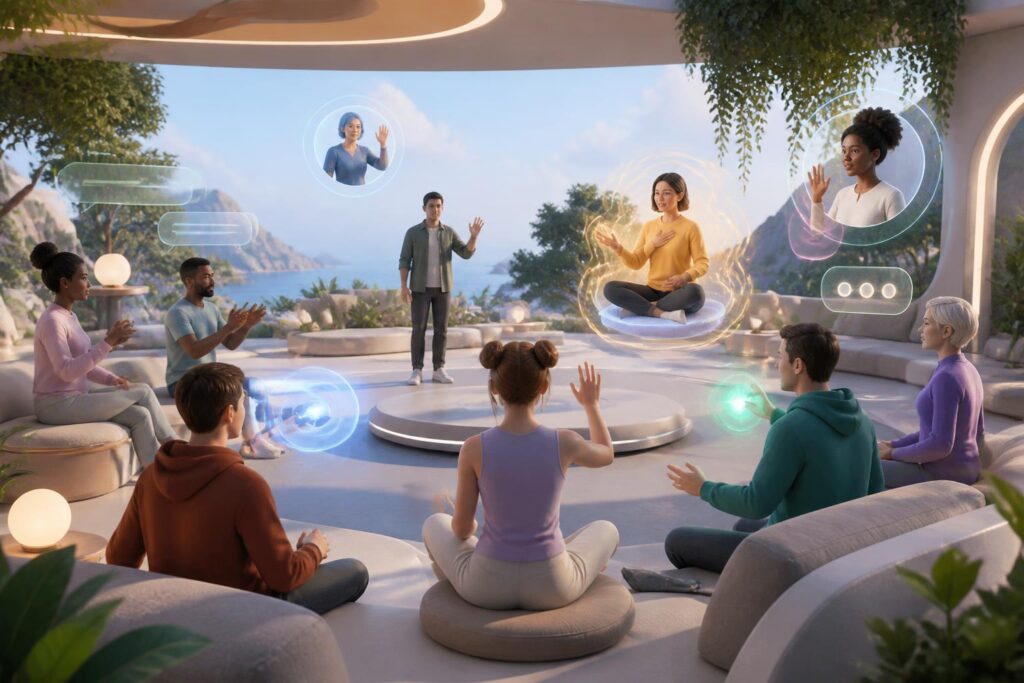
Virtual worlds are often introduced through highly performative imagery: users put on virtual reality headsets, enter three-dimensional spaces, talk to one another through avatars, and interact with objects that do not exist in everyday life. Yet behind that sense of novelty lies a more practical question: who can take part, and who will be left outside?
A digital environment does not automatically become inclusive simply because it is not limited by geography. People who have difficulty seeing, hearing, moving, maintaining their balance, or processing too much stimulation may still face new barriers in virtual spaces. Even people without disabilities may sometimes need a gentler experience because of motion sickness, fatigue, unstable network conditions, or a lack of specialized equipment. If these factors are considered only after a product has been completed, fixing them is usually costly and inconsistent.
Accessibility in virtual worlds therefore should not be viewed as an auxiliary feature intended for a small group. It is a way of asking questions about the quality of the entire experience: Do users understand what is happening? Can they control their bodies and their data? Can they communicate in ways that suit them? Can they leave an uncomfortable situation without being penalized or losing their progress?
Barriers Are Not Limited to Devices
When accessibility is discussed, many people immediately think of supporting wheelchair users or adding captions. These are important needs, but the broader picture is much more extensive. A virtual world can create barriers through its methods of movement, ways of displaying information, sounds, hand interactions, pace of conversation, and even the social rules that newcomers must figure out on their own.
For example, requiring users to turn their heads constantly to locate the source of a sound can be uncomfortable or difficult for some people. An interface based entirely on small text and low-contrast colors makes information difficult to read. Control mechanisms that require users to hold several buttons at once, perform rapid actions, or remain standing for long periods can also exclude some users from the experience. These barriers may not appear during a short demonstration, but they become clear when someone has to use the system for dozens of minutes or several hours.
The problem also lies in the assumption that everyone has the same body, the same ability to react, and the same level of familiarity with technology. Designs based on that assumption often make a product seem simple to the development team while making it difficult for actual users to understand. A good virtual space needs to acknowledge this diversity from the requirements-definition stage, rather than requiring users to adapt to choices that have already been predetermined.
Design Layers That Need to Be Built in Parallel
Movement and a Sense of Safety
Movement is one of the clearest differences between virtual worlds and traditional screen interfaces. The way users move through a three-dimensional space can directly affect their sense of balance and level of comfort. Products should therefore offer multiple methods of movement instead of relying on a single mechanism. Point-to-point teleportation, continuous movement with adjustable speed, or stationary experiences may each suit different needs.
Users also need to know in advance when an action may change their view, speed, or position. Sudden movements, strong vibration effects, and unnecessary changes in camera angle should have options to reduce or disable them. An easy-to-find exit button that works reliably and does not require users to remember multiple steps is a basic component of feeling safe. When users can stop the experience at any time, they are more willing to explore proactively.
Information Should Not Depend on a Single Sense
In a virtual world, an important notification should not be conveyed only through sound or appear only as an image. Captions, visual indicators, adjustable vibration signals, and spoken descriptions should be regarded as complementary channels. This approach not only helps people who are deaf or blind receive information, but is also useful in noisy environments, when users cannot turn on the audio, or when they need to focus on another task.
Switching between channels also needs to be clear. Captions must be easy enough to read, adjustable in size, and not obscured by objects in the space. Spoken descriptions should distinguish between instructions, character dialogue, and warning sounds. If all signals are delivered at the same time, users may become overloaded instead of supported.
Flexible Controls and Reduced Physical Demands
Not everyone can use controllers in the same way, perform precise actions, or maintain a fixed posture. An accessible system should allow button remapping, sensitivity adjustments, one-handed use where possible, and the replacement of long-press actions with a single press. For activities that require repetition, a reasonable level of automation can help users reserve their energy for the content instead of struggling with the controls.
This does not mean removing the challenge from a game or making the experience identical for everyone. The goal is to separate the challenge the product intends to provide from the unintentional difficulties caused by its design. A user may want to solve a complex puzzle, but not necessarily hold down a button continuously for a long time just to keep a character still.
Accessibility Is Also a Matter of Communication
Virtual worlds are not merely places for observing objects. They are also places where people meet, work, study, and play. Accessibility must therefore include social communication. Users should have the option to communicate through voice, text, gestures, or simple symbols depending on the circumstances. Not everyone wants to turn on a microphone, can speak clearly in a noisy environment, or feels comfortable expressing emotions through body movements.
Avatars should also be designed in an open-ended way, without forcing users to choose a single body, voice, or form of gender expression. These choices are not merely aesthetic. They affect each person’s sense of being respected and their ability to participate. Someone may want an avatar with less movement, one that does not display a face, or one that does not accurately reproduce their physical body in real life. The right to choose one’s level of presence is part of the individual experience.
Communication tools need to be accompanied by protective mechanisms. Users should be able to mute others, limit interactions, hide avatars, or leave an area without having to explain themselves. In open spaces, reporting and blocking features should not be buried too deeply. A welcoming environment is created not only through calls for civilized behavior, but also through tools that help users handle uncomfortable situations quickly.
Test with Real Users Instead of Guessing for Them
No checklist can completely replace listening to users. Development teams may predict that an interface will be easy to use, but such predictions often overlook details that appear only in practice. Accessibility testing should be conducted early, with people who have different needs and under different conditions of use.
It is important to invite users to participate as capable evaluators, not as illustrative images for a communications campaign. They should be asked to perform specific tasks, describe the points that cause difficulty, and explain which solutions are genuinely useful. Development teams should also compensate them appropriately for their time and expertise. If opinions are requested only after all decisions have been finalized, the feedback is unlikely to produce significant change.
The testing process should also consider ordinary situations such as extended use, switching between modes, temporary loss of connection, or the need for an emergency exit. A feature that appears to work well in a short trial can still become a burden when users have to repeat it many times. Accessibility is an ongoing quality that needs to be monitored through every version, not a box to check before release.
Early Investment Is Usually Better Than Late Repairs
Inclusive design from the outset may increase the number of questions during the planning stage, but it helps limit the need to rebuild core components later. Once a system depends on a single type of movement, interface structure, or login method, adding alternatives is usually much more complicated. Conversely, if customizability is treated as a foundational requirement, the product can develop more flexibly.
The benefits are not limited to people with disabilities. People who are new to virtual worlds, users with different device configurations, people in public places, or those who simply want a less tiring experience can all benefit from captions, adjustable speeds, simplified controls, and reduced-effects modes. An option initially created for one group can sometimes become useful to many other groups.
However, accessibility should not be used as a slogan to conceal existing limitations. Developers need to state clearly which features are available, which are not yet supported, and how users can submit feedback. Transparency helps users make suitable decisions while also creating positive pressure for the product to continue improving.
A Mature Standard for Virtual Worlds
The value of virtual worlds does not lie in making everyone use the same device, the same posture, or the same way of communicating. Their value lies in opening up multiple ways for people to be present, interact, and leave in ways that suit them. A vast space that serves only people who can move, see, hear, and react according to a single model is still a narrow space.
Designing for accessibility from the start requires a combination of technical expertise, user research, and respect for difference. It raises specific questions about movement, information, controls, communication, safety, and the right to choose. These questions may slow some short-term decisions, but in return they produce a more sustainable platform that relies less on users having to overcome barriers created by the product itself.
As virtual worlds are increasingly used for many purposes, accessibility will no longer be an ancillary advantage. It is a condition for making the promise of a space expanded for everyone credible. Good design does not require people to be the same in order to participate; good design provides enough choices that difference does not become a reason to be left out.
