


In a modern computer, the graphics card is often the component that receives the most attention after the central processing unit. Gamers look at frame rates and image quality, content creators care about rendering times, while general users need a stable system that can handle multiple displays and graphics applications. These different needs mean that choosing a graphics card cannot be based solely on the product name or the memory capacity printed on the box.
A suitable graphics card must strike a balance between performance, target resolution, the software being used, power requirements, space inside the case, and budget. Buying the most powerful model one can afford is not necessarily the best choice if the processor cannot keep up, the monitor cannot take advantage of the card’s capabilities, or the cooling system is insufficient. Conversely, cutting costs too aggressively can cause the computer to run short of performance as games and software become increasingly demanding.
Start with Your Needs Instead of the Product Name
The first step is to determine what tasks the graphics card will be used for. For office work, studying, watching movies, and basic image editing, the integrated graphics in the processor may already be sufficient if the system does not have to handle demanding three-dimensional tasks. In this case, buying a discrete graphics card only makes sense if the user needs more displays, uses specialized software, or wants to improve gaming capability.
For gaming, both the monitor’s resolution and refresh rate need to be identified. A higher-resolution monitor produces more pixels, while a high refresh rate requires the card to render more frames in a short period of time. A card may perform well at a common resolution but struggle when connected to an ultrawide monitor, a high-resolution display, or a multi-monitor setup. Therefore, the goal should be stated specifically, such as playing games with balanced graphics settings, prioritizing a stable frame rate, or aiming for high-end graphical effects.
Video creators, three-dimensional designers, rendering professionals, and simulation users need to consider software compatibility alongside hardware performance. Some applications use the graphics card to accelerate previews, encoding, or rendering, but the level of support can vary between software programs. A more powerful card does not automatically shorten every stage of a workflow if the project relies mainly on the processor, system memory, or storage speed.
Graphics Memory Is Important but Not the Only Criterion
Graphics memory, commonly called VRAM, is where the card stores image data, textures, frame buffers, and certain data required for rendering. As resolution and texture quality increase, memory requirements also rise. Complex three-dimensional projects, games with large worlds, or work involving many image layers may require more VRAM than ordinary tasks.
However, a large amount of VRAM cannot compensate for a weak graphics processor. Two card models with the same memory capacity can still differ greatly in processing speed, bandwidth, architecture, and feature support. Buyers also need to distinguish between having enough memory and a card being able to use that memory efficiently. By looking only at the VRAM figure, users may overlook actual processing capability and purchase a product that does not suit the rest of the system.
Target resolution is a practical basis for assessing memory needs. Playing games at high resolution, enabling high-quality textures, and using advanced rendering effects generally place greater pressure on VRAM. By contrast, with a lower-resolution monitor and moderate graphics settings, a card with a reasonable memory capacity can provide a good experience without requiring a high-end model.
Actual Performance Depends on the Entire System
A graphics card does not operate independently. The central processor must provide data quickly enough, system memory needs to meet the application’s requirements, and storage affects the time required to open projects and load data. If the processor is too weak compared with the graphics card, some of the card’s capability may go unused, especially in games that depend heavily on CPU processing or when the user is aiming for a high frame rate.
This balance does not mean that every component must have an equivalent price. What matters is that they do not create an obvious bottleneck in the primary task. A rendering professional may prioritize a more powerful graphics card and accept a moderately capable processor if the software makes good use of graphics acceleration. Players of strategy and simulation games, or games with many objects on screen, should pay closer attention to single-threaded performance and the CPU’s processing capability.
Performance is also affected by software settings. Image upscaling, frame generation, ray tracing, and anti-aliasing modes can significantly change both image quality and display speed. These features should be viewed as tools for adjusting the experience, not as the sole reason to buy a card. Users need to check whether the software or games they commonly use support those features.
Do Not Overlook Power Requirements and Cooling
The graphics card is one of the most power-hungry components in a high-performance computer. When choosing one, it is necessary to check the card’s power requirements and compare them with the power supply currently installed. Beyond total wattage, users must also consider the power connectors, cable quality, and the ability to deliver stable power when the card is operating under a high load.
A power supply with suitable wattage but poor quality can still cause shutdowns, restarts, or unstable operation. Conversely, a good power supply should provide a reasonable amount of headroom so that the system does not have to operate continuously at its limits. This reserve is also useful when the user adds storage drives or fans, or changes other components in the future.
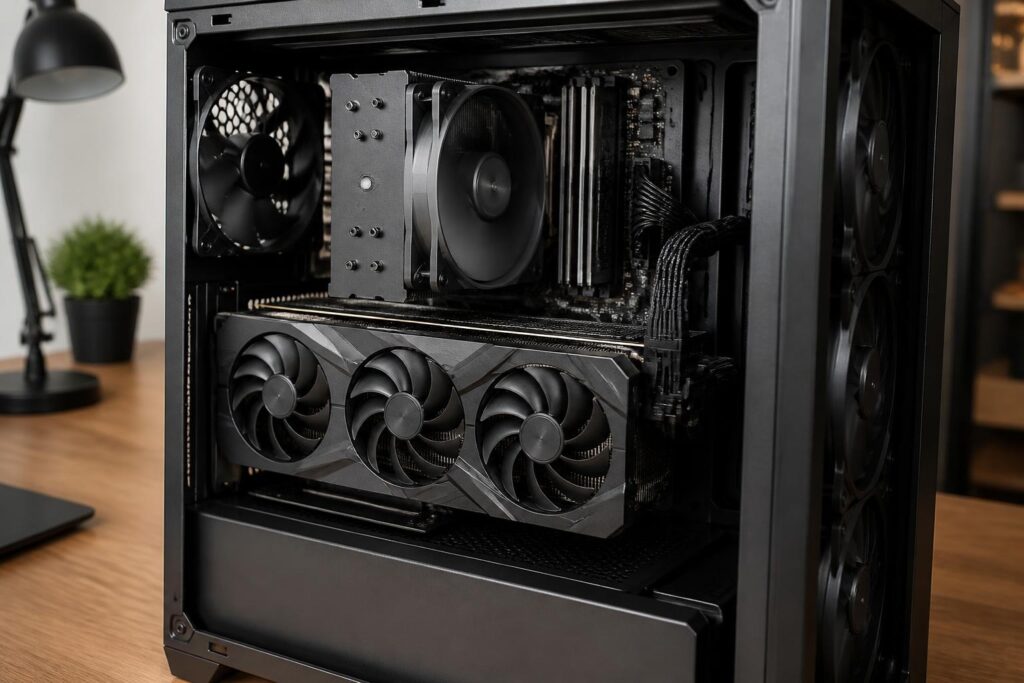
The card’s size and cooling system should also be checked before purchase. A card with multiple fans or a thick heatsink may occupy several expansion slots, affect the position of another card, and fail to fit in some small cases. The space inside the case, airflow direction, and number of fans all contribute to operating temperatures. A powerful card limited by heat may reduce its clock speed or generate significant noise when the fans have to spin quickly.
In addition to its physical dimensions, users should consider the video connectors. A card may provide several types of ports, but the number and versions of those ports need to match the monitors, capture devices, or adapters being used. Checking in advance will prevent a situation in which a card with suitable performance still requires unnecessary additional intermediary equipment.
New Cards, Used Cards, and Warranty Issues
Used graphics cards can help reduce costs, but they need to be inspected more carefully than new products. Buyers should examine the condition of the casing, fans, connectors, and any signs of unusual disassembly. If possible, test the card in a stable system using real-world tasks rather than judging it only by its external appearance. Issues such as visual artifacts, signal loss, system freezes, or abnormally high temperatures all need to be taken seriously.
Usage history is also difficult to verify. A card that has operated continuously under a heavy load may have experienced different levels of wear from one used only for light tasks. This does not mean that every used card is a poor purchase, but the price should reflect the risk and the remaining warranty period. The invoice, return policy, and ability to test the product are often no less important than the price difference.
For a new card, buyers should carefully read the warranty conditions, including the policies covering fan failures, display problems, and self-removal of the cooling system. Warranty seals or usage conditions may differ between retailers. Choosing a transparent seller helps reduce risk when problems need to be resolved later.
How to Make a Sensible Purchasing Decision
Instead of starting with a list of expensive graphics cards, users should write down their specific requirements: the monitor they are using, their primary software, the games they regularly play, how much they prioritize low noise, the power supply’s capacity, and the space inside the case. They can then eliminate incompatible models before comparing performance. This approach helps avoid being attracted to prominent specifications that provide no clear benefit in everyday work.
The budget should also include related costs. If a new card requires replacing the power supply, adding fans, or changing the case, the total cost will be higher than the listed price. In some cases, upgrading the monitor or system memory first may produce a more noticeable improvement than putting the entire budget toward a more powerful graphics card.
Finally, leave some room for future needs, but do not buy based on capabilities that may never be used. A card with enough performance for current work, reasonable power consumption, and clear warranty coverage is often a more sustainable choice than a high-end product that is used only lightly. When needs change, users can upgrade components gradually instead of trying to predict the entire future from the very first purchase.
Conclusion
Choosing a graphics card is a matter of balancing needs, performance, and operating conditions. VRAM capacity, processing speed, software support, power requirements, cooling, and physical size all need to be considered together. A good decision does not necessarily aim for the most powerful card, but for the card that delivers a stable experience in the tasks the user actually cares about.
When products are evaluated as part of the entire system rather than by focusing on a single specification, buyers can more easily avoid two common mistakes: spending too much on capabilities they will not use or saving so much that they have to upgrade again soon afterward. This is also a way to build a balanced, easy-to-use computer with the ability to develop alongside real-world needs.
