


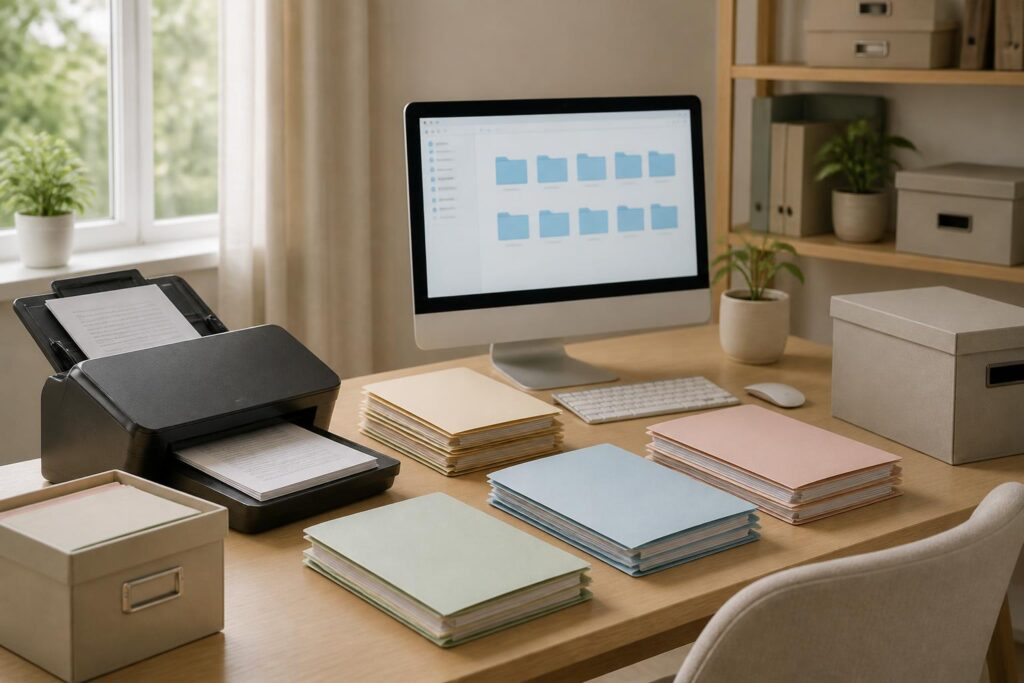
In every family, important documents tend to appear at many different times: when handling administrative procedures, buying or selling property, receiving medical care, studying, traveling, or dealing with matters related to banking and insurance. The problem is that these documents are easily stored in scattered places, such as drawers, handbags, filing cabinets, or unlabeled folders. When they are needed, everyone may spend a long time searching and may not even be sure where the original is.
Storing family documents is not simply a matter of buying a cabinet or gathering all the documents in one place. A good system should help users quickly answer three questions: where the document is, which version needs to be used, and who is allowed to access it. By combining a paper-based organization system with electronic copies, a family can reduce the risk of loss while being more prepared for unexpected situations.
Start by Taking Inventory of All Documents
Before buying storage boxes or creating folders on a computer, take time to inventory the documents currently available. Gather papers from different locations around the house, including documents kept in wallets, backpacks, desk drawers, and old file folders. The purpose of this step is to see the full volume of documents, not to immediately decide whether to keep or discard each sheet.
During the inventory, the documents can be divided into three broad groups. The first group consists of documents whose originals must be kept or that are used frequently. The second group includes documents that are rarely used but still have reference value, such as old records, receipts, or documents related to a completed transaction. The third group consists of drafts, duplicates, or documents with no clear remaining purpose. For this third group, do not rush to throw anything away before checking whether it contains personal information or sensitive data.
The inventory is also an opportunity to identify commonly overlooked problems, such as documents that are damp, faded, torn at the corners, missing pages, or available in multiple versions without any indication of which is the latest. If a document shows signs of damage, make a note of it so that an appropriate solution can be planned rather than continuing to store it with documents that are still intact.
Classify Documents by Purpose
Classifying documents by the name of the issuing agency is not always convenient, because users may not remember exactly which organization a document belongs to. An easier approach is to classify them according to the family’s needs. A basic system may include personal records, housing and property, finances, healthcare, education, work, transportation, as well as contracts and warranties.
Within each main group, divide the documents further into a reasonable number of smaller folders. For example, housing records can be separated into documents related to the home, service bills, and repair documents. Financial records may include banking, insurance, loans, and transactions that need to be monitored. Do not create so many folders or compartments that classification becomes more complicated than searching.
Each group should have a consistent, easy-to-understand name that can be recognized immediately from the outside. If using paper folders, place labels on the spines or fronts. If using electronic folders, use similar naming conventions so that paper and digital documents follow the same logic. Other family members will then be able to find documents when needed without having to ask about all the rules again.
Separate Originals, Copies, and Documents in Progress
Originals should be separated from copies to prevent them from being taken by mistake or lost during use. Different-colored folders, separate trays, or clear labels can be used for the three statuses: original, frequently used copy, and document awaiting additional information or processing. This approach is especially useful for documents that need to be taken outside the home, because a copy may meet many ordinary needs without requiring the original to be moved.
Records that are still being processed should have a separate temporary location rather than being mixed with completed records. This location should be checked regularly to prevent documents from remaining there too long and being forgotten. Once the work is complete, the documents should be moved to the main group and the notes should be updated if anything has changed.
Digitize Documents, but Do Not Carelessly Replace the Originals
Scanning or photographing documents makes them faster to look up, especially when users are away from home. However, an electronic copy cannot always replace a paper document in specific procedures. Therefore, digitization should be viewed as a backup layer and a reference tool, while the decision to retain the original should still be based on the nature of each document and practical requirements.
When creating an electronic copy, place the document on a flat surface with sufficient lighting, and check the entire contents after photographing or scanning it. A file with a missing corner, missing page, or glare may create a false sense of security because the user assumes that a complete copy has been created. For multi-page documents, ensure that the pages are arranged in the correct order and can be opened normally.
File names should be short but contain enough information for identification. One naming method may include the document type, the person concerned, and the date of issuance or update. There is no need to include too many details in a file name, but avoid generic names such as “new scan,” “documents,” or “photo.” If there are multiple versions, add an identifying indicator such as “updated version” or “signed version,” as long as the notation is used consistently.
Set Up Electronic Storage and Backups
Do not store digitized documents only on a single phone or computer. A device can break, be lost, become locked, or run out of storage space. A reliable system needs at least one backup in another location, and users must also know how to restore it when necessary. What matters is not having a large number of copies, but ensuring that the copies are complete, can be opened, and are updated appropriately.
Electronic folders can be organized according to a structure similar to that of a paper filing cabinet. The main folders can be divided by document group, with subfolders for each family member or each asset when necessary. Avoid storing the same file in too many locations without knowing which one is the latest version. When making updates, keep the old version if it has reference value, but name or arrange the files so that the current version is clearly identifiable.
For documents containing personal information, use strong passwords for devices and storage accounts. Do not send sensitive files through unnecessary channels or share access more widely than actual needs require. When sending a document, check the recipient, file name, and contents before pressing send. A single mistaken action can expose more information than intended.
Protect Paper Documents from Household Risks
Paper records should be kept in a dry place away from direct sunlight, heat sources, and areas at risk of water leakage. Do not keep all important documents on the floor, in a vehicle trunk for long periods, or in places where people commonly put drinks. Boxes or cabinets can help limit dust and keep things more organized, but the storage container itself does not replace regular inspections.
If the family has many types of documents, set aside a separate compartment or box for documents that need to be retrieved quickly. Another compartment can be used for records that are rarely accessed. This arrangement reduces the need to disturb the entire filing cabinet and helps everyone know which documents need to be returned immediately after use. Each time an original is taken out, remember or mark where the document is being kept, especially when it is taken elsewhere for an administrative procedure.
For highly private information, access rights also need to be considered. Not every family member needs to see all of another person’s financial records, medical records, or personal documents. The family should agree on who keeps the key, password, or access rights, while also having a plan to ensure that necessary people can still find the records if the owner is absent.
Check and Update the System on a Fixed Schedule
A system is effective only when it is maintained. Choose a fixed time to check the filing cabinet and electronic folders, such as at the beginning or end of each season, after moving house, or when the family undergoes a major change. During the inspection, look for documents that are no longer useful, duplicate copies, files that cannot be opened, and documents that have not yet been digitized.
Do not delete a document simply because it has not been used for a long time. Before discarding it, determine whether it is related to any remaining rights, transactions, assets, or obligations. Documents that no longer need to be kept should not be thrown away intact if they contain personal information. They can be torn into small pieces or disposed of using an appropriate method to reduce the risk of others accessing the contents.
After each update, spend a few minutes randomly checking several records. Try to find a document using only the folder name and label that were assigned. If it takes too long, that is a sign that the system needs to be simplified. A good organization system does not necessarily have to be elaborate; it must suit the family’s habits and be maintainable even when everyone is busy.
Keep It Simple So the Whole Family Can Use It
The person who creates the system often tends to establish many rules, but a rule is valuable only when others can understand and follow it. Agree on a few basic principles, such as returning a document to the place where it was taken, marking the latest version, keeping documents in progress in a separate tray, and naming electronic files according to the same format.
A short instruction sheet can be placed inside the filing cabinet, or an index file can be saved in the main folder. It only needs to indicate where the document groups are located, who is responsible for updating them, and how to contact the person holding the original when necessary. Do not write sensitive passwords directly on an instruction sheet that can easily be seen; instead, the family should agree on a separate security method.
Organizing documents systematically does not eliminate every risk, but it significantly reduces confusion when unexpected matters arise. By taking inventory, classifying documents moderately, separating originals, digitizing carefully, backing up, and checking regularly, each family can build a system suited to its circumstances. The greatest value of such a system does not lie in attractive boxes or elaborate folders, but in its ability to help everyone find the right document, protect private information, and act calmly when necessary.
