


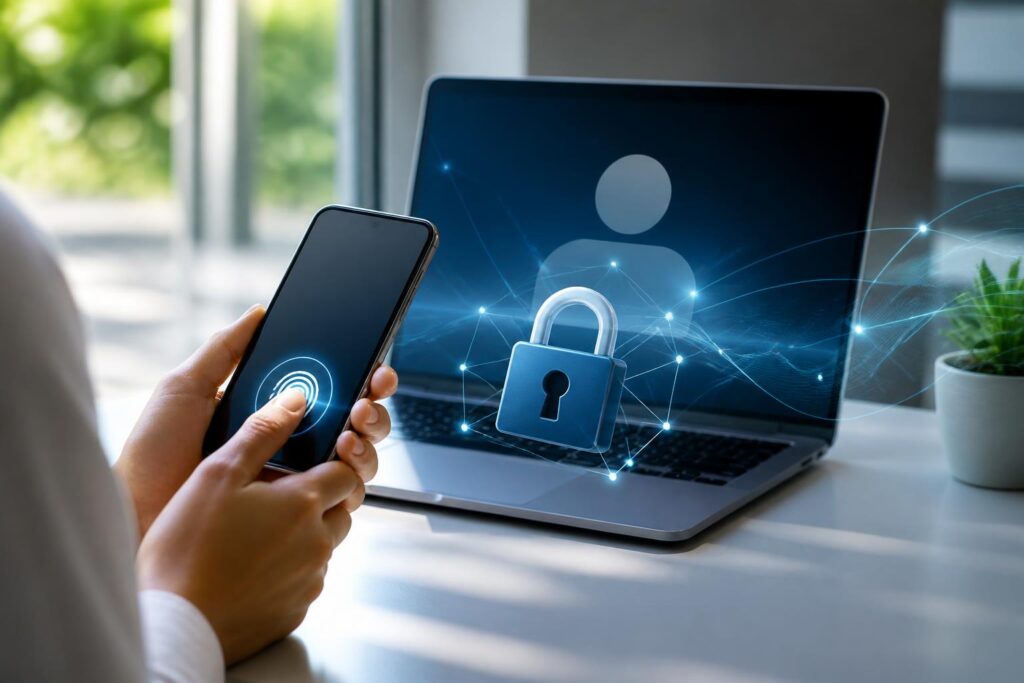
For many years, passwords have been the most familiar layer of protection for online accounts. Users create a string of characters, remember or save it, and then enter it each time they access email, social media, digital banking, or work services. This model is simple but is increasingly revealing numerous weaknesses. Passwords can be guessed, exposed in a data breach, stolen through fake websites, or reused across multiple services.
Passkeys have emerged as a different approach: instead of requiring users to remember and enter a secret, the service uses a pair of cryptographic keys created specifically for each account and each website. Users confirm their login by unlocking their device, scanning their face, using a fingerprint, or entering the device’s PIN. Most of the process takes place in the background, so the experience can feel closer to tapping once than filling out a password form.
What exactly is a passkey?
A passkey is a credential based on public-key cryptography. When a user registers an account, the device creates two mathematically related keys. The public key is sent to the service and can be stored on its servers. The private key is kept on the device or in a device-protected credential management system.
The important point is that the private key does not need to be sent to the website during login. The service sends a confirmation request, the device uses the private key to create a cryptographic response, and the server verifies that response using the stored public key. If the verification succeeds, the user is logged in. This arrangement is fundamentally different from the password model, in which the server must receive and protect secret information that could be used to access the account.
Passkeys are commonly implemented based on standards such as WebAuthn and the FIDO ecosystem. These standards help browsers, operating systems, security devices, and websites communicate with one another in a more consistent way. As a result, a passkey is not a standalone application from a single provider, but a method that can be supported across many different platforms.
Why can passkeys reduce the risk of phishing?
In a password-based phishing attack, an attacker commonly creates a login page that looks like the real service. If a user enters their account name and password on the fake page, that information can be sent immediately to the attacker. The stolen password can then be used directly or tried on other services.
Passkeys are designed to bind authentication information to the exact source of the login request. The browser and operating system can check the service’s address before proceeding with authentication. A fake website with a different domain cannot easily use a passkey created for the real service, because the authentication key is not merely a string of characters; it is also associated with the identity of the website.
This gives passkeys the ability to resist many types of phishing that rely on tricking users into entering a secret. However, this technology should not be understood as eliminating every security risk. Attackers can still trick users into installing malware, take control of devices, steal login sessions, or manipulate account recovery processes. Passkeys reduce an important category of risk, but they do not replace all security practices.
How does the login experience change?
With passwords, the process usually involves several steps: remembering the information, opening a password manager or requesting a reset, entering the string of characters, and possibly entering an additional verification code sent by text message or an app. Passkeys shorten the process by taking advantage of the unlocking mechanism already available on the device. Users can confirm their identity with biometrics or the PIN they use on the device.
Biometric data such as facial images or fingerprints is generally processed locally to unlock the credential, rather than being sent in its original form to the website. The website receives cryptographic proof that the user has completed the verification step, not the user’s biometric data directly. This separation both makes the process faster and limits the need to share sensitive data.
However, the actual experience still depends on the device, browser, and service. Some websites may offer incomplete passkey support, provide confusing interfaces, or still require a backup method. Users may also become confused when logging in on a new device, especially when it is unclear whether the passkey is stored locally, synchronized through an operating system account, or held on a physical security key.
Passkey synchronization and the challenge of account recovery
To make passkeys more convenient, many ecosystems allow credentials to be synchronized across a user’s devices. When changing phones or adding a computer, users can continue logging in without having to register again from scratch for every service. Synchronization is generally protected by encryption and verification mechanisms associated with the platform account.
This convenience also creates an important question: what will users do if they lose access to the ecosystem that is synchronizing their passkeys? If a phone is lost, damaged, or locked, a backup method becomes essential. Users should check in advance how the service supports account recovery, register additional trusted devices, or use a compatible security key when the service allows it.
No recovery method is entirely without trade-offs. Recovery that is too easy can create a vulnerability that allows attackers to take over an account. Recovery that is too strict can make things difficult for the account owner after losing a device. Therefore, secure design depends not only on creating a passkey but also on how the service verifies identity in unusual situations.
Will passkeys completely replace passwords?
In the short term, passwords are unlikely to disappear immediately. Many older services were built around the username-and-password model, while users still access them from many different types of devices. In addition, some administrative, customer-support, and account-recovery processes still depend on traditional login information.
The transition therefore usually takes place step by step. A service may allow users to create a passkey alongside a password and then encourage them to use the passkey as their primary method. During this stage, it is important not to create a half-finished experience—for example, requiring users to use a passkey while still forcing them to enter a password at many unnecessary steps.
For users, using passkeys does not mean ignoring basic security measures. Every account still needs a secure recovery method. Devices must be kept up to date, screen locks should not be disabled, and login alerts should be monitored. When a service offers multiple authentication options, users should prioritize methods that do not require sharing secret codes through chats or links from unclear sources.
Limitations that need to be clearly recognized
Passkeys are not a perfect solution for every situation. Compatibility between platforms can vary, especially when users work across devices belonging to different ecosystems. Moving a passkey to another device may sometimes require an additional confirmation step, scanning a code, or connecting to a registered device. These steps can be difficult for people who are less familiar with technology.
Another risk comes from the personal device itself. If a device is unlocked without authorization, infected with malware, or managed by an untrusted organization, credentials may be threatened in other ways. Therefore, protecting phones and computers remains fundamental: use a sufficiently strong screen lock, keep software updated, be cautious with unfamiliar apps, and do not grant more permissions than necessary.
Organizations also need to consider specific situations such as employees changing devices, losing access, leaving the company, or needing to log in to systems from shared computers. Deployment policies must clearly define who is responsible for issuing, revoking, and recovering credentials. Technology can only deliver its full benefits when accompanied by consistent management procedures and easy-to-understand guidance.
A shift from remembering secrets to protecting devices
The greatest significance of passkeys lies not only in eliminating passwords. This technology shifts the focus of security from people’s ability to remember information to their ability to protect devices and authentication procedures. Instead of requiring everyone to create complex strings of characters for dozens of accounts, systems make use of a device that has already been locked using an appropriate method.
This transition still requires time, because security is always a balance between safety and convenience. If the process is too complicated, users tend to look for workarounds or return to less secure practices. If the process is too simple but lacks protective layers, accounts can be easily taken over when a device or recovery channel encounters a problem.
Passkeys are becoming one of the notable directions in the development of online authentication. They do not eliminate every danger, but they address a core weakness of passwords: a secret can be entered by a user in the wrong place and reused across too many services. When implemented together with secure devices, clear recovery policies, and vigilant habits, passkeys can make logging in both simpler and more resilient against many common forms of attack.
