


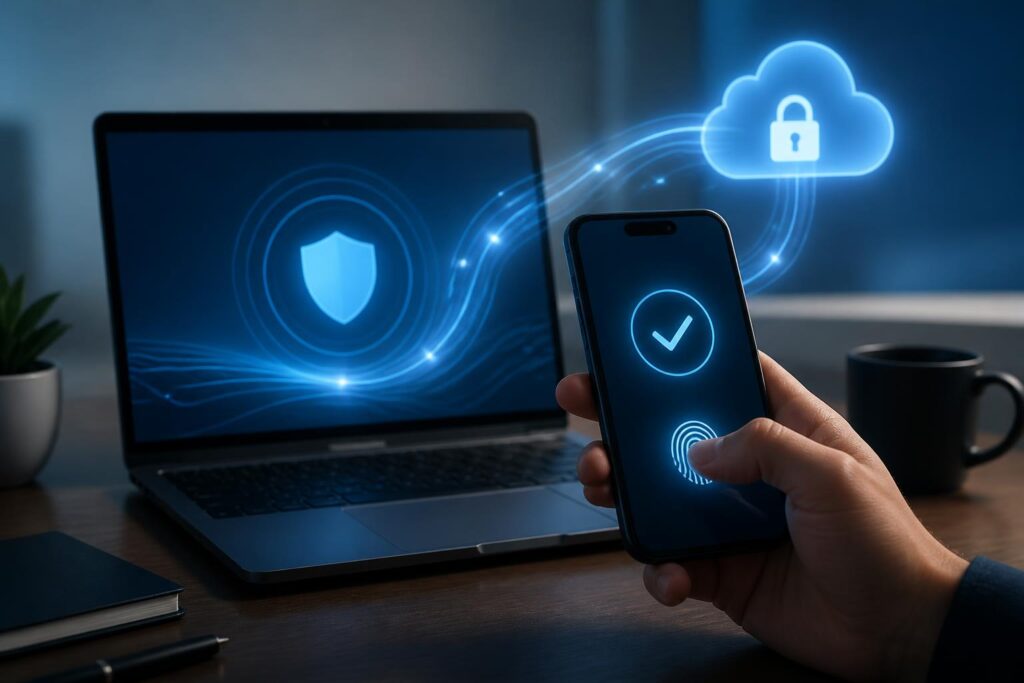
For many years, passwords have been the most familiar layer of protection for online accounts. Users create a string of characters, memorize or save it, and then enter that string every time they access a service. This approach is simple on the surface but creates many weaknesses: passwords can be guessed, reused across multiple services, stolen by malware, or exploited in phishing attacks. Passkeys have emerged as a different approach, in which users no longer need to directly remember and enter a password to prove their identity.
A passkey is not merely a new login button. It is an authentication method based on public-key cryptography, designed to combine the convenience of personal devices with stronger protection against impersonation. When implemented correctly, passkeys can make the login process faster, reduce the burden of password management, and limit one of the common causes of account compromise. However, this technology is not a universal solution. Its effectiveness also depends on how service providers build their systems, how users protect their devices, and how access is handled when it is lost.
How do passkeys work differently from passwords?
With traditional passwords, servers generally have to receive a secret entered by the user and compare it with stored authentication data. Although modern systems should not store passwords in plain text, requiring users to send secret information through the login process still creates an attractive target for attackers. If a password is reused, an incident at one service can also affect many other accounts.
Passkeys use a cryptographic key pair consisting of a private key and a public key. The public key is registered with the service, while the private key is kept on the device or within a synchronization mechanism supported by the platform. When logging in, the server sends a challenge, the device uses the private key to create an authentication response, and the server verifies the response using the public key. The private key does not need to be sent to the website during this process.
Users generally confirm the action with biometrics, a screen-lock code, or another local protection mechanism. This does not mean that fingerprint or facial data is sent to the website. In the common model, the service only receives an indication that the device has successfully verified the user, while biometric information is processed within the device’s protected area. Implementation details may vary between operating systems and providers, so users should still review each service’s policies.
Why are passkeys more resistant to phishing?
Phishing through fake login pages often succeeds because users are persuaded to enter their account name and password into an interface that looks like the real service. Attackers can then use this information to access the account or continue stealing verification codes. Passkeys reduce this risk because authentication information is tied to a legitimate login origin. A fake website at a different address cannot easily ask the device to use the key intended for the real service’s domain.
This capability is an important advantage over passwords and many forms of authentication that rely on one-time codes. Even so, the phrase “phishing-resistant” should not be understood to mean that users can disregard all caution. Attackers can still take control of email accounts, trick victims into installing malware, steal login sessions, or deceive users into approving an action on a compromised device. Passkeys provide strong protection for one authentication step, but they do not replace all information-security requirements.
How does the user experience change?
With passwords, users often face many small but repetitive decisions: creating a sufficiently strong string, remembering multiple passwords, dealing with password-change requests, and finding ways to log in on a new device. Passkeys shift much of this burden to the operating system, credential manager, or security device. In favorable situations, users only need to select an account and confirm with their familiar unlocking method.
Passkeys can also support login across multiple devices. Some platforms synchronize credentials through their account systems, while other setups keep the key on a specific device or use a phone as a confirmation tool for a computer. These differences directly affect usability when users change phones, reinstall an operating system, or work on a device they do not personally own.
Therefore, the “passwordless” experience is not always the same. A service may allow users to create multiple passkeys, log in with a nearby device, or use a physical security key. If the interface is poorly designed, users may still be confused by recovery options and device-linking procedures. Good authentication technology needs to be accompanied by clear guidance, easy-to-understand notifications, and troubleshooting steps that users can actually carry out.
Issues that must be addressed before widespread adoption
The first challenge is account recovery. Passwords can be reset through email, phone numbers, or support procedures, although each option carries its own risks. With passkeys, losing a device does not necessarily mean losing an account if the key has been synchronized or the user still has a backup method. Conversely, if a passkey exists only on a lost device and the service does not provide a secure recovery method, the user may face significant difficulties.
The next challenge is managing multiple devices. A person may use a personal phone, a work computer, a tablet, and a shared device. Creating too many passkeys without knowing where they are located can make it complicated to review and revoke access. Services should display a list of registered devices or authentication methods, allow users to name them, show recent activity, and delete information that is no longer in use.
Compatibility is also a practical issue. Not every website, application, and browser supports passkeys to the same extent. A service may allow users to create a passkey on a phone but still require a password in certain other flows. As a result, users may continue maintaining multiple login methods, with the weaker method becoming an attack point. Effective implementation is not just about adding a “sign in with passkey” button; it also involves designing the entire process to limit insecure workarounds.
How should users get started?
Users can start with important accounts such as their primary email, data-storage services, financial accounts, and platforms containing substantial amounts of personal information, provided that these services support passkeys. Before registering, they should update the operating system and browser, enable a reliable screen lock, and check the platform’s synchronization or credential-protection mechanisms.
After creating a passkey, users should test their ability to log in on a backup device and carefully read the available recovery options. If the service allows multiple methods to be registered, users may consider having a passkey on a second personal device or a physical security key appropriate to their needs. Recovery information should not be stored in public places, backup codes should not be photographed and left in an unprotected photo library, and authentication information should not be shared with others.
Old passwords should also not be deleted mechanically immediately after creating a passkey. During the transition period, users need to know where the service still requires a password, which method is used when a device is lost, and how to disable a device that has gone missing. Once they have confirmed that the passkey works reliably, they can change or remove unnecessary methods if the service allows it. The goal is to reduce the attack surface while retaining a controlled recovery path.
Passkeys and the future of digital identity
The greatest value of passkeys lies in moving authentication away from a model that relies too heavily on human memory. Devices can handle the complex cryptographic work, while users confirm with a familiar action. This approach fits the trend of digital services having to support many devices and platforms, along with the growing need for stronger account protection.
However, the change will not happen through a technical standard alone. Providers need to build transparent recovery mechanisms, support multiple ecosystems, and clearly explain what data is processed on the device. Users need to understand what passkeys are, where they are stored, and what to do when a device is lost. Organizations also need to train employees so that recovery procedures do not become a new weak point.
Passkeys do not eliminate all the risks of digital life, but they address a longstanding weakness of passwords: important secrets must be created, remembered, and protected by people themselves in too many contexts. When deployed alongside secure devices, sensible recovery procedures, and vigilant habits, passkeys can become a more reliable foundation for everyday logins.
