


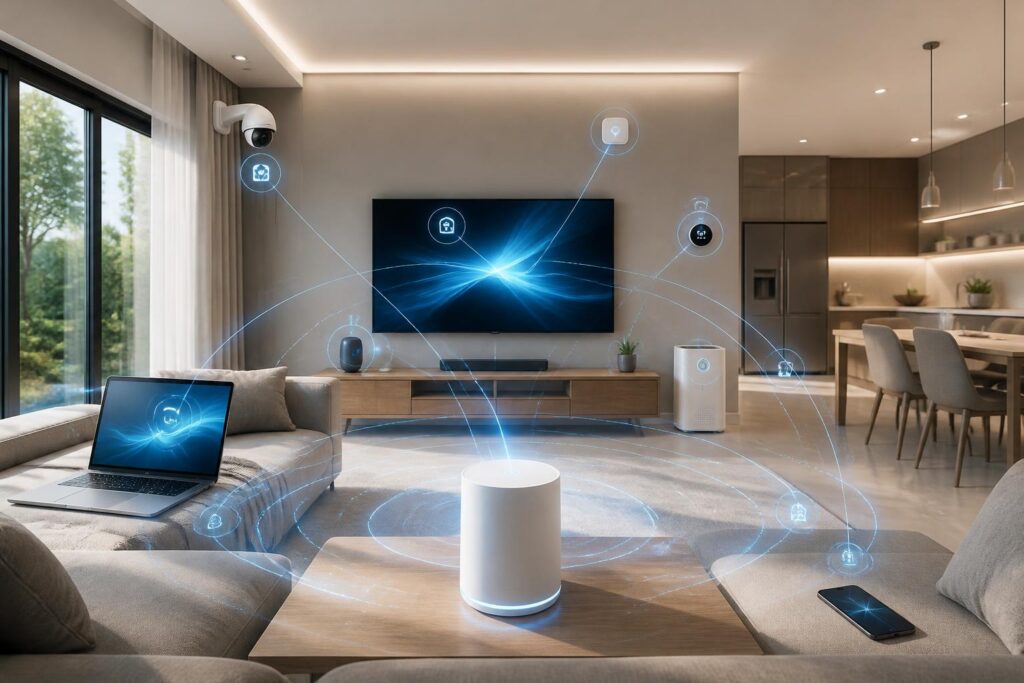
In many households, wireless networking has become infrastructure no less important than electricity or water. Phones, computers, televisions, cameras, smart speakers, kitchen appliances, and small sensors can all access the same Wi-Fi network at once. As the number of devices increases, the problems users encounter are not limited to download speeds. Unstable connections, high latency, uneven coverage, or sluggishness during peak hours are often the real causes of an interrupted experience.
Wi-Fi 7 has emerged in this context. The new generation of connectivity is often mentioned for its ability to achieve higher speeds, but its notable feature lies in how it uses radio resources and coordinates multiple connections. Rather than simply increasing a theoretical speed figure, Wi-Fi 7 aims to help networks operate more flexibly when many devices are transmitting data simultaneously. Even so, it is not a solution that can automatically turn every home into a high-speed network. The final result still depends on the entire system.
How is Wi-Fi 7 different from simply increasing speed?
Wi-Fi is the common name for a group of wireless connectivity technologies based on technical standards developed over multiple generations. Each new generation typically improves one or more factors, such as transmission speed, the ability to use frequency channels, support for multiple devices, and stability in environments with interference.
With Wi-Fi 7, users are generally interested in three main areas of improvement. The first is the ability to use wider channels under permitted conditions. Wider channels create more space for transmitting data, but the effectiveness also depends on frequency regulations in each region, the transmitting device, the receiving device, and the level of surrounding interference. If the environment is unsuitable, the system may have to use a narrower configuration.
The second is a data modulation method with higher density, commonly known by the term 4096-QAM. In principle, this allows more data to be transmitted within the same unit of resources when the signal is sufficiently strong. However, distance, obstacles, and interference can cause devices to switch to a more conservative modulation level. Therefore, the figures advertised in technical documents do not mean that users will always receive those speeds in every room.
The third, and one with major practical significance, is Multi-Link Operation, commonly abbreviated as MLO. This feature allows compatible devices to coordinate multiple links across different frequency bands instead of relying on a single connection. Under suitable conditions, MLO can improve responsiveness, distribute traffic more effectively, or maintain connectivity when one link encounters a problem. This is a change in how the network operates, not merely an effort to push the speed of a single channel higher.
Why do multiple devices make home networks difficult to stabilize?
A Wi-Fi access point must share time and resources among multiple devices. When only one computer is downloading a large file, this allocation is relatively straightforward. But when a video call, a camera transmitting footage, a television streaming content, a phone synchronizing data, and sensors sending small packets are all active at the same time, the network must handle many types of traffic with different requirements.
Online video requires relatively consistent bandwidth. Interactive calls, meanwhile, are sensitive to latency and fluctuations in latency. A camera may continuously generate data, while a smart-home sensor sends only small packets but requires a quick response. If all devices are competing for the same wireless channel, average speed may not be the biggest problem; the waiting time between transmission turns is what makes the experience uncomfortable.
Interference is also an important factor. Concrete walls, metal doors, floors, electronic devices, and nearby networks can all affect signal quality. Higher-frequency bands often have the ability to provide more resources, but their range through obstacles may be more limited. Conversely, bands that can cover greater distances may be more crowded in residential areas. A good network therefore depends not only on a powerful access point but also on choosing suitable frequency bands and placing devices appropriately.
How can MLO change the user experience?
In previous Wi-Fi generations, devices generally connected through one frequency band at a time. Users might see a single network name, but behind the scenes the access point had to decide which band a device should operate on. This approach remains useful, but switching or allocation does not always happen seamlessly.
MLO creates the possibility of using multiple links simultaneously or coordinating them in a way suited to the device and the network’s condition. For example, one link may handle the main portion of the traffic while another helps maintain the connection or process additional data. The specific mechanism still depends on the design of the access point, the end device, and the control software, but the overall goal is to use resources more flexibly.
This is particularly meaningful in environments where many activities are taking place at once. A device does not necessarily have to compete for all the available time on the same link with every other device. When one frequency band is subject to interference or overloaded, the system may have additional options for coordination. However, MLO can only reach its full potential when both the access point and the connected device support the corresponding feature. An older phone or computer will still operate according to the capabilities of the Wi-Fi generation it was designed to use.
Simply buying a Wi-Fi 7 access point will not necessarily make the network faster
This is a point users should consider before upgrading. If the connection from the service provider is much slower than the capacity of the local network, replacing the access point may not create a noticeable difference when accessing the Internet. Wi-Fi 7 can improve communication between devices inside the home, but it cannot increase the capacity of a subscribed Internet connection on its own.
End devices are also a decisive link in the chain. A Wi-Fi 7 access point can serve devices from multiple generations, but older devices will not automatically receive all the benefits of the new standard. To take advantage of features such as MLO or higher data rates, users need compatible devices, supporting software, and appropriate configurations.
Placement is more important than many people realize. Placing an access point inside an enclosed cabinet, close to the floor, in a corner of the house, or behind multiple obstacles can reduce coverage. In a multistory home, a single access point may sometimes be unable to provide an even signal in every room. In that case, a multi-access-point system or mesh networking solution may be more suitable, but it must be arranged so that the access points do not interfere with one another and have sufficiently good connections between them.
In addition, the speed shown in a network-testing app does not reflect the entire quality of the experience. Users also need to consider latency, latency fluctuations, the ability to maintain a connection, and performance when multiple devices are active simultaneously. A network with a high maximum speed but frequent instability is still less useful than a network with a moderate speed that responds consistently.
Applications that may benefit from next-generation connectivity
In the home, the most noticeable benefits may come from situations in which multiple devices need to transmit data at the same time. A household may be working remotely, attending online classes, watching high-resolution content, and using security cameras all at once. In such cases, the ability to allocate resources efficiently may help reduce the extent to which one activity noticeably affects another.
Wi-Fi 7 is also suitable for environments that require large data transfers within the local network. Users may back up data to network storage, transfer files between computers and a home server, or access a content library from multiple devices. These tasks do not depend entirely on Internet speed because the data can move within the local network itself.
Interactive applications such as virtual reality, online gaming, or remote device control are often sensitive to latency and interruptions. The new technology can provide a better foundation for these applications, but it cannot guarantee a perfect experience in every situation. External servers, Internet connection quality, software, and device performance remain factors beyond the Wi-Fi access point alone.
How to assess your needs before upgrading
Rather than starting by looking for a product with the highest specifications, users should observe how their current network is experiencing problems. If only one room has a weak signal, adjusting the access point’s position or adding another access point may be more effective than replacing the entire device. If the network is slow mainly because of the subscription plan, upgrading the connection may be a more reasonable priority.
If many devices in the home already support newer standards and frequently transmit data at the same time, a Wi-Fi 7 access point may be worth considering. Buyers should check device compatibility, the number of network ports, management options, software updates, and the potential for future expansion. These factors have greater long-term significance than a maximum speed figure printed on the packaging.
The usage environment should also be considered. A small apartment with few devices has different needs from a multistory home with a camera system, a storage server, and many people working simultaneously. An access point with many features but placed incorrectly or configured improperly will not solve the underlying problem.
Good connectivity is the combination of multiple layers
Wi-Fi 7 illustrates how wireless networking is shifting from a race for speed toward the challenge of using resources intelligently and maintaining a stable experience. The ability to use multiple links, support wider channels, and transmit data at higher density can provide clear benefits in an environment with many devices. But technology is only one layer of the overall system.
Internet connectivity, end devices, access-point placement, obstacles, radio interference, software, and traffic allocation all affect the result. Users should assess their actual needs, identify bottlenecks, and upgrade the right component instead of simply chasing the name of a new generation. When integrated into a suitably designed system, Wi-Fi 7 can become a notable foundation for homes that increasingly depend on wireless connectivity.
