


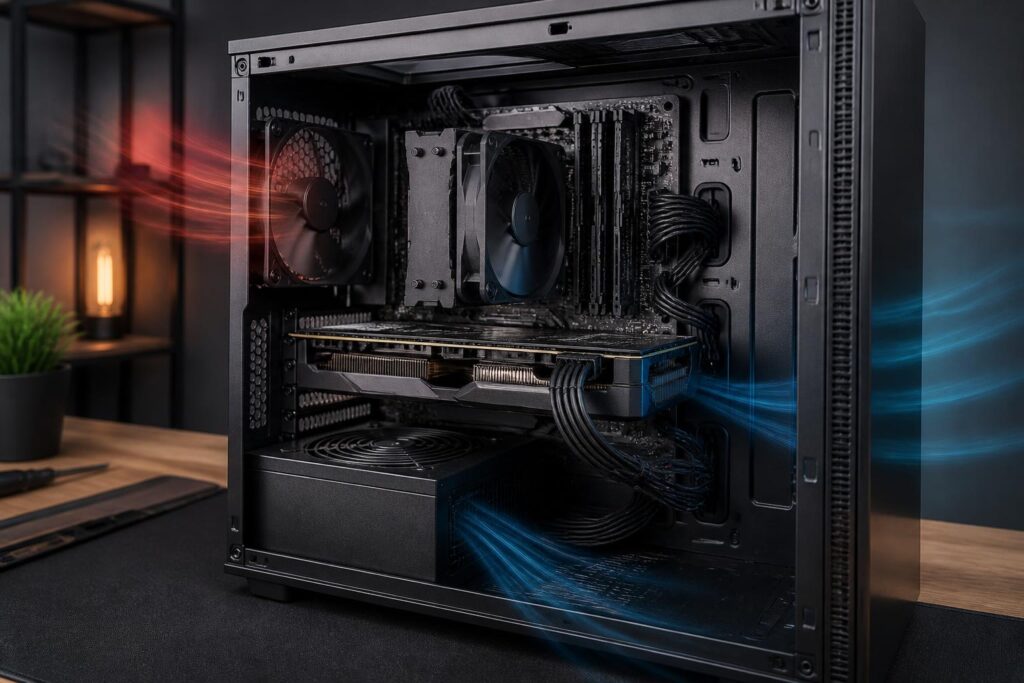
In a computer system, the power supply is often the least-noticed component. Users tend to spend a great deal of time comparing processors, graphics cards, RAM capacity, or storage speeds, but choose a power supply in the simple manner of looking for a product with the largest wattage number possible. This approach can cause the system to cost more than necessary while still overlooking factors directly related to stability and safety.
The power supply, commonly called a PSU, is responsible for converting alternating current from the wall outlet into suitable levels of direct current for the motherboard, processor, graphics card, storage drives, and fans. The quality of this process affects the long-term operation of the entire computer. A suitable power supply does not necessarily need to have the highest wattage; it needs to deliver stable power, provide a reasonable amount of headroom, be compatible with the components, and include the necessary protection mechanisms.
Do not start with the wattage number
Rated power is the most visible specification on a power supply, but it does not represent the product’s overall quality. A high-wattage power supply may still be unsuitable if it has a poor design, low efficiency, inadequate connectors, or lacks basic protection mechanisms. Conversely, a moderately powered supply from a reliable product line may operate more stably over a long period.
To estimate requirements, users should start with the components that consume the most power, usually the processor and graphics card. They should then account for the motherboard, fan system, storage drives, expansion devices, and accessories that may draw power from the computer. Actual power consumption is not constant at all times. A computer may use very little power when idle but increase sharply when gaming, rendering, compiling software, or running demanding tasks for extended periods.
After estimating the peak load, it is advisable to leave some headroom rather than choosing a power supply that is right at its limit. Headroom keeps the power supply from having to operate continuously at its maximum level and also allows for future upgrades. However, excessive headroom is not always a good choice either. A power supply whose wattage far exceeds the requirements can increase cost, size, and consumption under certain conditions without providing a proportionate benefit.
How important are efficiency and power quality?
Efficiency indicates the proportion of electricity drawn from the wall outlet that is converted into useful power for the computer. The remaining energy is turned into heat. A power supply with good efficiency generally produces less heat at the same load, thereby reducing the burden on the fan and making it easier to control the temperature inside the computer case. Efficiency certifications can serve as a reference point, but they should not be regarded as the sole guarantee of overall quality.
Users should also pay attention to the ability to maintain stable voltage and low ripple. These are technical specifications that are not easy to assess by sight alone, so choosing a reliable brand, product line, and seller is important. A good power supply is generally designed with appropriately high-quality components, complete protection circuitry, and a clear testing process.
Do not confuse the power stated on the label with the actual power-delivery capability. Some products advertise high wattage but cannot sustain that level under continuous load. When reviewing product information, users should check the specifications table, particularly the delivery capability on the main power rail intended for high-performance components. If the information is overly sparse or inconsistent between the packaging, product page, and technical documentation, that is a reason to be cautious.
The power delivery path for the graphics card requires attention
Modern graphics cards can create rapidly changing levels of power consumption during operation. Not only the average power level but also short load spikes place demands on the power supply’s response capability and power cables. Therefore, choosing a power supply for a gaming or rendering computer requires considering the connector types, number of cables, and connection instructions provided by the component manufacturer.
Do not use a splitter cable or an adapter of unclear origin to deal with a shortage of connectors. This approach can cause heat at the contact point, make the cables handle an unsuitable load, or create a weak point in the system as a whole. For graphics cards that require multiple power connectors, using separate cables directly from the power supply, when recommended by the technical documentation, is generally easier to control.
Users also need to distinguish graphics-card power cables from the connectors intended for the processor on the motherboard. The connector shapes may confuse those who are unfamiliar with them, but their functions and positions of use are different. Do not try to plug a cable into the wrong location simply because the connector appears to fit. Before installation, compare the label on the cable with the power supply documentation and the motherboard manual.
New connection standards do not replace design quality
The market is seeing an increasing number of power supplies that support new connection standards intended for modern systems. These connectors can make power delivery to graphics cards neater and reduce the need to use multiple adapter cables. However, the presence of a new connector does not mean that every product with that connector has the same quality.
When choosing a power supply, users should consider the connector’s load capacity, how the cable is designed, the permitted bending radius, and the installation instructions. The power cable should be fully inserted, with no part of the connector left exposed. Avoid sharply bending the cable immediately next to the connector or pressing it against the side panel of the case when space is too tight. An incomplete mechanical connection can increase resistance at the contact point and generate heat during use.
If the computer uses a graphics card that is not particularly high-end, a power supply using common connectors and providing a full set of cables may still be a reasonable choice. What matters is that the product is compatible with the current configuration and offers a clear upgrade path, rather than buying based on the name of a connection standard without checking actual requirements.
Protection mechanisms that should not be overlooked
A good power supply needs protection mechanisms against abnormal situations such as overcurrent, overvoltage, overpower, short circuits, or excessive temperature. These mechanisms do not make a computer immune to every electrical failure, but they help limit the risk of widespread damage when a problem occurs.
Buyers should look for protection information in official technical documentation rather than relying only on a few advertising phrases. If the manufacturer does not clearly disclose basic features, or if the information differs between sellers, consider a more transparent product. The warranty is also a factor to consider. A clear warranty policy, a reasonable term, and the ability to receive after-sales support often indicate that the supplier takes greater responsibility for the product.
A voltage regulator or uninterruptible power supply can help protect the system in some environments with unstable electricity, but they cannot turn a low-quality power supply into a safe product. The most effective layer of protection still begins with choosing a suitable PSU, installing it correctly, and using a grounded electrical system when conditions permit.
Modular design, noise, and installation space
A non-modular power supply comes with all cables permanently attached, while a modular power supply allows users to connect only the cables they need. Modular design makes the inside of the case neater, facilitates cable management, and improves airflow. However, this is primarily an advantage in convenience and appearance, not a direct measure of power quality.
Never use modular cables from one power supply with another unless the manufacturer confirms compatibility. Although the connectors on the outside may look identical, the pinout on the side that connects to the PSU may be different. Using the wrong cable can cause a short circuit or damage components as soon as the computer is turned on. When replacing a power supply, use all the cables included with the new product and remove the old cables.
Noise is also worth considering if the computer is placed in a workroom or bedroom, or is used for audio recording. A PSU fan usually speeds up according to temperature and load. A power supply with a moderate amount of spare capacity, good efficiency, and suitable airflow can operate more quietly under normal conditions. Even so, do not sacrifice protection quality just to find a product advertised as silent.
Choose a power supply according to the type of use
Office computers used mainly for web browsing, document software, and light applications generally do not need an excessively powerful power supply. Priority should be given to a stable product with a size suitable for the case and a clear warranty. Compact computers require careful checking of the size standard, connector positions, and cooling capability before purchase, because not every power supply will fit.
Gaming computers should be selected based on both the processor and the graphics card, especially when the user plans to upgrade the card within the next few years. Check the power requirements specified by the graphics-card manufacturer, then compare them with the PSU’s capabilities and the included cabling. A gaming computer does not necessarily need an extremely high-wattage power supply, but it should have reasonable headroom to avoid operating near its limit during long gaming sessions.
Video-editing, simulation, software-development, or data-processing computers often run at high loads for long periods. For this group, stability, cooling capability, and warranty reliability may be more important than saving a small amount at the time of purchase. If the system uses multiple drives, multiple expansion cards, or specialized components, also calculate the number of power connectors and upgrade capability rather than merely adding up the wattage on paper.
Inspection process before and after purchase
Before placing an order, write down the current configuration, usage needs, and components that are expected to be upgraded. Check the PSU’s dimensions, number of connectors, cable lengths, graphics-card requirements, and the available space inside the case. Then compare the specifications on the manufacturer’s website with the seller’s information. Independent reviews with clear testing methods are also more useful than comments focused only on appearance.
When installing the power supply, shut down the computer, unplug it, and check the connectors before supplying power. Cables must be firmly connected to both the PSU and the components, without being stretched or caught on sharp edges of the case. After starting the computer, watch for sudden shutdowns, unusual fan noises, a burning smell, or unreasonable temperature increases. If unusual signs appear, stop using the system and inspect it rather than continuing to run heavy loads.
Finally, the power supply should be cleaned periodically as appropriate for the operating environment. Accumulated dust obstructs airflow and forces the fan to work harder. Do not open the PSU casing yourself without professional expertise, because there may still be electrical charge inside even after the plug has been removed. When repair or in-depth inspection is needed, seek out a provider with qualified technicians and safe procedures.
Choosing a power supply is a balancing act involving wattage, quality, connectivity, noise, installation space, and long-term usage plans. The right decision is not based on the largest wattage number, but on whether the PSU meets the actual load, protects the system, and maintains stable operation. When users view the power supply as the foundation of the entire computer rather than a secondary accessory, they can avoid many risks and have a more reliable system.
