


When assembling or upgrading a PC, users often focus on the CPU, graphics card, and RAM capacity, while treating the CPU cooler as a secondary component. This perspective can lead to two poorly balanced choices: using a cooler that is too weak for a processor with high power consumption, or buying a cooling solution that is far larger and more expensive than the actual requirements. In both cases, the return on investment is not necessarily proportional to the cost.
A CPU cooler is responsible for transferring heat from the processor to the outside environment. However, the final effectiveness does not depend on the cooler itself alone. It also depends on socket compatibility, the space limitations of the case, the quality of contact with the CPU surface, fan arrangement, and the cleanliness of the entire system. Therefore, choosing a cooler should be viewed as an overall design problem rather than a race involving the number of heat pipes, fan size, or decorative lighting.
Determine Your Needs Before Choosing a Cooler
The first step is to determine what the computer will be used for. An office PC that primarily runs a browser, management software, and lightweight applications generally does not need a very large cooler. By contrast, a machine used for video editing, compiling source code, simulation, extended gaming sessions, or handling multiple tasks simultaneously will generate a very different thermal load. A CPU that operates under high load for long periods needs a solution capable of maintaining stable temperatures, rather than one that performs well only during the first few minutes.
It is also necessary to distinguish between cooling needs and the desire to overclock. A processor running at its default settings may be suitable for the included cooler or a mainstream air cooler, depending on the CPU model and usage conditions. When users change power limits, increase clock speeds, or want to maintain high performance for long periods, cooling requirements increase. Advertised cooling capability figures only have meaning when considered in the proper context of the CPU, case, and actual workload.
Air Cooling and Liquid Cooling: Two Different Approaches
Air Cooling Suits Simplicity and Easy Maintenance
Air coolers use a contact base, heat pipes, a fin stack, and fans to transfer heat from the CPU into the air. The obvious advantage of this design is its relatively simple construction, with no pump or circulating liquid. When installed correctly, an air cooler can operate reliably for a long time, and maintenance mainly involves cleaning dust, checking the fans, and replacing the thermal paste when necessary.
One point to note is that the size of an air cooler can affect the surrounding components. A large cooler may sometimes cover part of the RAM slots or make installation difficult in a narrow case. The cooler’s height must also fall within the limit supported by the case. Therefore, users should not look only at product photos or the number of cooling towers; they need to check the dimensions and compare them with the actual available space.
AIO Liquid Cooling Must Be Considered as a Complete System
An all-in-one liquid cooler uses a pump assembly, a block that contacts the CPU, tubing, and a radiator fitted with fans. This design can place the radiator in another location inside the case while creating additional clearance around the socket area. For configurations that need to sustain high CPU loads, or for users who prioritize a less crowded area around the motherboard, an AIO can be a worthwhile option.
Even so, liquid cooling is not always the better solution. Both the pump and fans generate noise, the radiator needs a suitable mounting position, and the system contains more moving parts than an air cooler. Buyers should also consider the warranty period, how the manufacturer handles failures, and whether replacement is possible when the pump or fans deteriorate. If the case does not have a suitable radiator mounting position, an expensive AIO can still deliver disappointing results.
Compatibility Means More Than Having the Right Socket
Checking the socket is mandatory, but it is not enough to conclude that a cooler can be installed. The cooler’s mounting hardware must support the CPU platform in use, while also avoiding interference with other components on the motherboard. Some designs may require removing the motherboard from the case to install a backplate; this is not an absolute disadvantage, but it should be factored into the time and difficulty of the upgrade process.
For air coolers, three dimensions should be checked: overall height, clearance from the RAM slots, and distance from the graphics card. For an AIO liquid cooler, users need to see whether the case supports a radiator at the front, top, or another location, while also determining whether the cables and tubing are long enough for safe routing. Compatibility among the case, motherboard, RAM, and cooler should be treated as a chain; a single mismatch can make installation inconvenient.
Airflow Inside the Case Matters as Much as the Cooler
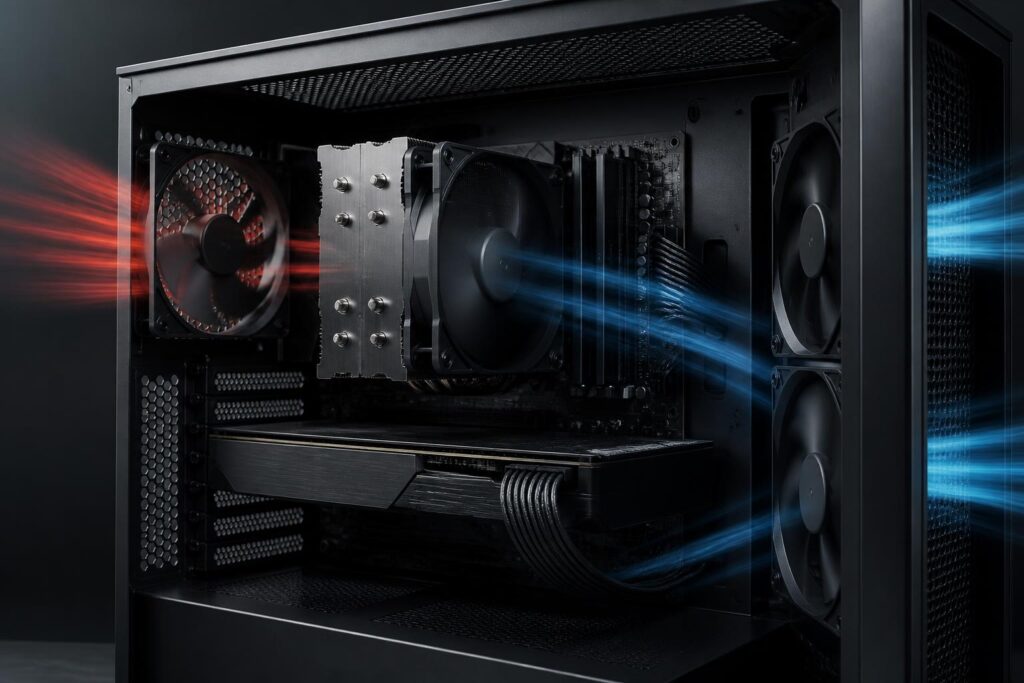
A CPU cooler can only transfer heat into the air. If hot air remains trapped inside the case, cooling performance will decline even if the cooler is large. A basic configuration generally needs to distinguish between fans that draw cool air in from outside and fans that push hot air out. The goal is not to install as many fans as possible, but to create an easy-to-understand airflow path, limit stagnant-air pockets, and keep cables from blocking intake or exhaust locations.
Front fans are commonly used to bring air in, while rear or top fans can help expel hot air. The specific arrangement also depends on the case design, the graphics card’s position, and the radiator. When using a radiator at the front, the installer needs to consider that air passing through the radiator will change the temperature of the air inside the case. When placing the radiator at the top, clearance from the motherboard and RAM must be checked. There is no single layout suitable for every case, but every layout should aim for continuous airflow and easy cleaning.
Fans should not be evaluated solely by their maximum rotational speed. Noise levels, temperature-based speed control, and bearing quality have a major impact on the everyday experience. A fan may run very fast but be unsuitable for quiet use. In many cases, setting an appropriate fan curve will provide a better balance between temperature and noise than running every fan continuously at high speed.
Thermal Paste and Installation Practices
Thermal paste fills the tiny gaps between the CPU surface and the cooler’s base, thereby improving thermal contact. The paste should be applied in an appropriate amount according to the manufacturer’s instructions. Too little may result in uneven contact, while too much does not mean better cooling performance and can make cleaning more difficult.
Clamping pressure also needs to be distributed evenly. If the design requires it, the installer should tighten the screws in a crisscross pattern, avoiding excessive pressure on one corner while the other corners have not yet been secured. After installation, the fan or pump cables must be connected to the correct headers on the motherboard. A system with a good cooler can still encounter problems immediately after startup if the fan is not operating, the pump is not receiving power, or a cable becomes caught in a fan blade.
Once the installation is complete, temperature and stability should be checked using tasks close to the intended usage. Users can monitor the system while running commonly used software, playing games, or processing a long project instead of relying only on a short test. What matters is whether the temperature rises abnormally, whether clock speeds are reduced because of thermal limits, whether the noise level is acceptable, and whether the computer remains stable over an extended period.
Maintenance Keeps Performance from Declining Over Time
Dust is one of the common causes of declining cooling performance. Dust on cooling fins, filters, and fan blades obstructs airflow while forcing the fans to work harder. Cleaning frequency depends on the environment where the computer is placed, the level of use, and the case design. A computer placed on the floor, near fabric, or in a dusty space generally needs to be checked more often.
When cleaning, the computer should first be turned off and disconnected from power. If compressed air is used, the fan blades should be prevented from spinning too freely, and dust should be removed from both the filters and the intake areas. There is no need to disassemble the entire system when the dust buildup is light. With an AIO liquid cooler, users should pay attention to unusual pump noises, leaks, or clear signs of declining performance. The liquid circuit should not be opened if the product was not designed for user refilling or servicing.
Choose Balance Instead of Standout Specifications
A sensible choice should balance cooling capability, noise, size, complexity, and cost. An office PC may prioritize compactness and minimal maintenance. A gaming computer may need good airflow to handle heat from both the CPU and graphics card. A workstation used for intensive tasks should instead focus on its ability to sustain performance during long workloads. In every case, the appropriate cooler is the one that handles the actual workload without creating significant additional inconveniences.
Before buying, users should make a short list including the CPU model, socket, the case’s space limitations, fan or radiator mounting locations, RAM height, noise target, and primary usage. This list helps eliminate incompatible products before comparing prices or designs. It also limits the tendency to buy based on advertising, where one prominent specification can sometimes obscure factors that have a more direct effect on the user experience.
A CPU cooler is not a component that can be considered separately from the rest of the PC. Its effectiveness is created through the interaction of the cooler, thermal contact paste, fans, case, airflow, and maintenance habits. By evaluating all these factors, users can build a cooler, more stable, and easier-to-use system without necessarily choosing the most expensive solution.
