


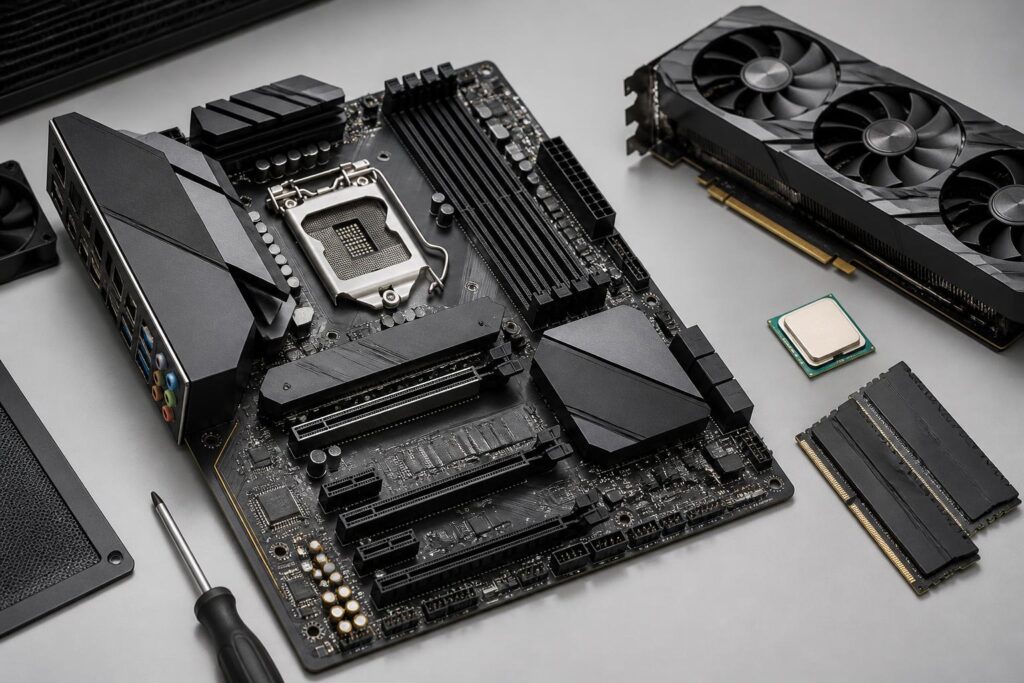
In a computer system, the motherboard usually does not produce easily visible performance numbers like the processor or graphics card. Nor does it directly store data like an SSD. However, it is the component that connects nearly every important piece of hardware, from the CPU, memory, and storage devices to expansion cards and peripheral ports. A poorly considered choice can limit the system from the outset, make upgrades difficult, or lead to compatibility issues that are not easy to resolve.
Conversely, a suitable motherboard does not necessarily have to be the most expensive model or the one with the longest list of features. Its value lies in providing the right platform for the processor, sufficient power delivery, the necessary connections, and compatibility with the case. Therefore, the important question is not “which motherboard is the best,” but rather “which motherboard properly meets the intended use of this system?”
Start with the processor and compatible platform
The first factor to check is the CPU platform. Motherboards are designed for specific groups of processors, depending on the socket type and corresponding chipset. Two motherboards that look very similar may still not support the same processor. Checking the socket name on the specifications pages of the CPU and motherboard manufacturers is mandatory before considering Wi-Fi, the number of expansion slots, or appearance.
Even when the socket is compatible, compatibility should not be understood too simply. Some CPU generations may require a specific BIOS version for the motherboard to recognize them correctly. For products that have remained in inventory for a long time or have passed through multiple distribution cycles, the preinstalled BIOS version may not be the latest one. Buyers should review the CPU support information on the manufacturer’s website and also pay attention to whether the motherboard supports BIOS updates without installing a CPU.
The chipset also affects the range of features a motherboard provides. Some chipsets prioritize reasonable costs and mainstream needs, while others are aimed at providing more connection lanes, advanced tuning capabilities, or support for multiple devices at the same time. Not every chipset difference is meaningful to every user. If the computer is mainly used for studying, office work, and entertainment, paying extra for options intended only for specialized configurations may not provide proportional value.
Power delivery must be considered in the real-world context
The power delivery circuitry, commonly referred to as the VRM, is responsible for supplying suitable power to the CPU. When choosing a motherboard, many people look only at the number of phases or marketing information related to cooling in this area. These details can be useful, but they should not be treated as the sole criteria. Component quality, overall design, cooling capability, and the CPU’s power consumption need to be assessed together.
For a mainstream processor running at its default settings, a mid-range motherboard with a properly designed power-delivery system is usually sufficient for stable use. If you use a many-core CPU, work continuously for long periods, or plan to adjust power limits, the requirements for the power circuitry and cooling will be higher. In this situation, a motherboard that is too low-end may cause sustained performance to become unstable under heavy loads, even though the CPU itself remains powerful enough.
The appropriate approach is to identify the CPU first, then review temperature tests and the ability of the motherboard under consideration to maintain clock speeds. A single criterion should not be used to conclude that one product is definitely better than another. The goal is to choose a design with enough headroom for the configuration, rather than buying hardware far beyond the actual need simply because its numbers look impressive.
The motherboard form factor must match the case
Common form factors such as ATX, microATX, and Mini-ITX determine how the motherboard arranges expansion slots, RAM slots, and connection ports. Larger motherboards generally provide more room for expansion cards and storage devices, but they require a compatible case. Smaller models may suit compact systems, but they often require some trade-offs in expandability or ease of assembly.
Before buying, users should check the specifications of both the motherboard and the case, rather than relying only on the form-factor name. A case that supports a larger standard can often accommodate a smaller motherboard, but the placement of mounting holes, the position of the power supply, the length of the graphics card, and the space for cooling still need to be compared. This is especially important with small computers, where every bit of space affects cable management and airflow.
Size is also related to upgrade plans. If you currently need only one graphics card and a few storage drives, microATX may be a balanced choice. If you plan to add a sound card, network card, storage expansion card, or other specialized devices, a motherboard with more PCIe slots will provide greater flexibility. Conversely, a compact system used only for basic tasks may not need a large motherboard with many empty slots.
Read RAM and expansion-slot specifications realistically
The number of RAM slots is worth noting because it directly affects how memory can be upgraded. A motherboard with more slots allows you to start with a moderate capacity and add more later, but installing additional RAM still requires checking compatibility. Memory modules with the same capacity but different speeds, manufacturers, or operating specifications may not produce the same results as a kit designed and tested to work together.
Buyers should check the type of RAM supported by the motherboard, the maximum capacity, the advertised speeds, and the memory support list tested by the manufacturer, if available. This information does not guarantee that every combination will operate identically, but it helps reduce risk when building a configuration. For a computer intended for long-term work, choosing suitable memory from the beginning is usually simpler than mixing several different modules just to make use of old components.
PCIe slots also need to be considered according to actual needs. Graphics cards often occupy significant physical space, potentially covering an adjacent slot or limiting the ability to install additional cards. Besides the number of slots, their positioning and distance from other components also affect installation. A motherboard with many slots on paper does not necessarily offer many options if a large graphics card has already occupied most of the available space.
Do not overlook storage systems and connection ports
Modern motherboards usually support multiple types of connections for storage devices, but the number of slots and the way they share bandwidth can vary. When installing multiple M.2 drives, some SATA ports or expansion slots may be disabled depending on the design. This is not a product defect, but a consequence of multiple connections sharing resources on the platform. Therefore, buyers should read the connection diagram in the technical documentation if they plan to use several drives simultaneously.
The ports on the back of the motherboard should also be chosen according to usage habits. Check the number of USB ports, the display outputs if integrated graphics will be used, the network port, audio connections, and wireless connectivity options. Someone who regularly uses many peripheral devices will care more about the number and placement of ports than about features that appear only in the specifications table. If Wi-Fi or Bluetooth is needed, choosing a version with those features integrated may be neater than buying separate devices, provided that the price and quality are suitable.
The case’s front-panel USB ports also need to be matched with the headers on the motherboard. Some cases have high-speed ports or a front USB-C port, but not every motherboard has the corresponding header. Overlooking this detail may leave the front ports unusable or require an adapter, reducing convenience during use.
BIOS, audio, and networking: details that affect the experience
The BIOS is the foundational interface that helps the computer start up and allows users to adjust many hardware settings. A BIOS with a clear layout, convenient update capabilities, and easy-to-understand information makes assembly, troubleshooting, and upgrades less difficult. Features for restoring default settings, checking temperatures, and monitoring fan speeds are also useful during long-term use.
Integrated audio and network controllers are already sufficient for most users. However, differences in circuit design, control software, and port placement can affect the experience. Users who work with audio professionally or need specialized network connectivity should clearly identify their requirements before buying, rather than assuming that every motherboard serves the same types of work equally well.
Features such as decorative lighting, port covers, or error-code displays may offer their own value, but they should come after the foundational criteria. An attractive motherboard cannot make up for missing necessary ports, incompatibility with the case, or insufficient upgrade capacity. Appearance should become a deciding factor only after the technical requirements have been met.
Plan your purchase to avoid paying for unused features
Before choosing a product, users should write down the planned configuration, including the CPU, RAM, graphics card, storage devices, case, and primary peripherals. From that list, they can determine the number of slots needed, the required connection types, and the desired amount of headroom. This approach makes comparisons between motherboard models more concrete instead of allowing premium names or lengthy specifications tables to drive the decision.
The budget should also be allocated according to the role of each component. You should not spend too much on the motherboard and then cut back on the CPU, memory, or power supply, but neither should you save so aggressively that the platform becomes the weak point of the entire system. A sensible motherboard is one that can operate stably with the chosen CPU, provides enough connections for current needs, and leaves a reasonable amount of room for future upgrades.
Finally, prioritize information from the manufacturer’s product page and official documentation, especially the supported CPU list, memory limits, port-sharing diagram, and physical dimensions. When something is unclear, checking it beforehand will save more time than troubleshooting after the computer has already been assembled. A motherboard is not a component that should be chosen based on instinct, because decisions made here will affect nearly the entire life cycle of the system.
Choosing the right motherboard means choosing a suitable platform, not the most impressive feature sheet. By starting with the CPU, usage needs, and upgrade plans, buyers can eliminate many unnecessary options and focus on compatibility and stability. A thoughtful decision at this stage will make the computer easier to assemble, easier to expand, and more effective over the long term.
