


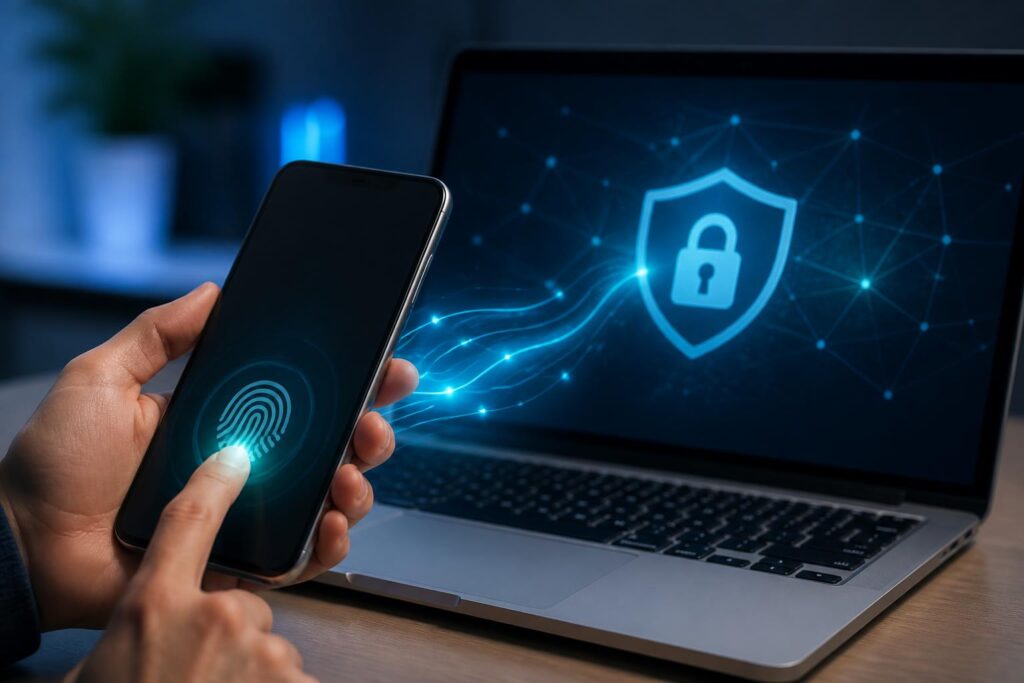
For many years, passwords have been considered the most basic layer of protection for online accounts. Users create a string of characters, memorize it, and enter it whenever they log in. This model is familiar, but it also reveals many weaknesses: passwords can be guessed, stolen in a data breach, exposed by malware, or entered by users on a fake website. Requiring each account to use a separate, sufficiently complex password makes the management process even more difficult.
Passkeys have emerged as a different approach. Instead of requiring users to send a password to a service, passkeys use public-key cryptography to confirm that the person logging in possesses a device or authentication method registered in advance. Users can confirm their identity with a fingerprint, face, device unlock code, or an equivalent protection method. This experience is closer to unlocking a phone than filling out a traditional login form.
How Do Passkeys Work?
When a user creates a passkey for an account, the system generates a key pair consisting of a private key and a public key. The private key is stored on the device or in a compatible credential-management system, while the public key is stored by the online service to verify subsequent logins. These two components serve different purposes and cannot be used in the same way.
During login, the service sends a random challenge to the device. The device uses the private key to generate a cryptographic response, but only does so after the user confirms their identity locally, for example with a fingerprint, face, or unlock code. The service uses the stored public key to verify the response. If the verification succeeds, the user is logged in without having to send a password over the network.
Notably, biometric information is generally processed directly on the device to confirm the identity of the person using it. An online service does not receive a copy of a fingerprint or facial image simply because the user uses one to activate a passkey. This does not mean that all privacy risks automatically disappear, because the way each platform stores and synchronizes authentication information still needs to be considered. However, separating local confirmation from data used directly for login helps reduce the amount of sensitive data that must be shared with a service.
Why Are Passkeys Considered a Security Improvement?
The greatest benefit of passkeys is their ability to resist many forms of fraud based on password theft. With the traditional method, an attacker can create a login page that closely resembles the real one and trick users into entering their account name and password. If users do not recognize the fake address, their information can be collected immediately. Passkeys are not designed to be read, copied, or entered into another website by users. Authentication is tied to the service and the login context verified by the device, so a fake site has difficulty using a real service’s passkey in the same way it could use a password.
Passkeys also reduce the harm caused by password reuse. This is a common habit because many people do not want to remember too many strings of characters. When one password is exposed, other accounts using the same password may also be put at risk. With passkeys, each service can be associated with a separate credential, while confirmation is performed through the device. Users do not need to remember a different secret string for every account.
The user experience is also an important factor. Strong passwords are often difficult to remember, while easy-to-remember passwords may be easier to guess. Passkeys shift most of the complexity from the user’s memory to the device’s security mechanisms. Logging in can be faster, particularly on phones or computers that already have a biometric unlock method. However, convenience is meaningful only when it is accompanied by a reasonable recovery process and serious device-protection habits.
Passkey Synchronization and the Question of Control
One of the most practical issues is that users do not have only one device. They may use a phone for personal matters, a laptop for work, a tablet for entertainment, and an additional backup device. If a passkey exists on only one device, losing or damaging that device can make it difficult for users to access their accounts. For this reason, many ecosystems provide mechanisms to synchronize or back up passkeys through a device-management account.
Synchronization provides convenience but also creates an issue that needs consideration. Users must trust the ecosystem provider to protect the credential vault and design the recovery mechanism. A good solution should make it possible to use a passkey on a new device without turning the backup into an easily stolen copy. Users do not necessarily need to understand every technical detail, but they should know where their passkeys are stored, how they can be recovered, and what happens if they lose access to the device-management account.
In some cases, passkeys can be used between devices through a nearby connection or by scanning a code to confirm a login. This is useful when a computer does not have its own authentication method and the phone is used as the device proving the user’s identity. Even so, users should carefully check the request displayed on both devices and avoid approving a login request they did not initiate.
Passkeys Do Not Eliminate Every Risk
The emergence of passkeys does not mean that every account is completely secure. If an attacker gains access to an unlocked device, a risk still exists. If the device’s unlock code is too easy to guess, the underlying layer of protection is also weakened. A user could also be tricked into granting permission to an untrustworthy application, have their recovery email account taken over, or be persuaded to provide a confirmation code during impersonation calls.
Fallback options also need to be considered carefully. Many services still retain passwords, verification codes sent by text message, or recovery questions to support users who do not yet have passkeys. If these options are significantly weaker, attackers may try to bypass the passkey through the recovery channel itself. Therefore, when enabling a passkey, users should review the list of signed-in devices, recovery methods, linked email addresses, and active access sessions.
Removing a passkey from an old device is just as important as creating a new one. When selling, giving away, repairing, or ceasing to use a phone or computer, users should sign out of their accounts, erase the data according to the manufacturer’s instructions, and check access again from another device. If a device is lost, users should quickly use account-management tools to lock, erase, or revoke the credentials when the service supports those functions.
Businesses Need to Change How They Deploy Them
For businesses, passkeys are not merely a new login button. They represent a change involving identity management, support procedures, and information-security policies. Technology departments need to determine which systems support this method, how to grant access to new employees, how to revoke access when employees leave, and how to handle lost devices. Without careful planning, a business may reduce one risk while creating many new support requirements.
Businesses should also distinguish between encouraging passkeys and requiring all employees to use them immediately. Some people may work on older devices, use many different systems, or need to access systems in environments where biometric authentication is inconvenient. An appropriate rollout often begins with evaluating systems, testing with a small group, creating clear guidance, and then expanding gradually. Accounts with critical access privileges should be prioritized for protection, while revocation and recovery procedures must be tested before being applied on a broad scale.
Where Should Users Start?
First, users should check whether passkeys are supported by the service they use and read the official instructions in the account’s security section. They should not create credentials through links received in suspicious emails or text messages. After setup, check the device name, creation time, and list of active login methods if the service provides this information.
Next, users need to strengthen the device’s layer of protection. The unlock code should be difficult enough for others to guess, the operating system and browser should be kept up to date, and unnecessary applications should be removed. Users should also maintain at least one trustworthy recovery option, while avoiding turning every backup channel into an easily exploitable weakness. Storing backup codes in a secure place separate from the device used regularly can be helpful if the service offers this option.
Finally, it is important to understand that technology is only one part of digital safety. Users must remain alert to fake websites, applications from unknown sources, and unusual login requests. Passkeys reduce the need to remember secrets and limit the risk of password theft, but they cannot completely replace checking the context before approving an action.
Passkeys point to a notable direction in the development of authentication technology: instead of making people repeatedly prove their identity with strings of characters that can easily be exposed, systems can rely more heavily on devices, cryptography, and local confirmation. The value of this method lies not only in faster login actions, but also in narrowing the common opportunities attackers use to steal passwords. To realize these benefits, platforms need to design transparent recovery processes, businesses need to prepare appropriate policies, and users must proactively protect their devices and platform accounts. When all three factors receive proper attention, passkeys can become a practical step toward a safer online environment that is less dependent on passwords.
