


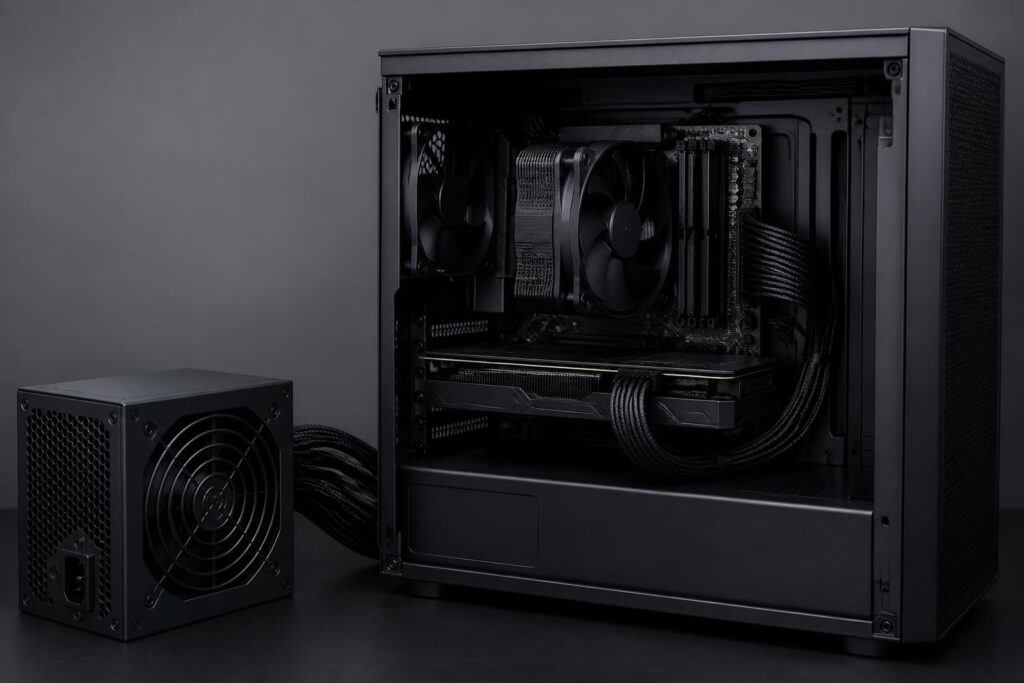
In a computer system, the power supply is often the least-noticed component. Users tend to devote most of their budget to the processor, graphics card, memory, and storage, then choose a power supply based on an exceptionally high wattage rating or a low price. This approach may save money initially, but it overlooks the PSU’s foundational role. It is the component that receives electricity from the power grid, converts it into suitable voltage levels, and distributes power throughout the system.
A suitable power supply does not make a computer faster in an immediately noticeable way. It does not directly increase frame rates, shorten application launch times, or add storage capacity. Its value lies in stability, load-handling capability, safety, and the headroom needed for future changes. Therefore, power-supply selection should begin with the actual configuration and usage habits, rather than with the pursuit of the highest possible wattage.
Rated Wattage Is Not the Only Criterion
Wattage is the first thing buyers usually look at, but it is also where misunderstandings most easily arise. An office system using an energy-efficient processor and integrated graphics has very different requirements from a gaming computer with a powerful discrete graphics card. Video-editing machines, 3D-rendering systems, and computers running prolonged computational workloads also produce a sustained load different from that of a machine used for occasional gaming.
To estimate requirements, first determine the power consumption of the main components, especially the processor and graphics card. Manufacturer-recommended specifications can serve as a reference, but they should not be treated as absolute figures for every system. The motherboard, fans, storage drives, peripherals, and number of expansion components all contribute to the total load. Once an estimate has been made, it is advisable to allow a reasonable margin so that the power supply does not have to operate close to its limit on a regular basis.
Headroom does not mean choosing the highest-wattage power supply within the budget. A power supply that is far more powerful than necessary may divert the budget toward a component the system cannot make use of. Conversely, a power supply that is just sufficient on paper but leaves no room for load fluctuations, upgrades, or aging over time may make the computer less stable. The sensible goal is to find a balance between the actual load, design quality, and long-term usage plans.
Graphics Cards and Transient Power Spikes
Graphics cards are one of the reasons power-supply selection requires increasing caution. Published power-consumption figures usually describe a particular operating condition, while some workloads can create very brief power spikes. If the power supply’s rated capacity is a close match or its protection circuitry responds inappropriately, the system may shut down suddenly even though its apparent average power consumption remains within the limit.
For this reason, buyers should check the power-supply recommendation for the specific graphics-card model and also verify whether the power supply has the necessary connectors. Do not simply rely on the included adapter and assume that every power supply is compatible. The plug, cable distribution, load-handling capability of the power-delivery paths, and installation instructions all matter, especially with graphics cards that consume substantial amounts of power.
It is also important to distinguish an overloaded power supply from a system failure caused by an improperly installed cable or connector. An incompletely inserted plug, sharply bending a cable near the connector, or using a cable that does not belong to the correct power supply can all create unnecessary risks. When upgrading a graphics card, checking all power cables again should be considered part of the upgrade process, not a step that can be skipped.
Design Quality Matters More Than Appearance
Two power supplies with the same wattage printed on the label will not necessarily provide the same experience. Component quality, circuit design, cooling capability, voltage stability, and the manufacturer’s implementation of protection circuits all affect reliability. Buyers cannot easily assess these factors from product images alone, so they should look for clear technical information, transparent warranty policies, and methodical reviews rather than relying only on short comments on retail pages.
Commonly mentioned protection circuits include overcurrent, overvoltage, undervoltage, over-power, short-circuit, and over-temperature protection. The specific names may vary between manufacturers, but the general principle is that a power supply should be able to respond when operating conditions exceed safe limits. These mechanisms do not turn a low-cost power supply into a premium product, but their absence or unclear description is a sign that buyers should exercise caution.
Efficiency certification is also useful information, but it should not be used as the sole measure of a power supply’s overall quality. Efficiency indicates the proportion of electrical power converted into useful energy compared with the portion consumed as heat under certain conditions. A more efficient power supply generally produces less heat and may reduce wasted electricity, but an efficiency certification does not automatically reveal everything about component durability, protection-circuit quality, or transient-load handling.
Cables, Connectors, and Compatibility
Modular power supplies allow unused cables to be detached, keeping the inside of the computer case tidier and potentially improving cable management. Semi-modular power supplies have some basic cables permanently attached, while additional cables can be removed. Non-modular power supplies have all cables permanently attached and are often suitable for people who want to minimize costs or do not need to manage many cables. This difference is primarily related to installation and space organization; it does not guarantee that one type will always be of higher quality than another.
One important point to remember is that modular cables should not be mixed indiscriminately between power supplies, even when the connectors on the outside look identical. The pinout on the side that connects to the power supply may differ, and using the wrong cable can damage components. When replacing a power supply, the safe approach is to use the exact cable set supplied with the new product, unless the manufacturer explicitly confirms compatibility.
In addition to the cables for the motherboard and processor, users need to check the connectors for the graphics card, storage drives, and additional devices. Some small computer cases also impose limits on power-supply length, fan position, and cable-routing space. A power supply may have sufficient wattage but fail to fit the case or force the cables to bend sharply, making installation more difficult. Physical dimensions are therefore also part of the compatibility equation.
Efficiency, Noise, and Usage Conditions
A power supply’s efficiency changes with its load level. In a system that regularly operates at a very low load, an excessively large power supply may not be the optimal choice if the goal is efficient electricity use. In gaming or heavy-work systems, the load is generally higher, and attention should be paid to heat output, fan speed, and noise over extended periods.
Some power supplies have a fan-stop mode when the load is low. This feature can make the computer quieter while idle, but it should not be equated with good cooling performance under all conditions. As the load increases, the fan still needs to operate to remove heat from the power supply. Users should install it according to the case’s instructions, ensure that intake and exhaust openings are not blocked, and clean dust regularly.
The environment in which the computer is placed also affects the choice. A hot, dusty room or a system that operates continuously requires greater attention to airflow and thermal headroom. A good power supply cannot compensate for a poorly ventilated case, cables obstructing a fan, or an installation position that causes the power supply to draw in dirt directly over a long period.
Warranty and Upgrade Potential
A power supply is a component that users often want to keep through several upgrade cycles. Therefore, the warranty period, warranty-support process, and distributor’s level of transparency can matter just as much as small differences on a specification sheet. A product for which replacement parts are easy to find and support is clearly provided will reduce the risk when the system encounters a problem.
When planning to buy a new computer, think about upgrades that are likely to occur rather than calculating only for the current configuration. If you expect to switch to a more powerful graphics card, add more storage drives, or use a processor with higher power consumption, leave enough wattage and connectors from the outset. However, this plan should be realistic. Allowing for a likely upgrade is entirely different from paying substantially more for capacity the user will never use.
A Practical Power-Supply Selection Process
You can begin by listing all the main components, identifying the intended usage, and checking the graphics-card manufacturer’s power-supply recommendation. Then check the wattage, connector types, physical dimensions, protection system, efficiency, noise, and warranty policy. Finally, compare these factors with the budget and upgrade plans. This process takes a little more time, but it helps avoid decisions based solely on advertising or a single review.
If the computer is used for important work, protecting the incoming power supply is also worth considering. A voltage regulator, uninterruptible power supply, or suitable surge protector may help in environments with unstable electricity, but none of these replaces a well-designed power supply. Likewise, repeatedly shutting down the computer abruptly, using a loose outlet, or allowing the power cable to bear strain are habits that should be corrected.
A power supply is not a component that makes a configuration stand out on a specification sheet, but it affects the entire operating experience. Choosing the right PSU involves balancing actual power requirements, headroom, design quality, connectors, cooling capability, and after-sales support. When these factors are considered together, the power supply becomes a reliable foundation for both the current system and future upgrades.
