


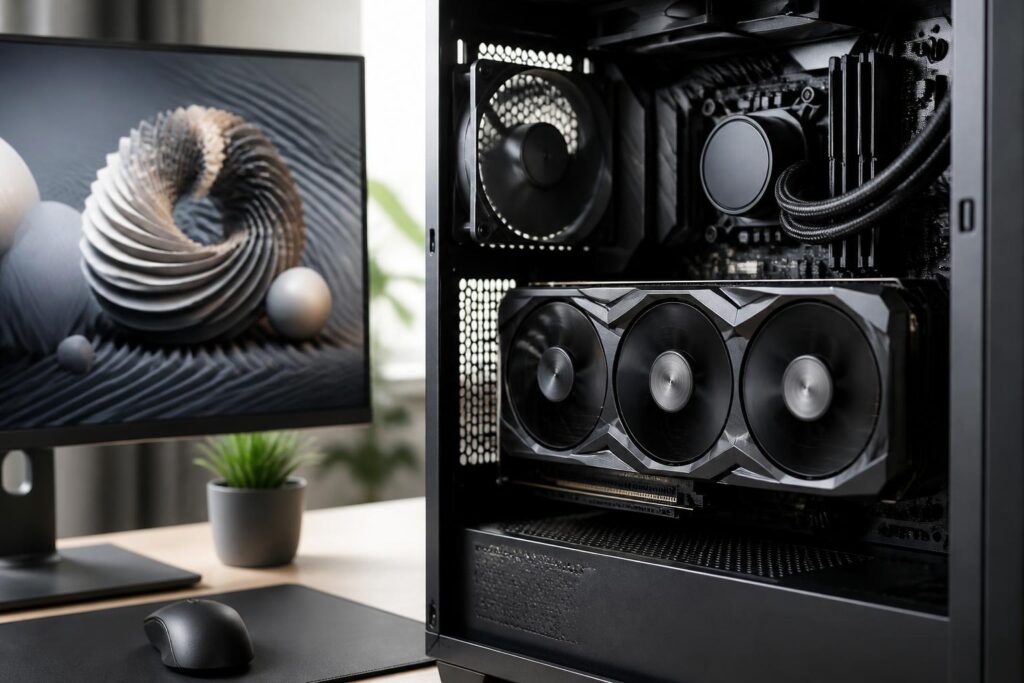
Graphics cards are often the component that causes the most confusion when building or upgrading a computer. Users may encounter a wide range of product names with very similar naming schemes, multiple versions with different memory capacities, and benchmark charts that do not always accurately reflect everyday experience. Meanwhile, a sensible choice must answer a more important question: is this card suitable for the specific monitor, software, and usage pattern?
There is no single best graphics card for everyone. One card may be highly suitable for gaming at high resolutions but unnecessary for an office computer. Conversely, a mid-range card may handle most popular games well but quickly reveal its limitations when working with complex 3D scenes or high-resolution video. Therefore, instead of looking only at performance rankings, buyers should also assess their current needs, upgrade potential, and the practical conditions of their system.
Start with the Monitor and Software, Not the Product Name
A monitor’s resolution and refresh rate are the first two factors to determine. The higher the resolution, the more pixels the graphics card must process in each frame. A high-refresh-rate monitor also requires the computer to produce more frames in order to take advantage of its display capability. However, this need also depends on the game genre. Competitive games often prioritize responsiveness and frame rates, while cinematic games place greater emphasis on image quality and lighting effects.
For professional work, the evaluation process is different. Photo editors may care more about a color-accurate monitor and the software’s stable operation. Video editors need to consider the decoding, encoding, and hardware acceleration capabilities supported by their applications. Those working with 3D modeling or rendering, meanwhile, need to pay attention to the ability to process complex scenes, graphics memory, and compatibility with specialized tools. The same graphics card can deliver very different results depending on the software, so general advertising information cannot replace checking the requirements of the applications used regularly.
Graphics Memory Matters, but Capacity Does Not Tell the Whole Story
Graphics memory, commonly called VRAM, stores the data needed for rendering, such as textures, frame buffers, and some scene data. As resolution increases or texture quality is set higher, memory requirements also increase. If there is not enough VRAM, a game may stutter, load data slowly, or require reduced image quality even when the GPU still has processing capacity available.
Even so, VRAM capacity should not be treated as the only measure. A card with more memory is not necessarily faster if its graphics processor is weak, its memory bandwidth is limited, or its architecture is unsuitable for the task. Real-world performance is also related to processing speed, the memory system, drivers, and the level of software optimization. Buyers should consider the balance among the specifications rather than choosing a product solely because it has a large memory capacity.
VRAM is also a reason to think about how long the computer will be used. A configuration that is just sufficient for current needs may become cramped when newer games or software require more data. However, buying an overly high-end card simply to prepare for a scenario that may never occur also increases cost, power consumption, and cooling requirements. A more sensible approach is to determine the expected period of use and then choose a memory capacity appropriate for the resolution and image quality one actually wants to maintain.
Do Not Overlook Rendering Technologies and Compatibility
Modern graphics cards do more than render frames using traditional methods. Many products support image upscaling, frame generation, or scene rendering techniques based on specialized processing capabilities. These technologies can help improve smoothness in some games, but their effectiveness depends on whether the game supports them and how image quality is configured. It should not be assumed that every technology works the same way in every game.
Ray tracing is also a commonly mentioned consideration when evaluating graphics cards. It is a method that simulates the paths of light to create more natural-looking reflections, shadows, and illumination effects. In return, it can significantly increase the computational workload. If users are interested in this feature, they need to consider processing performance, the game’s level of support, and image-enhancement options at the same time. A card that is powerful in conventional rendering mode may not deliver a similar experience when all advanced effects are enabled.
For creative work, software compatibility can sometimes matter more than a small difference in benchmark scores. Some applications make good use of the acceleration libraries or hardware encoders of a particular platform, while others are optimized differently. Therefore, before buying, users should check the documentation for the software they use, determine whether the necessary functions are hardware-accelerated, and verify whether the current drivers provide stable support.
Size, Temperature, and Power Are Essential Requirements
Performance specifications are meaningful only when the graphics card fits inside the computer case and receives power correctly. Many cards have thick designs that occupy two or more expansion slots, while some small cases do not have enough room for that length or thickness. Users need to check the distance from the card’s installation position to the front fans, drive bays, and internal cables. A product that fits in theory can still be difficult to install if the actual space is limited.
Cooling also affects stability and noise. Large fan systems can often maintain better temperatures at the same load, but they are not always suitable for small cases. Conversely, a compact design may be convenient in a confined space but requires careful organization of airflow inside the case. Users should pay attention to the arrangement of intake and exhaust fans, the space around the card, and regular dust cleaning.
Power requirements need to be considered as part of the overall system configuration, not based solely on the graphics card’s own consumption. The processor, number of storage drives, fans, and additional devices all use power. More importantly, the power supply must be of suitable quality, have the correct connectors, and use securely connected cables. Using an unsuitable adapter cable or trying to run a high-power card with an aging power supply can reduce the stability of the entire system.
Balancing the Processor and Checking Real-World Performance
A powerful graphics card cannot reach its full potential if the processor, system memory, or software platform becomes a bottleneck. This situation is often easier to notice at low resolutions and high refresh rates, when the processor must prepare data for a very large number of frames. At higher resolutions, the workload generally shifts more toward the graphics card, but that does not mean every processor can be paired with it indiscriminately.
The best way to evaluate performance is to look for reviews conducted in conditions similar to one’s own needs. Pay attention to the resolution, graphics settings, driver version, accompanying processor, and frame-rate stability. A high average figure that includes frequent drops can still feel less smooth. For creative software, the time required to complete a real task or the preview speed may sometimes be more useful than a synthetic benchmark score.
When upgrading, users should also identify the limitations of their existing system. If the computer currently uses a low-resolution monitor, an old processor, and a power supply with limited capacity, replacing the card with the highest-end model may not produce a proportional improvement. A balanced upgrade, together with sufficient system memory and a clean cooling system, often creates a better experience than putting the entire budget into a single component.
Price, Used Products, and the Cost of Ownership
The listed price is not the full cost of a graphics card. Buyers may also need to account for a power supply, case fans, cables, installation costs, or a suitable monitor. A cheaper product that requires replacing several other components may no longer be the most economical choice. Conversely, if the current system already meets the necessary conditions, upgrading the right component can deliver a clear improvement.
Used graphics cards also need to be assessed carefully. Check the physical condition, fans, connectors, signs of repair, and whether the card can be tested under load. If possible, examine the temperature, stability, and noise over a sufficiently long period rather than merely starting the computer for a few minutes. The warranty policy and product origin are especially important, because graphics card repair costs are often difficult to predict.
For a new product, buyers should keep the receipt, warranty information, and included accessories. There is no need to run the card with overclocking if the use case does not require it, since the default configuration has generally been tested by the manufacturer under standard conditions. Maintaining unobstructed airflow, cleaning regularly, and updating drivers from trustworthy sources help the system operate more reliably over the long term.
An Easy-to-Follow Graphics Card Selection Process
The process can begin by clearly listing three main tasks, such as gaming, video editing, or office work. Next, identify the monitor currently in use, the desired level of image quality, and the expected period before the next upgrade. Then eliminate models that do not fit the case, are incompatible with the power supply, or are not supported by the required software. Only after narrowing the list should buyers compare prices and benchmarks.
At the final step, consider the total cost and warranty coverage rather than simply choosing the model with the highest speed. A card that suits the intended use, is easy to install, operates quietly, and comes with clear after-sales service is often the more sustainable choice. If you are still undecided between two products, prioritize the criteria that directly affect your experience, such as VRAM capacity for the target resolution or the acceleration capabilities of the software used most often.
Choosing a graphics card is a balancing act involving performance, cost, power consumption, temperature, and service life. The numbers on the box can provide direction, but the final decision should be based on the entire system and actual usage habits. By starting with their needs instead of chasing product names or rankings, users will find it easier to choose a product that is powerful enough, suitable, and less likely to create unnecessary additional upgrade costs.
